Big thanks to Artlist for sponsoring this video.
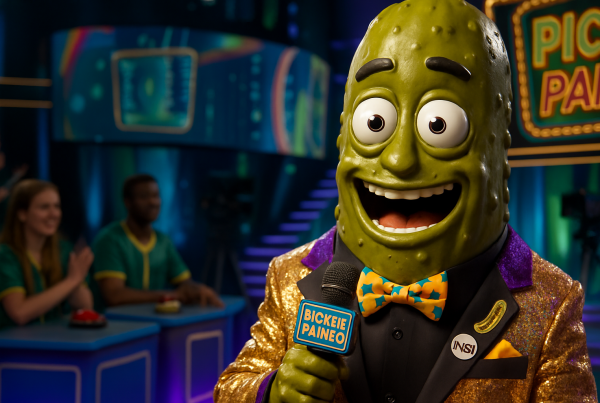
If you want fast AI video results without getting buried in long prompts, this lineup of Artlist AI Apps is a seriously fun shortcut. Instead of building everything from scratch, these apps are designed for quick, one-click style transformations that turn a single image, video clip, or text idea into something that feels much bigger, weirder, or more cinematic.
That’s the real appeal here. Speed matters, especially if you’re making content for TikTok, Reels, YouTube Shorts, product ads, or quick concept videos. Artlist’s AI Apps lean hard into that fast-turnaround workflow, and they do it inside the same broader ecosystem that also includes AI video, image generation, music, voiceover, dubbing, avatars, and stock assets.
What Artlist AI Apps actually are
Inside Artlist AI Apps, you get a library of ready-made creative tools built around specific outcomes. That’s an important distinction. These are not just blank prompt boxes. They’re purpose-built mini experiences for things like UGC-style videos, crash zooms, bullet time, hyperlapses, product transformations, character effects, and stylized motion treatments.
In other words, instead of asking, What should I prompt? you start by asking, What kind of result do I want?
This is where Artlist’s AI Apps shine: they remove friction. You pick the effect, feed it the right source, and get to the result much faster.
That makes them especially useful for creators who want fast visual wins, marketers testing ad concepts, or editors who need one standout moment in a cut without opening three other tools.
Why these apps are useful beyond just novelty
Sure, some of these apps are wild in the best possible way. But they are not only gimmicks. A lot of them map directly to real-world content needs:
- UGC-style ads for product testing and hooks
- Cinematic camera moves for making static images feel alive
- Stylized transitions and effects for social edits
- Character variations for entertainment posts and visual experiments
- Story-driven clips for concept development and rapid ideation
If you’ve been exploring AI workflows already, you’ve probably noticed that the hardest part is often consistency and speed. We covered that more deeply in this guide on getting consistent AI characters, locations, and shot lists. These apps approach the same problem from a different angle: fast presets instead of open-ended generation.
Best uses for the 20 featured apps
1. UGC and product marketing
Apps like Bonkers UGC Video are built for speed-first ad creation. From one image, they can help generate a script, shot structure, and social-style output that feels made for short-form platforms. That makes them useful for:
- product mock ads
- creative testing
- landing page visuals
- quick paid social concepts
If you’re selling a physical product or even just pitching an idea, this kind of tool can compress your concepting time dramatically.
2. Character and identity transformations
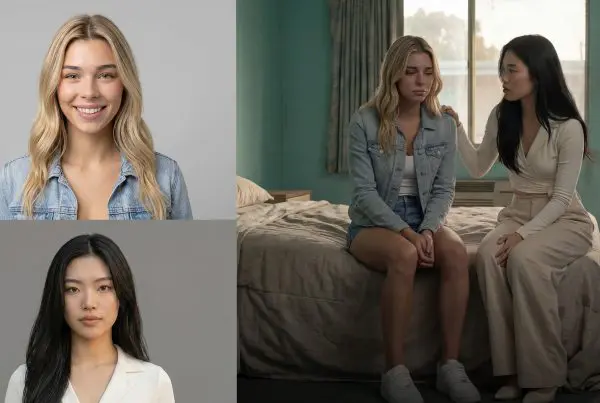
Alternate Selves, Hairstyle Swap, Cat Hybrid, Two Heads, and Bobble Head all fall into the high-scroll-stopping-value category. These are less about polished corporate messaging and more about attention. They’re ideal for:
- creator brands
- comedy content
- before-and-after concepts
- novelty promos
- audience engagement posts
They may look playful, but playful often performs well.
3. Cinematic motion and action effects
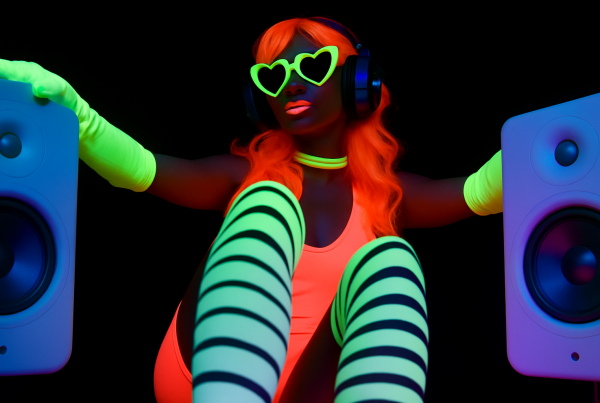
Earth Zoom, Bolt Camera Shot, Crash Zoom, Bullet Time, and Hyperlapse are the apps that can make a still image or basic clip feel more like a trailer moment. This is where a lot of editors will perk up.
| App Type | Best For | Typical Input |
|---|---|---|
| UGC / Product | Ads, promos, hooks | Product image or concept |
| Character Effects | Entertainment, memes, social engagement | Portrait or subject image |
| Camera Move Effects | Cinematic edits, reveals, intros | Image or short video |
| Scene / Style Effects | Creative experiments, transitions, visual punch | Video clip or still |
What makes Artlist stronger than a single-purpose AI effect tool
One of the bigger advantages here is that the apps are part of a larger creative platform. On the official Artlist AI side, the company positions the product as a full AI toolkit rather than just a one-trick generator. That matters because once you create a visual effect or AI clip, you usually still need music, sound effects, voiceover, or additional assets to finish the piece.
So while the video focuses on the 20 apps themselves, the bigger picture is this: Artlist is trying to reduce tool-hopping. You can create the effect, then potentially support it with other built-in creative resources in the same ecosystem.
The faster your idea goes from concept to publishable video, the more useful the tool becomes in a real creator workflow.
How to choose the right app for your project
Don’t start by asking which app looks coolest. Start with the job.
Use a social-first app when:
- you need a hook in the first second
- you’re testing product creative
- you want a looser, native-platform feel
Use a cinematic motion app when:
- your source image is strong but static
- you want scale, drama, or momentum
- you’re cutting trailers, intros, or promos
Use a stylized transformation app when:
- you want novelty and surprise
- the goal is entertainment or shares
- your audience responds to visual experiments
| Goal | Best App Direction | Why |
|---|---|---|
| Sell a product fast | Bonkers UGC / Product-style apps | Fast hooks and ad-friendly structure |
| Make a still feel cinematic | Earth Zoom / Bullet Time / Hyperlapse | Adds motion and scale quickly |
| Create a viral visual | Bobble Head / Two Heads / Cat Hybrid | Built for surprise and reaction |
| Upgrade an edit | Smoke Effect / Sweep Transition / Crash Zoom | Useful finishing touches for pacing |
A few practical expectations before you jump in
As with most AI creative tools, results depend heavily on the source material. A clean image, a clear subject, and a simple visual idea usually perform better than cluttered inputs. These apps are built for speed, but that doesn’t mean every output will be perfect on the first try.
That said, the low-friction nature of this system is the whole point. You can iterate quickly, test multiple directions, and move on without spending an hour prompt-engineering one effect.
Also worth noting: Artlist’s AI platform uses a credits-based structure across its broader toolset, so if you plan to use these apps heavily, it helps to think strategically. Use quick generations for testing, then refine only the winners.
Who will get the most value from these AI Apps?
These tools make the most sense for people who create often and publish often:
- content creators who need rapid short-form ideas
- video editors looking for quick enhancement shots
- marketers testing visual hooks and ad concepts
- social media managers trying to increase variation without slowing production
- small brands that need creative without a full production team
If that sounds like you, these apps are less about replacing filmmaking and more about accelerating the parts of content creation that normally eat up your time.
Final thoughts
What makes this set of 20 Artlist AI Apps interesting is not just the variety. It’s the fact that they are built around outcomes creators actually need right now: better hooks, faster edits, stronger product visuals, more cinematic motion, and weird little attention-grabbers that help content stand out in crowded feeds.
That’s the sweet spot here: low effort in, high visual payoff out.
If you like experimenting, these apps are fun. If you make social content for a living, they’re more than fun. They can become part of a genuinely efficient workflow.
And if you want to go deeper into AI-powered product and ad creation, this related Blue Lightning post is a solid next read: Turn a Single Product Photo Into a UGC or Cinematic Ad with AI.