Big thanks to Artlist for sponsoring this video!
How to Make Commercial-Ready AI Music Faster with Lyria 3
If you create videos, ads, social posts, or branded content, music is often the thing that slows everything down at the worst possible moment. You have the visuals. You have the cut. You know the vibe. But then comes the hunt for a track that fits the pacing, the mood, and the licensing needs without turning your workflow into a side quest.
That is where Google’s Lyria 3, available inside Artlist, gets seriously interesting.
Instead of digging through endless libraries and settling for close enough, Lyria 3 lets you generate original music from prompts, images, and lyrical ideas. In practical terms, that means you can build custom instrumentals, test multiple genres quickly, and even generate full songs with vocals and editable lyrics.
Bottom line: Lyria 3 turns music from a search problem into a creation tool.
Why Lyria 3 Stands Out for Creators
AI music is not new anymore. What matters now is control, speed, and whether the tool actually fits a real content workflow.
Lyria 3 checks those boxes in a way that feels useful rather than gimmicky.
1. It is built for fast iteration
Need a mellow indie cue for a product teaser? A punchy trap beat for a short-form promo? A cheerful jingle for a local business? You can move from idea to draft in minutes, not hours.
That matters because creative direction changes constantly. If a client wants less cinematic, more playful or same energy, but more acoustic, you can regenerate instead of restarting from scratch.
2. It supports more than plain text prompts
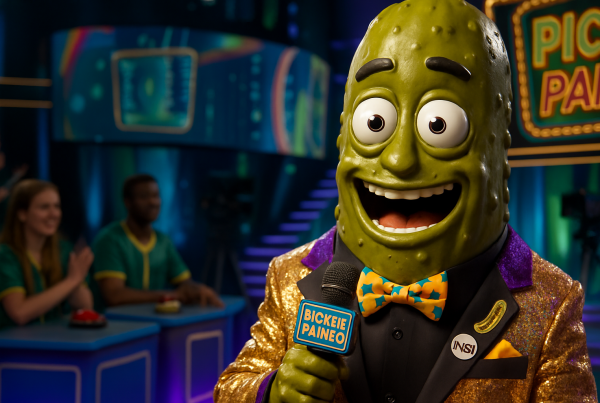
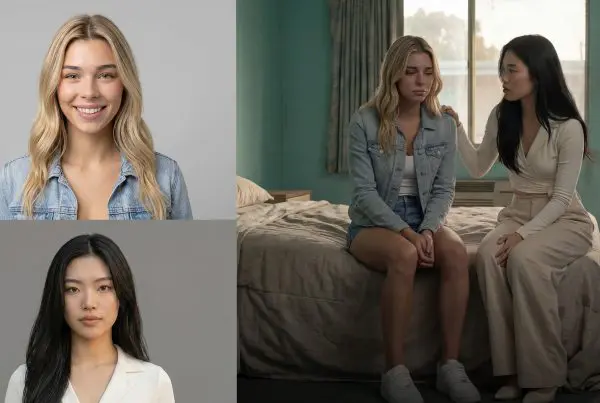
One of the more compelling features here is image-based prompting. Instead of only describing the sound, you can feed the model a still frame or reference image to help shape the musical feel.
That is especially useful for editors trying to match soundtrack and visuals more tightly. If your video has a dusty western palette, neon nightlife energy, or soft lifestyle branding, those visual cues can help steer the result.
3. It can generate lyrics and vocals
For many creators, instrumentals are enough. But if you need a song with a hook, a jingle, or a short vocal performance, Lyria 3 can go further by generating lyrics, vocals, and music together. Google has also positioned Lyria as part of a broader family of music models from DeepMind, with an emphasis on controllable generation and creator-facing tools via Gemini and other surfaces.
4. It fits neatly into a video workflow
Once you generate a track, the next step is obvious: bring it into your edit. If you are polishing inside CapCut Desktop or another editor, Lyria 3 works well as a fast soundtrack source for rough cuts, ads, reels, and explainers.
If you want more ideas for speeding up edits after the music is done, Blue Lightning recently covered 3 CapCut AI Tools You Need to Check Out.
How to Access Lyria 3 in Artlist
Getting started is refreshingly simple.
Inside Artlist, open the AI Toolkit and click the music icon at the bottom. That launches the Lyria 3 workspace, where you can choose how you want to prompt the model.
Here is the basic flow:
- Log into Artlist
Gets you into the AI Toolkit environment - Open the music tool
Launches Lyria 3 - Choose a prompt type
Use text, structured prompting, or image guidance - Select instrumental or song mode
Decide whether you need music only or lyrics plus vocals - Generate and refine
Iterate until the result fits your project
Three Ways to Prompt Better Music
The difference between an okay result and a strong one often comes down to the prompt. The good news is you do not need to write like a music theorist to get something useful.
Simple prompts
This is the fastest route. Something like upbeat folk commercial song or dark cinematic trap instrumental can be enough to get moving.
Simple prompts are ideal when you want quick exploration and do not yet know exactly what the final piece should be.
Structured prompts
If you want more control, add details like:
- Genre: indie pop, country, rap, surf rock
- Mood: uplifting, tense, dreamy, gritty
- Tempo: slow ballad, midtempo groove, 140 BPM energy
- Texture: synth-heavy, acoustic, dark piano, layered ad-libs
- Use case: ad, social promo, brand anthem, explainer
The more clearly you define the brief, the easier it is for the model to land closer to your target.
Image-based prompts
This is where things get fun. Upload a reference frame from your video, then describe the emotional direction you want. Lyria 3 uses that combined input to create music that feels more visually aligned.
Text tells the model what the track should be. Images help suggest what the track should feel like.
Creating AI Songs with Lyrics
If your project needs a catchy vocal, Lyria 3 can generate full songs with lyrics instead of instrumentals only.
Say you need a flower shop jingle, a playful product song, or a quick theme for a campaign. You can enter the idea, choose auto lyrics, set the genre and mood, and generate a first draft. From there, you can review the written lyrics, copy them, edit lines you do not like, and regenerate with your custom version.
That editing step matters. It means AI is not replacing your taste; it is giving you a fast first pass.
Prompt ingredients that usually improve lyric results
- Theme
Local flower shop, beach vacation, cowboy story
Keeps the song focused - Genre
1970s surf band, upbeat pop, country
Shapes instrumentation and performance style - Mood
Sunny, heartfelt, playful, gritty
Sets the emotional tone - Tempo
120 BPM, laid-back groove, fast rap cadence
Helps pacing and energy - Hook
Hawaii, Hawaii
Gives the chorus something memorable
What Lyria 3 Is Best For Right Now
Lyria 3 is especially strong for short-form and creator-first use cases:
- Social videos that need original music fast
- Ads and promos where tone matters as much as visuals
- Brand content that benefits from custom lyrical themes
- Rough cuts and concept testing before you commit to a final direction
- Video editors who want to build audio around the cut instead of hoping a stock track fits
It also sits inside a bigger trend we have been watching closely: creative tools becoming more multimodal. The same way AI video tools are shifting toward editable, reference-driven workflows, music tools are doing the same thing with text, image, and lyrical guidance. We touched on that broader direction in our recent post on Gemini Adds Lyria 3 Music Generation in App.
A Few Smart Expectations to Keep in Mind
Lyria 3 is powerful, but like every AI tool, it works best when you treat it as a creative collaborator, not a mind reader.
Expect to iterate. Your first generation might be close, not perfect.
Expect to guide. Better prompts usually produce better outcomes.
Expect to edit. Especially with lyrics, the winning move is often to refine the output rather than accept it blindly.
That is not a flaw. That is the workflow.
The Real Win: Speed Without Losing Creative Direction
What makes Lyria 3 interesting is not just that it can generate music. Lots of tools can do that now. The real win is that it helps creators move faster without flattening creative choice.
You can start broad, go specific, use images for vibe matching, generate vocals when needed, and then drop the result straight into your edit. For solo creators, that saves time. For teams, it speeds up review cycles. For brands, it opens the door to more custom audio without the usual production drag.
If you need commercial-ready AI music and want a workflow that feels practical instead of experimental, Lyria 3 inside Artlist is one of the most useful tools in the space right now.