Big thanks to our sponsor, Artlist. Explore their creator platform here: Artlist.
Revolutionizing Video Creation with Kling 3
Let’s address the giant mechanical elephant in the room: plenty of AI models promise you the moon, then hand you a handful of space gravel. Kling 3 is different. It’s the rare model that turns lofty claims into practical, repeatable results. In our latest benchmark, Kling 3 doesn’t just generate “a cool clip.” It builds short cinematic sequences from a single prompt (with native dialogue, ambient sound, and SFX produced in the same pass), so your first draft feels like a scene, not a silent demo.
Why Kling 3 Stands Out
Kling 3 (and specifically the Kling O3 tier you’ll find in Artlist’s AI toolkit) marries cutting-edge generation with creative control you can actually steer. In real workflows, that translates to:
- Multishot storytelling from a single prompt
- Native, synchronized audio (dialogue, ambience, SFX)
- Reference-driven character consistency across shots
- Fast iteration in the 3–15 second sweet spot
If you want the official spec-and-capability view while you follow along, see the Kling O3 model page on Artlist: Kling O3 on Artlist and the help doc that outlines durations, aspect ratios, and languages: Kling 3.0 specs.
Benchmarking Against Other Models
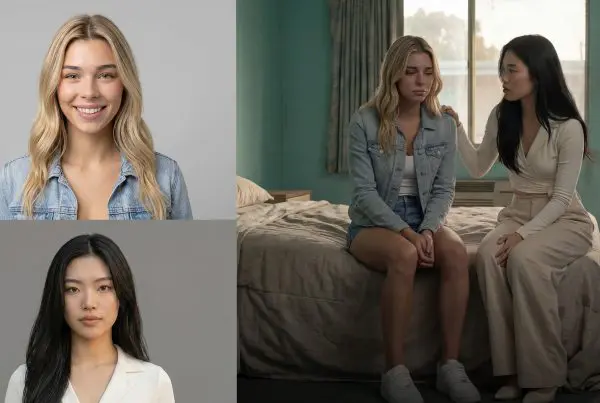
We ran a multishot cinematic prompt with a single reference image across several models to see who actually follows directions and holds a character together shot to shot.
- Strong prior, weaker follow-through:
- Kling 2.6: Passable 1080p visuals, but ignored multishot instructions and produced some facial oddities.
- Kling 1 Pro: Cleaner textures, but missed the multishot brief and even dropped audio entirely.
- Competitive alternative with trade-offs:
- Grok Imagine (xAI): Delivered audio and hit part of the multishot structure, but typically capped at ~720p and occasionally overstuffed frames with odd duplicates (think “where did the extra TV come from?” moments).
- The Kling 3 leap:
- Kling 3 (O3 tier): Consistently executed five tightly coordinated shots from one prompt and one image. Minor color drift popped up in places, but overall continuity and realism were the best of the set.
Single clips get likes. Sequences get budgets.
Specs and Creative Control at a Glance
Here’s how Kling 3’s frontline features translate to day-to-day creative control.
| Capability | What it means in practice |
|---|---|
| Duration (3–15 seconds) | Short scenes sized for social, UGC spots, ad beats, and concept trailers |
| Aspect ratios (16:9, 9:16, 1:1) | Wide, vertical, or square canvases without restaging prompts |
| Native audio (dialogue + ambience + SFX) | Rough cuts you can review immediately, not silent placeholders |
| Language support (e.g., EN/ZH/JA/KO/ES) | Multilingual voice options and accents for global campaigns |
| Reference control | Anchor character identity and wardrobe across shots and angles |
| AI Director-style shot control | Guide pacing, framing, and continuity for multishot narratives |
For a deeper dive on why native audio is such a workflow unlock (and how it compresses the prompt-to-preview loop), see our earlier breakdown: Kling 3.0 Native Audio Could Change AI Video.
Pushing the Envelope with Audio and Dialogue
One of Kling 3’s headline wins is how it handles dialogue and expression. In our tests, the model:
- Synced lip movement to generated speech with minimal “off-frame” phonemes
- Mixed scene-appropriate ambience (room tone, street noise, wind) that made cuts feel lived-in
- Supported accents and multiple languages without mangling emotion or timing
Strong native AV means your first pass already communicates tone and performance. Clients and collaborators respond to a scene that plays. It’s the difference between “imagine the sound later” and “here’s the moment.”
Towards Hyper-Realistic Video Scenarios
We stress-tested multi-character dialogue and quick UGC-style beats. While you’ll still see occasional minor drift (a skin tone shift under new lighting; a prop that’s a shade off across cuts), Kling 3’s shot-to-shot character stability is good enough to plan around.
- For UGC and ad variants: punchy, vertical-first shots benefit most.
- For concept trailers and narrative beats: the multishot structure lowers the bar to believable “first cut” previews.
- For product spins from a still: image-to-video with reference holding gives you an instant library of stylized motion.
The quiet benchmark shift isn’t ‘does it look cinematic?’ It’s ‘can I revise it without it falling apart?’
How Kling 3 Fits the 2026 Landscape
The AI video map is changing fast. OpenAI’s Sora reset the narrative around synchronized AV, and now the broader market is racing to ship drafts that actually play. Kling 3 sits at the center of that shift, competing directly with the top tier of generators chasing end-to-end, edit-ready scenes.
- Independent industry coverage has framed Kuaishou’s latest Kling release as a direct rival to the most advanced generators in market, with visual quality and consistency that push the state of the art: SCMP’s overview.
- The differentiator you’ll feel: native audio plus multishot direction in one go. Other tools can look glossy. Fewer deliver a cohesive, reviewable “scene one” without sending you into a sound and stitching rabbit hole.
Where It Outperforms (and Where It Doesn’t)
- Outperforms
- Multishot compliance: Kling 3 reliably follows shot lists from a single prompt.
- Character and mood continuity: Wardrobe, framing, and tone survive cuts better than earlier Kling versions and many rivals.
- Audio timing: Dialogue tends to sit correctly in the mouth and timeline.
- Still improving
- Color stability under changing light: noticeable but usually minor shifts across shots.
- Ultra-fine editability of audio: most tools, Kling included, still export baked audio mixes rather than clean stems.
- Long-form continuity: 3–15 seconds is great for social and spots; long narrative arcs will still require stitching strategies.
A Quick Reality Check vs. Older Kling and Grok Imagine
If you’ve lived with the 2.x era of Kling, the 3.0/O3 experience is a visible jump. And compared to Grok Imagine, Kling’s video-to-audio cohesion and multishot reliability land closer to “cuttable scene” than “single clip with vibes.”
| Model | Strengths | Trade-offs | Best-fit use |
|---|---|---|---|
| Kling 2.6 | 1080p visuals, improved textures over 2.1 | Weak multishot compliance, occasional facial drift | Single-shot visuals, look dev |
| Kling 1 Pro | Cleaner frames than early 1.x | Missed multishot, dropped audio in our test | Legacy workflows, simple motion beats |
| Grok Imagine | Native audio, quick shorts, easy image-to-video | Resolution caps, occasional overstuffed frames | Fast, casual drafts and social bursts |
| Kling 3 (O3) | Consistent multishot, native AV, reference holding | Minor color drift; audio exports usually baked | UGC ads, concept trailers, scripted shorts |
Practical Prompting Notes That Help
You don’t need to baby Kling 3, but small habits pay off:
- Be explicit about the beats: “Shot 1: medium close-up; Shot 2: over-shoulder; Shot 3: wide reveal;” with pacing (“quick cut,” “linger 2s”).
- Anchor your character: include a single source image with wardrobe notes to reduce mid-sequence drift.
- Give audio guidance: specify mood (“whispered, intimate”; “energetic, street noise”), and leave room for ambience (“room tone” cues often help).
- Iterate tight: revise one variable at a time (line, emotion, or camera note) to keep the model’s interpretation stable.
Limitations and Gotchas to Watch
- Baked audio: great for speed and previews, less ideal if you need clean stems for post. Plan to re-voice or rebuild SFX for final mixes.
- Character swaps mid-sequence: reference holds well, but sudden wardrobe or angle changes can still nudge identity. Keep your references consistent across iterations.
- Expectation setting: 3–15 seconds is the sweet spot. Think “short scene that sells the idea,” not “finished minute-long film.”
Bottom Line
Kling 3 takes a workmanlike approach to what matters: it executes your multishot direction and brings a scene to life with synced dialogue and sound in one go. If your day-to-day is UGC ads, short narrative beats, product spins, or concept trailers, the time saved moving from prompt to “watchable rough cut” is the difference between interesting and usable.
If you’re new to Kling 3, start with O3 inside Artlist to get the multishot plus native audio combo working in your favor. For a broader workflow framing of why native audio matters (and what to watch in revision stability), see our earlier post above.
Kling 3 isn’t just better pixels – it’s a shorter path to a believable scene. And in 2026, that’s what actually ships.