Big thanks to Artlist Studio for sponsoring this video.
Character consistency has been one of the biggest headaches in AI video for a while now. You get one great shot, then the next clip suddenly gives your character a different face, different wardrobe, different vibe, or all three at once. That is exactly why Artlist Studio feels so interesting right now. It is built around a problem most creators actually have: how do you turn scattered AI generations into something that feels like a real production?
In this workflow, you are not just typing a prompt and hoping for magic. You are building reusable characters, reusable locations, structured shots, and scene logic you can come back to later. That is the real pitch here, and for creators making cinematic sequences, virtual influencer content, branded shorts, or social reels, that shift matters.
What makes Artlist Studio different?
Artlist Studio is designed more like a lightweight AI production environment than a one-off generator. Instead of treating each image or clip as an isolated event, it gives you tools to capture characters, reuse environments, shape framing, and generate multiple shots around the same idea.
That means you can do things like:
- Create a character once and reuse that person across future shots
- Capture locations so scenes hold together visually
- Control framing with shot type, angle, lighting, and lens-style guidance
- Build shot lists for a sequence instead of prompting each clip from scratch
- Pair visual consistency with voice workflows using Artlist’s broader AI toolset
The big idea: AI video gets much more useful when you stop generating random clips and start directing repeatable assets.
Why character consistency matters so much
If you are making a single experimental clip, inconsistency can be part of the charm. But if you are building a story, an ad, a recurring social character, or even a fake UGC spokesperson, inconsistency kills momentum fast.
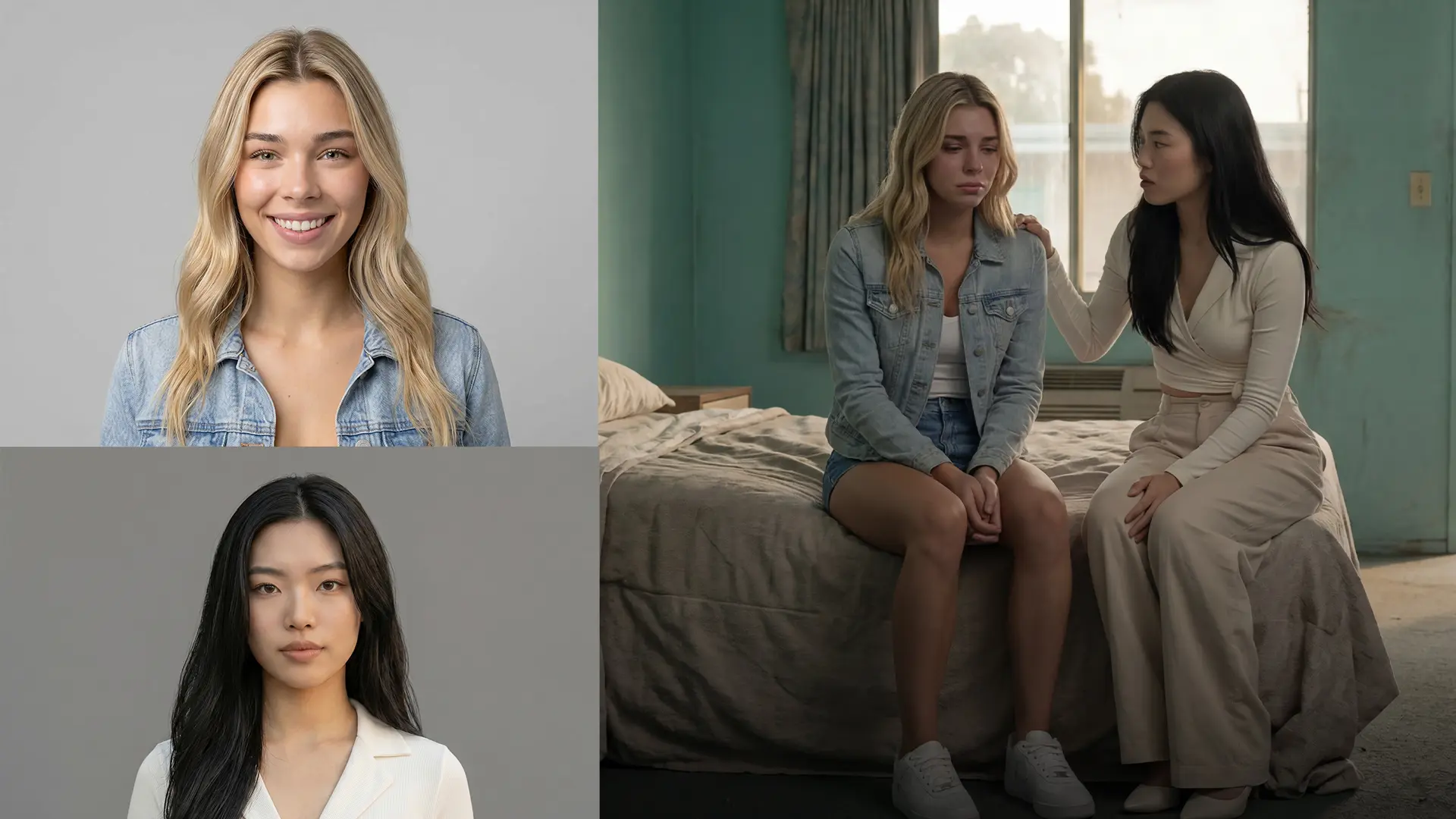
Artlist Studio tackles that by letting you generate a character, then capture that character from an image and reuse it in later shots. You can also generate multiple angles and compositions around the same person, which is where things start feeling less like image roulette and more like coverage.
What this unlocks for creators
| Use Case | Why consistency matters | How Studio helps |
|---|---|---|
| Virtual influencers | Audience expects the same face, styling, and energy | Reusable characters and recurring shot setups |
| Short narrative scenes | Characters need to survive angle changes and scene cuts | Character capture plus structured prompting |
| UGC-style ads | A believable creator persona must stay recognizable | Consistent character plus voice and shot templates |
| Brand storytelling | Visual continuity makes the content feel intentional | Shot lists and reusable environments |
Framing shots without fighting the model
One of the smartest parts of the Studio workflow is that it encourages you to think like a director. Instead of dumping everything into one giant prompt, you can shape the scene through categories like camera angle, composition, lighting, and motion.
That sounds simple, but it is a major upgrade in practice. A lot of AI video drift happens because creators ask for a subject, an action, a mood, a camera move, a style, and a location all in one breathless sentence. Studio’s structure helps break those ingredients apart so the system has a better shot at staying coherent.
Helpful framing elements to lock early
- Shot type: close-up, medium, wide, over-the-shoulder
- Angle: eye level, low angle, high angle, profile
- Lighting: soft daylight, moody rim light, warm interior glow
- Lens feel: wide, standard, portrait-style compression
- Motion: static, slow push-in, pan, handheld-style movement
The more consistently you define camera language, the less your scene feels like it was made by five different robots on five different days.
Locations are just as important as characters
It is easy to focus only on faces, but backgrounds drift just as badly in AI workflows. One shot is a polished loft apartment. The next is somehow a vaguely futuristic hotel lobby with the same prompt. Artlist Studio addresses that by letting you build or capture reusable locations, so characters can return to the same environment with stronger visual continuity.
This matters a lot if you are building:
- podcast-style talking-head sets
- recurring bedroom or office influencer scenes
- brand environments for product storytelling
- multi-shot cinematic sequences that need scene continuity
When characters and locations are both reusable, you are no longer generating from zero every time. You are assembling scenes from a growing visual library.
Shot lists are where the workflow becomes production-ready
Maybe the most practical feature here is the ability to build a shot list. This is the difference between I made a cool clip and I can actually plan a sequence.
Instead of improvising your entire project one generation at a time, you can organize scenes, rename them, generate variations, and prep multiple shots for editing. That is especially useful if you like cutting in Premiere Pro, CapCut, Final Cut, or Resolve after the AI pass.
A simple example shot list
| Shot | Purpose | Suggested setup |
|---|---|---|
| Shot 1 | Establish character and setting | Medium wide, clean location, calm lighting |
| Shot 2 | Add personality | Closer angle, subtle motion, stronger facial read |
| Shot 3 | Introduce action or dialogue beat | Profile or over-the-shoulder variation |
| Shot 4 | Finish with a hero image or payoff | Clean framing, polished lighting, edit-friendly ending |
That kind of structure is gold for social storytelling and ad workflows because it helps you generate with the edit in mind.
How Artlist Studio fits into the bigger Artlist ecosystem
Another reason this tool matters is that it does not live in isolation. Artlist’s broader platform includes AI video, image, and voice tools, which makes it easier to connect your scene-building workflow to actual deliverables.
So if you are creating a recurring AI spokesperson, for example, you can think in layers:
- Studio: build the character, scene, and sequence
- AI voice tools: create a more consistent spoken identity
- Artlist music and SFX: finish the piece with sound
If you want to go deeper on audio inside the same ecosystem, Blue Lightning also covered how to create commercial-ready AI music with Lyria 3 in Artlist. And if image prompting is part of your workflow, our guide to Nano Banana Pro on Artlist pairs nicely with Studio-style scene planning.
Credits, plans, and practical expectations
Artlist uses a credit-based system for its AI tools, so it helps to approach Studio with a production mindset. Do your exploration passes first, then spend more intentionally once you know which character, location, or sequence direction is worth refining.
Also, keep expectations realistic. AI consistency is getting much better, but it is still not magic. You will usually get the best results when you lock a few core variables and iterate carefully rather than reinventing the scene every time.
Best practices that usually lead to stronger results
- Lock the character first before building a whole sequence
- Keep wardrobe and lighting stable across related shots
- Reuse locations instead of describing them from scratch every time
- Generate coverage with purpose, not randomness
- Edit externally to turn short AI clips into a polished sequence
Pro move: treat your first generation as casting, your second pass as cinematography, and your final pass as editing material.
Final thoughts
Artlist Studio is interesting because it focuses on the part of AI video that actually determines whether a project is usable: consistency. Not just prettier generations. Not just faster prompts. Real continuity across characters, scenes, and shots.
If your goal is to create AI stories, virtual influencer content, branded reels, or short cinematic sequences that feel more controlled and less chaotic, this is exactly the kind of tool category worth paying attention to. It pushes the workflow closer to production and farther away from pure guesswork.
And honestly, that is what a lot of creators have been waiting for.
If you want to explore the platform itself, start with Artlist Studio.