Adobe just made Firefly Video feel a lot less like “a separate AI thing you try on a slow day” and a lot more like a normal part of editing: Firefly-powered generative video features are now embedded directly in Premiere Pro. Adobe’s own announcement is the cleanest entry point, and it’s worth skimming before you update anything: New AI-powered video editing tools in Premiere, plus major motion design upgrades in After Effects.
This isn’t Adobe trying to turn Premiere into a text-to-video toy. It’s a workflow move: keep editors in the timeline, reduce round-trips, and let AI handle the annoying “we’re 12 frames short” and “we need a filler beat right here” moments that derail real projects.
What actually shipped
The core shift is native access. Instead of generating elsewhere, exporting, naming files like final_FINAL_v7_real.mp4, then re-importing, Firefly’s video intelligence is now part of Premiere’s toolset, where cuts, music, graphics, and approvals already happen.
Adobe’s messaging clusters these changes into a few Premiere upgrades that matter to creators producing at speed:
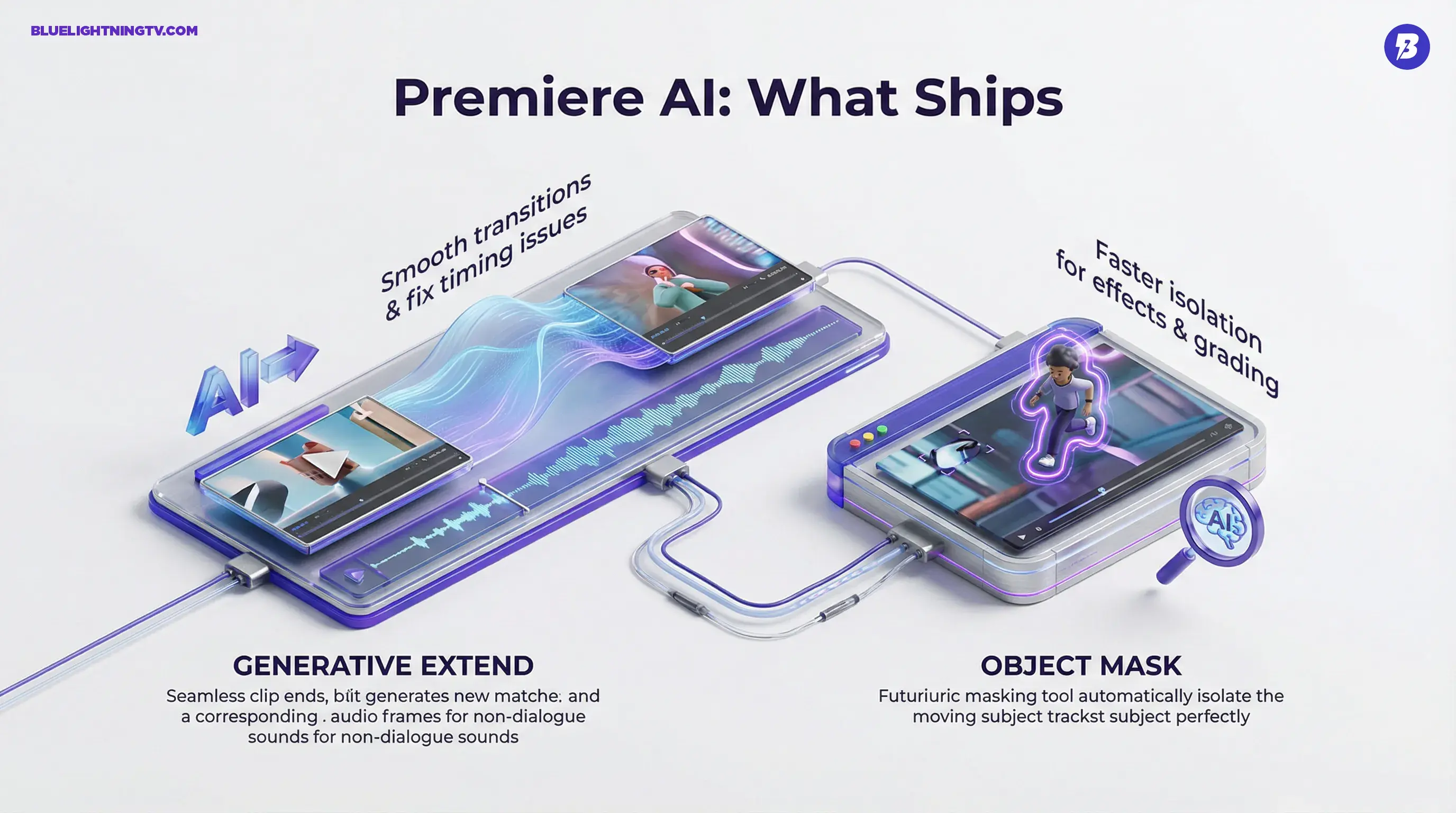
- Generative Extend (Firefly-powered): extend video and non-dialogue audio to smooth timing issues and transitions.
- Object Mask: faster subject isolation and tracking for effects, blurs, and selective grades.
- AI-driven search and localization workflows (depending on your version and plan), including Media Intelligence and caption translation improvements highlighted in recent updates.
If you’ve been watching Adobe’s recent Firefly strategy, this is consistent: AI isn’t a destination anymore. It’s becoming infrastructure.
Generative Extend, explained
The most editor-native feature in this rollout is Generative Extend, powered by Adobe’s Firefly Video Model. The pitch is simple: when you need a clip to be longer because your VO breathes weird, the beat lands late, or the client wants “one more moment” before the logo, Premiere can generate additional frames that match the shot.
Adobe has emphasized that Generative Extend supports formats creators actually ship in, including 4K and vertical video. That said, there are real-world constraints editors should know: Adobe’s own materials note that extensions are generated up to 30 fps and in SDR, even if the source is higher frame rate or HDR.
Also important: Generative Extend can extend audio, but it does not generate or extend spoken dialogue, and clips containing music may be ineligible. In other words, it’s great for room tone, ambience, and non-dialogue beds, but it is not a “keep the sentence going” button.
Generative video doesn’t win by generating entire videos.
It wins by saving edits that would otherwise turn into reshoots, stock hunts, or awkward jump cuts.
Where it helps most
Generative Extend is built for the stuff that breaks pacing:
- holding a reaction shot a beat longer
- covering a cut when music needs a cleaner transition
- bridging a gap created by removing a line or tightening dialogue
- extending room tone or audio bed so the mix doesn’t suddenly drop
What it won’t do
Let’s keep it grounded: it’s not a replacement for coverage. If your shot is wildly complex (fast motion, heavy occlusion, lots of moving parts), you should still expect edge cases where the generation is “close enough for social” but not “close enough for broadcast.”
It also won’t solve dialogue continuity: since spoken dialogue isn’t extended, you’ll still need traditional editorial tricks when the missing moment is inside a spoken line.
Object Mask gets practical
Premiere’s Object Mask is the kind of feature editors will use constantly, because masking is one of those tasks that’s either:
1) quick and easy
2) a two-hour detour that ruins your whole afternoon
Object Mask aims to keep more of that work inside Premiere instead of forcing the “fine, I’ll take it to After Effects” round-trip. Adobe’s docs go deeper on how it behaves in-app here: Use object masking in Premiere.
Common real uses
- blurring faces in street footage or UGC
- isolating a subject for a selective grade
- applying an effect to one moving element (glow, outline, defocus)
- handling revision notes without rebuilding comps
The bigger story: Adobe is treating high-volume editing (social, marketing, creator work) as first-class, not as “lesser” than film workflows. Masking speed matters when you’re shipping 20 variants, not one masterpiece.
Why the integration matters
A lot of generative video tooling still comes with a workflow tax:
- generate in a separate tool
- download assets
- lose your context
- re-import
- realize the aspect ratio is wrong
- repeat until momentum dies
Adobe’s move is the opposite: AI should show up where the work already is.
This is also consistent with Adobe tightening Firefly to Premiere handoffs in general. Firefly’s web editor has gained more real editing behaviors (including a multi-track timeline and transcript-based editing), then feeding assets downstream.
Related context from our archive: Firefly Web Beta Levels Up With Real Editing Tools.
If you want the same shift framed specifically around this Premiere and After Effects release, see our follow-up coverage here: Firefly AI Lands in Premiere Pro and After Effects.
Who feels this first
This integration won’t hit everyone the same. The winners are the teams who live and die by iteration speed.
Social and performance teams
If your calendar is “three hooks, two cutdowns, five aspect ratios,” Firefly inside Premiere is about throughput. Not replacing editing, just making it easier to keep momentum when assets aren’t perfect.
Agencies doing variants at scale
The pain isn’t creativity. It’s approvals. Every extra round is expensive. Anything that speeds up “get to a watchable version” changes the business math.
Editors working in constraints
Documentary, internal comms, interview-heavy edits, anything where you can’t reshoot and you’re constantly patching timing. Generative Extend is basically built for this genre of problem.
Motion and hybrid creators
Premiere creators who do a little bit of everything (edit, grade, graphics, minor VFX) benefit when masking and patching gets easier without leaving the app.
What changes day-to-day
Here’s the practical before and after, without pretending this is magic.
| Workflow moment | Old fix | Now in Premiere |
|---|---|---|
| Clip ends too early | Retiming, freeze, awkward cutaway | Generative Extend to bridge timing |
| Need subject isolation | Manual masks or AE round-trip | Object Mask for faster tracking |
| Last-minute “small” notes | Hours of tiny fixes | More fixes stay on-timeline |
The key is not that every generation will be perfect. The key is that more edits survive the day without becoming a production emergency.
The competitive angle
Other AI video companies are racing to make better generation. Adobe’s race is different: make generation usable inside existing production.
That’s an ecosystem advantage. Editors already trust Premiere for the boring stuff that matters: codec handling, audio sync, project organization, exports, collaboration. If generative tools become “just another panel” inside that environment, adoption gets easier, especially for teams that would never approve a random third-party generator as part of a client pipeline.
It’s also a sign that the market’s center of gravity is shifting from “look what AI can generate” to:
Can AI survive revisions?
Can it survive collaboration?
Can it survive a normal Tuesday timeline?
The limits to watch
Firefly inside Premiere is a real step forward, but it doesn’t remove production reality:
- Generative results are probabilistic. You’ll still review and sometimes regenerate.
- Brand-critical visuals remain sensitive. If you’re dealing with product accuracy, logos, or regulated claims, you’ll still need human verification and a conservative hand.
- Complex motion is still hard. Fast action, crowds, reflections, and intricate textures are common failure zones across generative video.
None of that negates the update. It just defines where it’s most reliable: patching, smoothing, and accelerating the edit, not replacing the shoot.
Bottom line
Adobe embedding Firefly-powered video capabilities directly into Premiere Pro is a pragmatic, creator-first move: fewer round-trips, faster fixes, and more momentum inside the timeline.
It’s not “AI made your whole video.” It’s something far more useful for most working editors: AI helps your edit keep moving when reality didn’t give you perfect footage.