From Selfies to Animated Wonders: Dive Into the World of AI-Powered Art
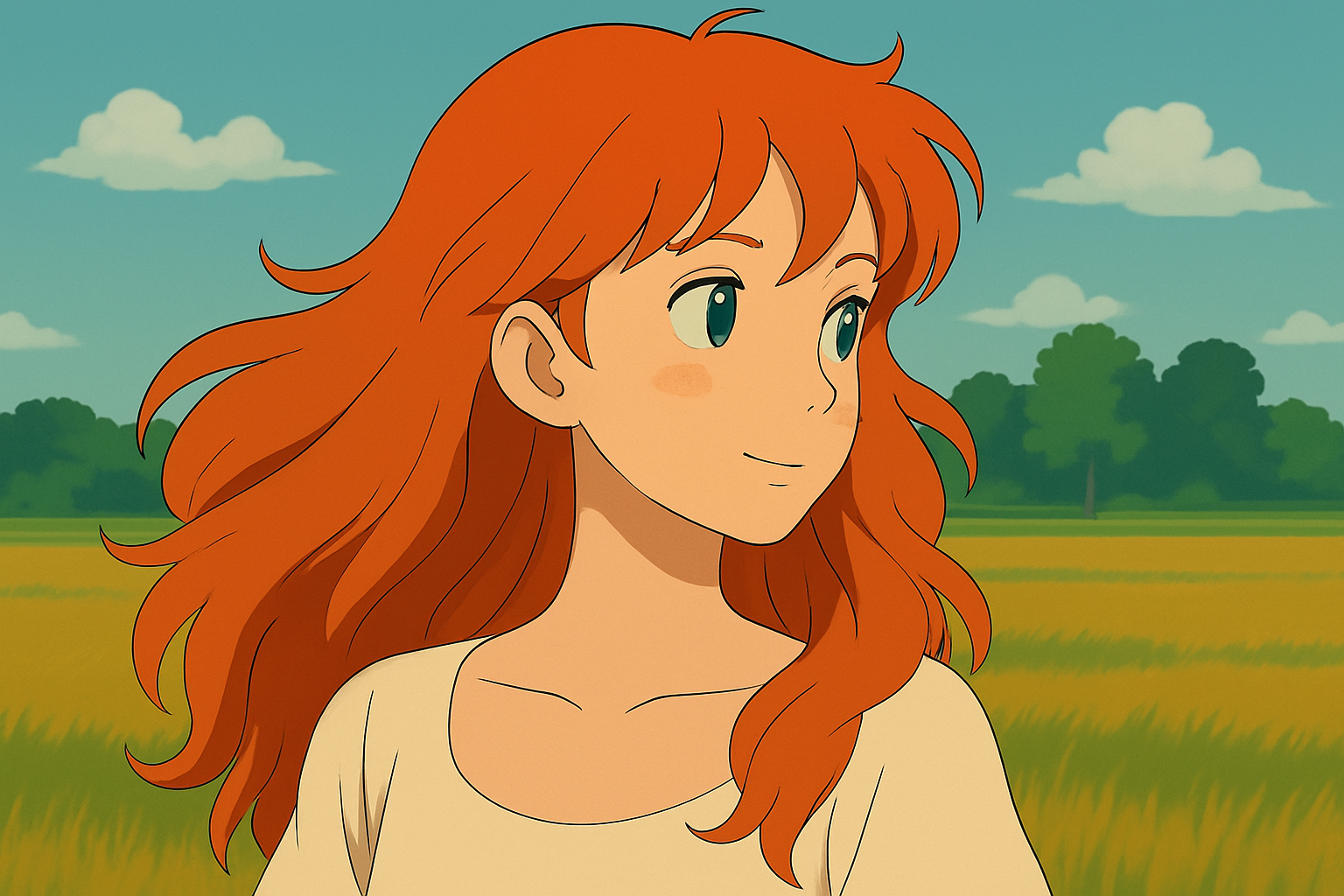
Imagine flipping through your gallery, selecting an ordinary snapshot, and transforming it into a mesmerizing animation that’s reminiscent of a Studio Ghibli masterpiece. Sounds too good to be true? Well, buckle up because today, that’s exactly what we’re doing—taking your everyday photos and breathing life into them using the power of AI.
Step 1 – Transform Your Photo with Sora AI
Let’s start by infusing your image with that enchanting Ghibli-esque charm using Sora AI. The process is sleek and intuitive:
- Upload Your Image: Simply head over to Sora, hit the plus icon, and select “upload from device” to pop in your chosen image.
- Mode & Style Selection: Ensure you’re in image mode, pick your desired aspect ratio, and decide how many variations you want. Go ahead and type “restyle this image into a Ghibli style” as your prompt.
- Let Sora Work Its Magic: Click generate and watch as Sora turns your image into a stunning digital artwork.
Pro Tip: While Studio Ghibli style is all the rage, Sora offers more than 30 other styles. I’ve curated a selection of absolute bangers in a handy document, which you can find via the video description link.
Step 2 – Animate with Hiloo AI
Now that you’ve got your Ghibli-inspired artwork, let’s get it moving! For animation, we turn to Hiloo AI, the free tool that’s surprisingly adept at 2D animation.
- Upload Your Masterpiece: Navigate to Hiloo AI, select “create video,” and upload your freshly minted image.
- Craft Your Animation Prompt: Here, you can either rely on your creative prowess or call upon ChatGPT for a prompt. Aim for subtle motion and smooth transitions that truly capture facial expressions.
- Keep It Concise: Pay attention to the prompt’s relevance. Trim any excess fluff and focus on what’s necessary to animate your image efficiently.
Note: Following ChatGPT’s suggestions verbatim might yield some overzealous artistic interpretations, so it’s best to fine-tune for clarity and purpose.
Final Touches and Polishing
Before you hit the magic button to generate your animation, make sure you’ve selected the “live character model” in Hiloo AI. This setting aligns with your target animation vibes. Now, with a click of “generate,” you’re on your way to creating a captivating animated video.
If the first result doesn’t quite hit the mark, don’t fret. Rerun it until you achieve that chef’s kiss moment.
Why Use AI for Animation?
So, what’s in it for you? Besides the obvious coolness factor, AI-powered tools like Sora and Hiloo AI save you hours of manual work by automating the daunting processes of restyling and animating. Whether you’re creating content for social media flexes, enhancing a digital portfolio, or just experimenting for fun, these tools elevate your artistic capabilities without breaking a sweat.
Moreover, the ease of use means even beginners can produce professional-looking results, bridging the gap between creative aspiration and technical execution.
Show Off Your Masterpiece
Once you’re satisfied with your animation, it’s time to showcase it to the world. Share it across all your social media platforms and bask in the admiration of peers and online followers. After all, there’s nothing quite like a unique and engaging piece of art to spice up your digital storytelling.
If this guide helped unleash your inner animator, join our community by subscribing to the Blue Lighting channel. Get ready to explore more creative avenues and continue elevating your digital masterpieces!
So, go ahead, enjoy the process of creating stunning AI-powered animations, and wear your new skills like a badge of honor on your timeline.