A New Era of Storytelling Magic with ChatGPT
Have you ever imagined bringing your stories to life with characters so consistent, it’s as if they stepped right out of your imagination? ChatGPT’s latest update empowers you to create multiple consistent characters for any scene, and the results are astonishing. Whether you’re an aspiring writer, a game developer, or just someone who loves storytelling, this tool is a game changer.
Craft Your Own Characters with ChatGPT
Let’s get started by creating a single character. Open ChatGPT on OpenAI’s website and use the prompt bar to ask for a short kid’s story about a seven-year-old boy and girl on a quest. Feel free to tweak the prompt to suit your narrative needs.
Once you have your story, ChatGPT handily provides names for your characters. But we are not stopping there! Request character descriptions for both characters and voilà, you’ve got a full personality, appearance traits, and everything else you need to create consistent visuals. It’s like having a virtual character design studio at your fingertips.
Keep Everything Handy
Now, it’s time to organize. Copy those character details into a Google Doc for quick access. Plus, ask ChatGPT to save these character details in its memory. This is crucial for maintaining consistency across all future scenes.
Visualizing Your Characters
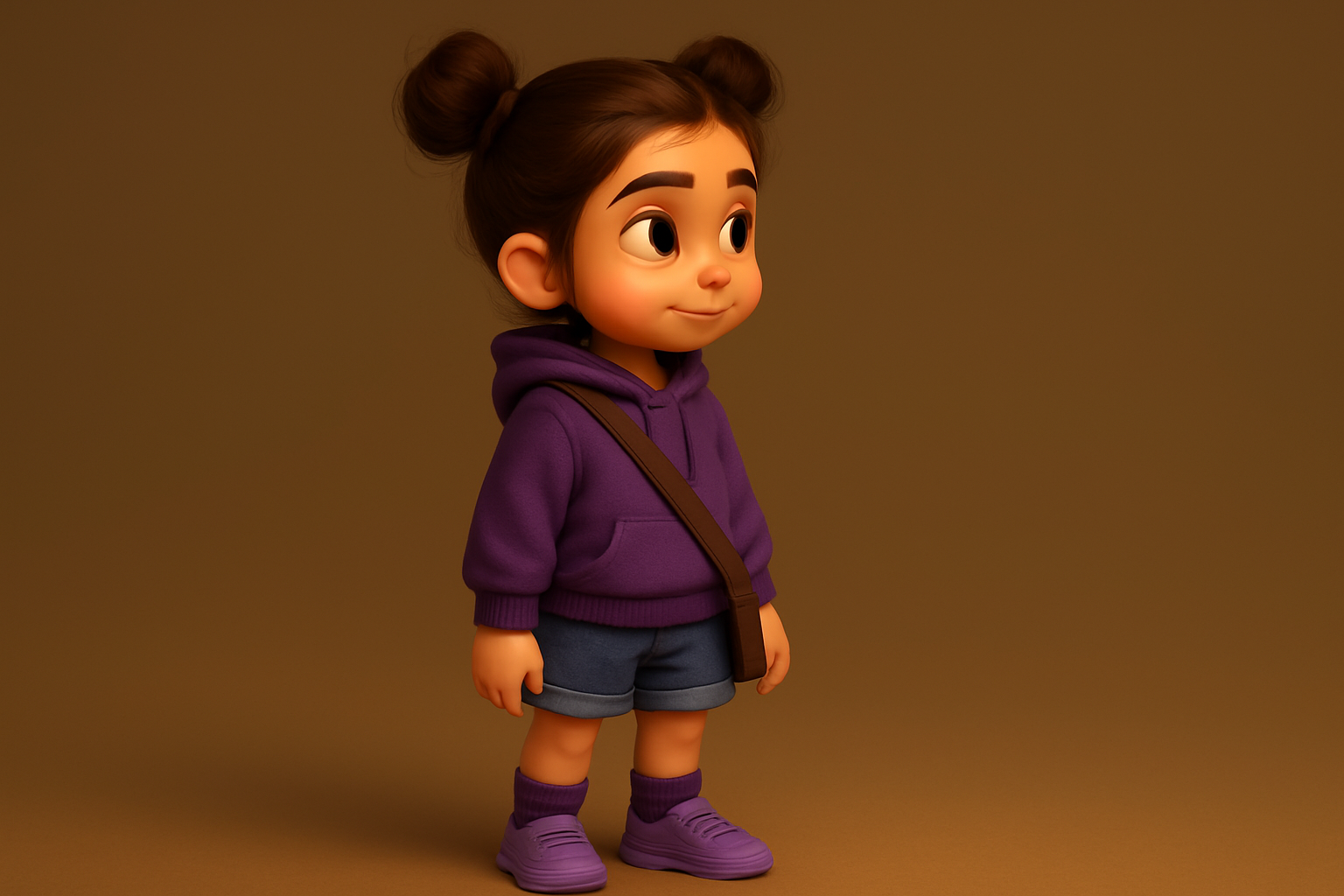
Curious to see how your characters will look? Ask ChatGPT to generate a full-body image of one of your characters, Zara for instance. Just remember to reiterate appearance details even if they’ve been saved, as ChatGPT sometimes needs a little reminder. Once generated, you’ll be graced with a character image that perfectly matches your description.
Repeat the process for the second character, and you’ll have two fully fleshed-out visual representations of your story protagonists.
Building Your Story Scenes
What’s next? Well, it’s time to transform your story into a visual epic. Take your story and instruct ChatGPT to break it down into a series of 30 visual scenes.
Pasting your full narrative into the prompt box will set the AI wheels into motion.
For each scene, ask ChatGPT to craft detailed image prompts — throw in “Pixar style” for that unique animated movie vibe. This is where the magic happens.
Boosting Scene Quality
To ensure top-notch results, engage in a conversational dialogue with ChatGPT about each scene before generating.
For example, inquire about how it plans to design the first scene.
This offer an excellent opportunity to make fine-tuning tweaks for added accuracy.
When satisfied, unleash your creativity by merging the character images with scene prompts. Don’t forget to include “create wide image” for precise aspect ratio formatting.
Hit generate, and you’re greeted with the first scene splashed with your character’s consistency.
Mastering Scenes with Multiple Characters
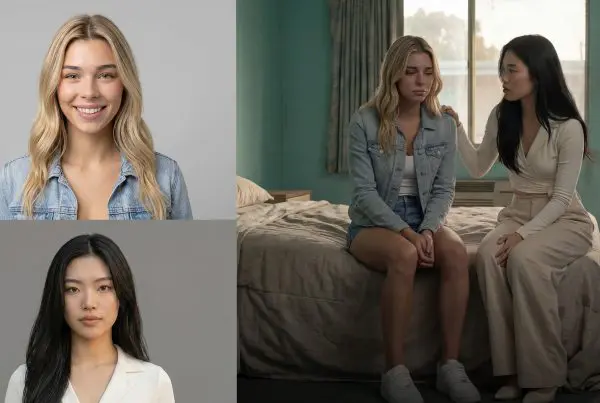
At this point, you’re probably wondering how to incorporate multiple characters into the same scene. It’s a cinch. Simply use the prompt ChatGPT provided and add both character images. Generating will place them together in one cohesive, harmonious scene while maintaining all their unique traits.
For those preferring specific aspect ratios, Photoshop is your ally. A quick tip: create a 16:9 canvas, center your image, and use generative fill to extend the borders. Alternatively, free tools like Pixel Cut or Freepix AI Editor serve as great Photoshop substitutes.
Fine-tune with Expressions and Poses
For further character development, ChatGPT can whip up six different facial expression sheets.
Specify the desired emotions and aspect ratio, then generate to create dynamic expression sheets.
The next move involves separating these expressions using Photoshop or Photopea. By cutting out each pose and saving them as individual images, you’ll have everything needed for character training in platforms like Flux Laura.
Discover More Tools
Multi-character stories deserve outstanding expression ranges. Don’t hesitate to request more exaggerated expressions from ChatGPT. Need more? Explore platforms like OpenArt or Crea AI for an elevated creative process. Each facilitates seamless experiences whether operating in-cloud or locally with robust computing power.
These steps not only drive your storytelling but let you polish your characters until they are near-perfect. By utilizing these comprehensive tools, creatives, like you, can make worlds breathe with lifelike characters and evocative scenes.
Join the conversation, dive into more tutorials, and feel the power of creativity unleashed. With ChatGPT’s character-building capabilities, the world of storytelling is yours to shape and command!