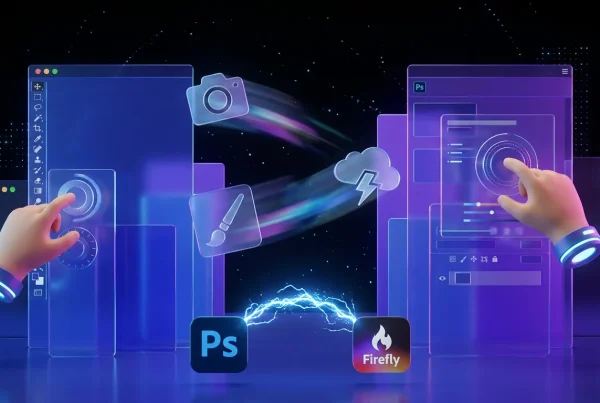
Adobe is rolling out AI Markup inside Firefly, alongside ongoing availability of Firefly Image Model 5, a combo that pushes Firefly from nice generator to usable on a deadline. The headline is workflow: higher native resolution (about 4MP, roughly 2240 x 1792 depending on aspect ratio) and a more direct way to tell the model exactly what to change without nuking the rest of your image.
If you have ever landed an image that is 90 percent perfect and then watched one tiny prompt change melt the whole scene, you have been living the universal generative image experience. Adobe’s update is designed to cut down that pain without forcing everyone to become a full-time masking monk in Photoshop.

Generative tools do not win because they can create. They win when they survive revision.
What actually shipped
This update is really two things bundled into one creator-facing shift:
- Firefly Image Model 5 output quality and size: native generations land around 4 megapixels, meaning you start with more real detail instead of instantly planning an upscale.
- AI Markup: an annotate-the-image editing workflow (text callouts, brush strokes, region boxes) that targets changes to specific areas.
Adobe’s best high-level overview of the new editing controls is here: New image editing features in Adobe Firefly.
4MP outputs: why it matters
Four megapixels does not sound exciting until you have tried to ship a paid ad, a product hero, or a thumbnail that needs to hold up under crop, type overlays, and client zooming. Firefly Image Model 5 generating at about 4MP natively changes a few practical things immediately:
- More usable first drafts: edges, textures, and small details survive more often.
- Less mandatory upscaling: you can still upscale, but it is no longer step zero.
- Better edit resilience: localized edits tend to hold up better when the base image has more information.
For broader context on how Adobe positioned Image Model 5, this TechCrunch rundown captures the key claims and features: Adobe Firefly Image 5 brings support for layers.
AI Markup, explained
AI Markup is Adobe acknowledging an obvious truth: text-only prompting is a blunt instrument. It is great for ideation. It is annoying for revisions.
In Firefly’s editor, AI Markup lets you:
- Brush over areas you want changed or removed
- Box-select regions for more structured targeting
- Add text callouts directly on the canvas describing what should happen where
Adobe’s documentation lays out the workflow, including how to combine tool types: Edit images with AI Markup.
Why pointing beats prompting
Most creator complaints about gen-image tools are not about imagination. They are about collateral damage:
- You fix the background, the subject’s face changes.
- You change the shirt color, the lighting shifts everywhere.
- You remove an object, the model redesigns the whole room.
AI Markup is built to reduce that by giving Firefly a spatial constraint, so the model has less room to reinterpret the entire composition.
Precision without the Photoshop tax
Adobe is clearly threading a needle here. They want tighter control without forcing creators into complex, traditional selection workflows.
That is the strategic reason AI Markup matters: it borrows the spirit of masks and layers, but packages it as draw here plus say this. For creators who do not live in Photoshop, that lowers the friction to do real revisions. For creators who do, it speeds up the annoying get the selection good enough phase.
If you want the COEY take on these controls and how they reduce prompt roulette, see: Firefly Precision Flow and AI Markup Explained.
Unlimited video: clarify the claim
The original draft mentioned unlimited video generations until Dec 1. The important nuance is that Adobe has run multiple unlimited generations windows tied to eligibility, plan types, sign-up timing, and model coverage.
One widely repeated until Dec 1 offer refers to a limited-time promotion that ran until December 1, 2025, not an ongoing 2026 deadline. Separately, Adobe’s February 2, 2026 post describes unlimited generations as an offer that depends on plan and sign-up timing and can include video, with resolution and model eligibility depending on the offer terms: Create with unlimited generations in Adobe Firefly.
Creator takeaway: treat unlimited as unlimited within the current offer terms, not as a permanent removal of usage economics.
What changes for creators
This update is less about one feature and more about a shift in what Firefly is optimizing for: production momentum.
| Workflow pressure | What improves | What stays hard |
|---|---|---|
| Change only this revisions | AI Markup targets edits spatially | Hair, reflections, fine geometry |
| Shipping usable assets | Native about 4MP outputs hold detail better | Brand-critical precision still needs QA |
| High-iteration teams | Unlimited windows reduce rationing | Plan rules plus model eligibility still apply |
Who feels it first
- Social plus thumbnail teams: faster iterations, less rework when a small tweak breaks the frame.
- E-commerce and product creators: more resolution headroom for crops, layouts, and quick variants.
- Agencies: fewer start over cycles when feedback comes in late.
Bottom line
Firefly Image Model 5’s higher native resolution and Firefly’s AI Markup workflow are Adobe making a practical bet: creators do not just need better generations. They need edits that are faster, more specific, and less likely to blow up the rest of the image.
It will not eliminate human review. Logos and brand accuracy still do not magically police themselves. But it does shrink the gap between cool draft and shippable asset, which is the difference between an AI feature you demo and one you actually keep open in a tab all day.