
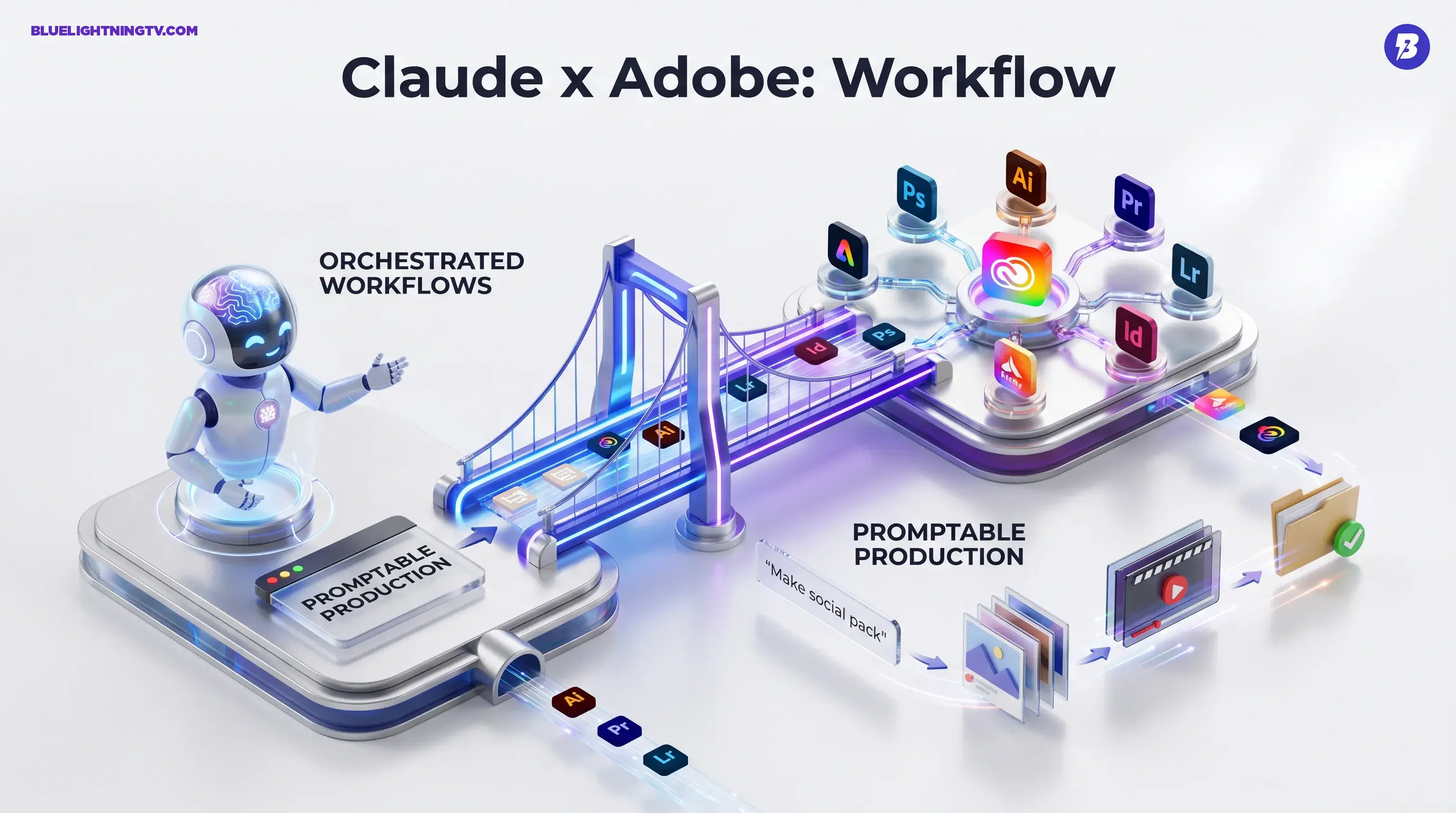
Adobe just made Claude a whole lot more useful for people who actually ship work. With the new Adobe for Creativity connector, Claude can now orchestrate workflows across 50 plus Adobe tools spanning Creative Cloud and Firefly through a conversational interface. The pitch is simple: fewer tabs, fewer exports, fewer “wait, which PSD is the real final?” moments.
This is not a new generative model drop. It is a workflow integration that turns natural language into real production actions like image edits, asset packaging, video reframing, and Stock search and licensing, without you manually hopping app to app to do the mechanical stuff.
What Adobe shipped
Adobe for Creativity shows up inside Claude’s connector ecosystem as an official Adobe integration. Once connected, Claude can call Adobe capabilities to execute multi step creative tasks across apps including Photoshop, Illustrator, Premiere, Lightroom, InDesign, Express, Firefly, and Adobe Stock.
Adobe’s developer docs frame it as a broad toolbox you can invoke directly from chat with tool access, workflows, and optional Skills, which are prebuilt task bundles that turn common production chores into one command. The product hub is here: Adobe for Creativity on Adobe Developer.
The real story: Adobe is not trying to teach you new creative tricks. It is trying to remove the boring steps between “idea approved” and “assets delivered.”
Why this matters now
Creators are past the “wow, it generated an image” phase. The bottleneck is everything around creation: resizing, versioning, exporting, captioning, organizing, sourcing, and making 30 variations without melting your timeline.
Adobe’s move here is pragmatic: put the command layer in the chat window and let the suite do what it already does well, finish work professionally. Claude becomes the interface for intent; Adobe remains the engine room.
This also lands right as Adobe is pushing its own conversational agent approach elsewhere. Adobe’s Firefly AI Assistant entered public beta on April 27, 2026. Adobe’s announcement is here: Firefly AI Assistant now available in public beta.
How the workflow feels
The headline feature is orchestration: you describe an outcome and Claude sequences the steps across tools. This matters because prompting inside a single app is useful, but a lot of real work is cross app by default, especially for teams producing campaigns that touch image, layout, video, and delivery formats.
The connector turns requests like these into a single conversational run:
- “Take this product shot, clean up reflections, generate three backgrounds, and export a social pack.”
- “Make these assets in 1:1, 4:5, 9:16, and 16:9, then organize them by channel.”
- “Pull a set of stock textures that match ‘winter tech’ and apply them consistently across the set.”
The value is not that any one step is impossible without Claude. It is that the connector aims to collapse the tiny decisions and tiny clicks into one instruction stream, while keeping the results inside tools your team already trusts.
Skills, not magic
Adobe is packaging a lot of this as Skills, which are prebuilt workflow bundles meant to cover high frequency production tasks. Think of Skills as macros with taste, optimized for common creator and marketing patterns: create variants, retouch in batches, prep multiple exports, and keep things organized.
That bundling is important. The biggest adoption hurdle for workflow automation is not capability, it is setup friction. If the connector ships with ready to run patterns, it is easier for teams to standardize how work moves, not just how work is generated.
| Workflow need | What changes in Claude | Practical implication |
|---|---|---|
| Variant production | One prompt to many deliverables | More testing without more busywork |
| Cross app sequences | Claude chains steps across tools | Less app switching, fewer handoffs |
| Asset sourcing | Stock search and licensing in flow | Faster comp to final iteration |
Also worth calling out: Skills can be chained and remixed. For teams, that is the difference between cool demo and repeatable pipeline.
Who gets value first
Adobe says this is for creators broadly, but the early wins are pretty specific: people doing volume, people doing formats, and people doing feedback loops.
Performance creative teams
If your weekly output includes “make 12 versions, swap hook text, adjust crop, export to three placements,” this connector is aimed at your exact brand of suffering. Claude can become the intake layer: you specify the goal, get a structured set of deliverables, and iterate without reopening the same conversations in five different tools.
Agencies living in revisions
Agency life is basically: ship, get notes, ship again, get new notes that contradict the old notes, ship anyway. The connector’s promise is that the repetitive parts of revision cycles can become conversational commands instead of time sinks, especially for resizing, repackaging, and version control.
Solo creators scaling output
For freelancers, the appeal is speed without turning your process into a hacky automation project. The connector could make “client asked for six sizes and captions” a one thread change instead of an hour of exports and renames.
Access and setup
Adobe for Creativity is installed via Claude’s connector interface, then linked to your Adobe account for permissions and tool access. Adobe’s getting started flow lives here: Getting started with Adobe for Creativity.
A few realities to keep in mind:
- Access depends on your Adobe plan and sign in state. You can run a limited set of tools as a guest, but signing into an Adobe account unlocks more tools, higher limits, and the ability to save work across sessions. If a workflow needs a paid app or paid Adobe capability, your subscription still governs what you can actually run.
- Claude’s limits still apply. Long, complex jobs will be constrained by context limits and whatever execution boundaries exist in the connector layer.
- Permissions are the whole game. For teams, expect the usual rollout choreography around account access, shared libraries, and who is allowed to publish or license assets.
How it differs from just prompts
A lot of AI tooling still behaves like a vending machine: type prompt, get output, repeat. The Adobe connector leans into dialogue as production: you can request a change, refine, and continue in the same thread, while Claude keeps track of what you are trying to accomplish.
That is a meaningful difference for creative work, because the real process looks like:
- Draft
- Evaluate
- Revise
- Package
- Deliver
If Claude can sit across that whole loop, it becomes less of a generator and more of a coordinator.
The pragmatic constraints
Quality control stays human
Brand accuracy, logos, typography, regulated claims, and pixel perfect layout still need review. The connector can accelerate output, but it does not replace taste, accountability, or the “this will get us yelled at” filter.
Edge cases will edge case
The hardest production tasks are messy: hair masks, reflective products, busy backgrounds, footage with rapid cuts, inconsistent lighting. Automation helps, but the last 10 percent is still where editors earn their keep.
Consistency needs structure
If you want repeatable results, you will still benefit from repeatable inputs: templates, brand kits, naming conventions, and a clear definition of what done looks like. Claude can run the play; you still need to write the playbook.
What to watch next
The immediate win is speed: faster ideation to asset loops, fewer mechanical steps, and less production drag. The bigger long term shift is that knowing Adobe may slowly matter less than directing Adobe clearly.
If Adobe and Anthropic keep expanding the connector’s depth, more actions, more Skills, tighter library workflows, this becomes the kind of tool that changes how teams staff and schedule creative ops. Not by replacing creators, but by removing the grunt work that quietly eats half the week.
In other words: Claude does not become your designer. It becomes your production coordinator, the one who never complains about exporting 48 versions, because it does not have nerves to lose in the first place.