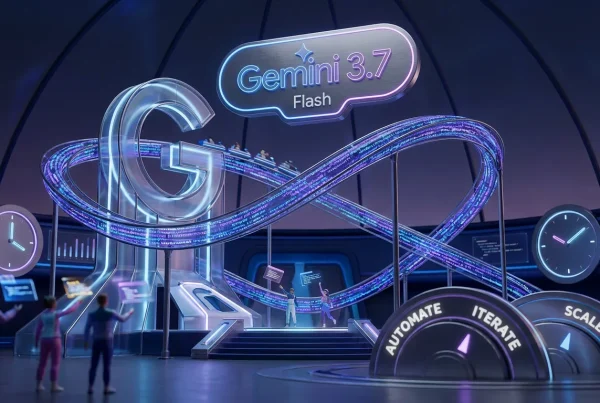
Google is rolling out a new round of updates it’s calling Gemini Drops, with the headline shift being simple: Gemini is moving from “answer engine” to “do-er.” Google’s framing is an ask → plan → act workflow that lets Gemini automate multi-step tasks across supported Android apps, plus creator-facing add-ons like Veo video templates and in-app music generation via Lyria 3.
The cleanest starting point is Google’s overview of Lyria 3 inside Gemini: Use Lyria 3 to create music tracks in the Gemini app.

None of this is “one prompt, Hollywood.” It’s something more useful and more realistic: Google is trying to shave minutes off a hundred tiny steps creators and teams repeat daily, drafting, assembling, remixing, and shipping content, by putting more automation behind the same Gemini button you already have.
What actually shipped
Gemini Drops is not one feature. It is a bundle that changes three parts of the creator stack:
- Agentic automation on Android (Gemini can complete certain multi-step tasks inside supported apps)
- Faster start points for video via Veo templates (less blank-canvas pain)
- In-app music generation via Lyria 3 (short tracks designed for social length, not album length)
Google is also pushing quality-of-life improvements that matter for publishing: more structured responses, better grounding signals in certain research flows, and tighter integration across the apps people actually use to make things.
Creator translation: this is not about Gemini being “smarter.” It is about Gemini being more operational, reducing tool hops and doing the repetitive clicks you would rather spend on pacing, hooks, and story.
Gemini goes agentic
The most meaningful change in Gemini Drops is the push toward agentic behavior: you give Gemini a goal, it builds a plan, then it executes steps to get it done. That sounds obvious until you remember how most assistants still work: they tell you what to do, then you do it.
With the new Android automation, Gemini can carry out certain tasks within supported apps in a more hands-on way. TechCrunch describes this as Gemini automating some multi-step tasks on Android, starting with a limited set of categories and a staged rollout on select devices and regions: Gemini can now automate some multi-step tasks on Android.
Why creators should care
Because “agentic” is not just a productivity flex. It is a workflow unlock when you are producing at volume. Content operations is basically an endless parade of:
- move files
- rename versions
- pull assets from folders
- copy and paste metadata
- repeat, but now for 12 variants
When assistants can actually execute within permissioned boundaries, the win is fewer context switches. And for anyone who ships content weekly or daily, fewer context switches is a meaningful advantage.
If you want a related internal read on Google’s broader push toward dependable multi-step automation, see: Gemini 3.1 Pro Targets Reliable Creative Automation.
Veo templates land
On the video side, Google is leaning into “start faster” with Veo-powered video templates inside Gemini. Instead of writing a detailed prompt every time, you pick a preset style and customize from there, closer to a template gallery than a blank prompt box.
9to5Google reports Gemini has added video templates to quick-start generation, powered by Veo 3.1, with preset styles and a workflow designed to reduce prompting overhead: Gemini app adds video templates to quick start generation.
What this changes in practice
Templates sound beginner, but they are sneaky-good for pros too. Not because pros cannot prompt, but because pros do not want to prompt the same structure 40 times.
Where templates actually help:
- Consistency across a series (recurring segments stop looking like random experiments)
- Speed for variants (same concept, different style lanes)
- Team handoff (a template is easier to standardize than “use this mega-prompt”)
There is also a subtle quality benefit: templates encode choices about pacing, motion, and composition that many creators arrive at after trial and error. A good template does not replace taste, but it gives taste a head start.
Lyria 3 adds music
Gemini Drops also brings Lyria 3 into the Gemini app as an in-app music generator. The target is clearly modern creator reality: short-form content that needs a vibe fast, without digging through stock libraries until your brain turns to mashed potatoes.
According to Google’s announcement, Lyria 3 in Gemini can generate short music tracks from text prompts and can also generate music inspired by images or videos, with options that can include instrumentals, vocals, and lyrics depending on how you prompt it: Use Lyria 3 to create music tracks in the Gemini app.
It’s short on purpose
The most important constraint is also the most honest: these are 30-second tracks. Thirty seconds is the native unit of:
- Reels and Shorts
- ad variants
- intros and outros
- transition stings
If you are making longform YouTube essays or narrative films, you will still need a broader audio workflow. But for day-to-day content packaging, fast custom audio beds inside the same app is a real win.
| Drop feature | What it does | Creator impact |
|---|---|---|
| Agentic automation | Executes multi-step tasks in supported apps | Less busywork, faster ops |
| Veo templates | Preset styles to start videos faster | Quicker drafts, more consistency |
| Lyria 3 | Generates 30-second music tracks in-app | Instant soundtrack options, fewer tool hops |
Reliability: citations and controls
Google is also positioning Gemini Drops as a credibility and control upgrade, not just a creative toy box. The reality is creators are using assistants for scripts, fact blocks, and explainers, then getting burned when a confident sentence turns out to be vibes-based fiction.
Gemini’s direction here across recent updates is to attach more grounding signals like citations in certain research modes, and to improve structured outputs so you can move faster from draft to publish without turning into a full-time checker.
The non-glamorous truth: the future of genAI for creators is less “bigger imagination,” more “fewer mistakes at scale.”
Availability and rollout
Gemini Drops is rolling out in stages, with the most agentic Android features initially tied to select devices and regions. TechCrunch notes the multi-step automation feature is in beta, starts on specific hardware and in limited regions, and supported apps are limited at launch: Gemini can now automate some multi-step tasks on Android.
As reported by TechCrunch, the beta initially launched on select devices (including Pixel 10 and Samsung Galaxy S26 series) and started in the U.S. and Korea, with early supported apps including DoorDash, Grubhub, Instacart, Lyft, McDonald’s, Starbucks, Uber, and Uber Eats in the U.S., plus Baemin and Kakao T in Korea.
Meanwhile, Lyria 3’s Gemini integration is being rolled out broadly in the Gemini app, and Google states it supports multiple languages at launch (English, German, Spanish, French, Hindi, Japanese, Korean, and Portuguese), with more languages planned: Use Lyria 3 to create music tracks in the Gemini app.
What this signals
There is a bigger pattern behind Gemini Drops: Google is assembling a stack inside Gemini, text, image, video, and now audio, then adding agentic automation so Gemini can move between those pieces without you manually quarterbacking every click.
That matters because the competition in genAI is shifting. It is not just who has the best model. It is:
- Who reduces the most friction between idea and publish?
- Who integrates into default tools instead of living in a separate tab?
- Who makes output usable inside real workflows (formats, templates, repeatability)?
Gemini Drops does not solve every creative bottleneck. But it is a clear step toward a more practical assistant that helps you ship, not just brainstorm. If Google keeps expanding the supported app list for agentic automation and keeps tightening media generation into repeatable, template-friendly workflows, Gemini starts looking less like chat and more like a production layer creators can actually build habits around.