
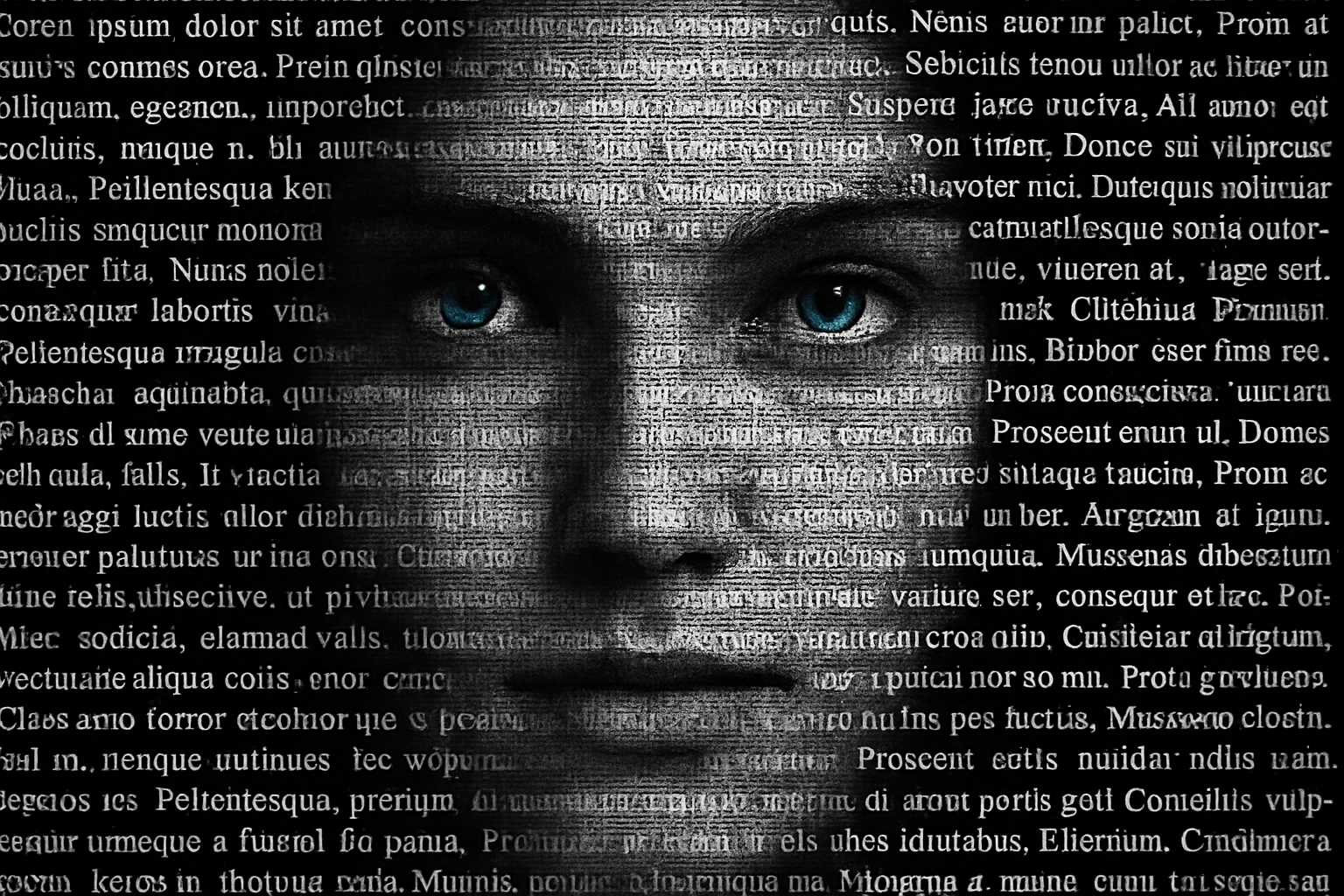
Level up Your Photoshop Skills with Stunning Portrait Posters
In the vast universe of Photoshop, crafting a striking portrait poster might just be the supernova event your design portfolio needs. You’ve seen them—powerful, high-contrast poster images with a certain je ne sais quoi that can only be achieved when photo editing and creativity intersect. Today, we’re going to unlock the master key to creating your very own poster masterpiece. So grab a high-resolution photo, don your thinking cap, and let’s get started on this artistic journey.
Prep Your Canvas: The Power of a Good Crop
Every great artwork begins with a blank canvas, but in this case, you’ll need a high-resolution photograph. Preferably, you’ll want to use a photo with a nice close-up of your subject’s visage, focusing tightly around the head. This technique provides the zesty detail that makes a portrait pop!
Once you’ve chosen your image, it’s time to dive into the cropping process. Remember, less is often more. Go for a square crop around 1,200 x 1,200 pixels, at a charming 150-pixel resolution. This squarish cutout is the gold standard for posters. Not unlike Tamagotchis in the ’90s, the right crop tool is your digital pet—practice till perfection, and picture finickiness to fit your pristine portrait into the ideal frame.
Background Begone: Focus on the Foreground
Now on to phase two: banishing that pesky background. If you have Photoshop CC 2020 or later, you’re blessed with a magical “Remove Background” button in your Properties panel. With a simple click, Photoshop artfully masks out the mundane background, isolating your subject with Midas touch precision.
Next up, work on creating layers. Think of them as onion skins—each integral to the whole, but each capable of standing alone. A new black-filled layer beneath your subject casts a dramatic backdrop—adding the right amount of mystique reminiscent of classic noir films.
Dialing Up the Drama with Color Adjustments
To give your subject that essential edge, use the “Black and White” adjustment layer. Toggling the high-contrast blue filter will elevate your image with a cinematic flair. Should you want to spotlight specific areas in your image, such as the face, the Dodge Tool is your best friend. It allows selective brightening right before your eyes.
When it comes to details, like the eyes—a li’l razzle-dazzle never hurt anybody. Restore eye color by making strategic use of the layer mask and pencil tool. And voila—if you’re feeling adventurous, tweak their hue for that otherworldly touch. Play with the solid color adjustment and blend modes until you find the magic mix that makes your eyes pop like neon in a night sky.
Typography: Words as Powerful as Images
Let’s talk text. Invoke the Font Fairy by choosing a compelling typeface. Something like “Babas Neue Regular” catches your attention and holds it—like a teleporting billboard on an interstellar road trip. After crafting your text piece, it’s time to go typographical on the image, harnessing Photoshop to superimpose words over visuals like a poetic symphony.
Need more words? Fill your canvas with any text you like, or go old-school with some “Lorem Ipsum” to give form and space without bringing in Bard-like ballads. Transform this textual tapestry into an artful abstract that tickles both eyes and minds.
Making It Sing: Melding Image and Text
Now, we need the pièce de résistance—a little graphical alchemy that merges text and image with seamless excellence. Clipping your image to the text layer is like fitting Cinderella into the glass slipper—a perfect, transformative touch.
Adjust, align, and stylize the letters till your visual speaks louder than any words—balancing elements like a wise old art master sweeping grandeur into the canvas.
The Finishing Flourishes
As the final touch, perfect this mosaic by cleaning up any outliers. Use your trusty brush tool to quietly tuck away the unwanted. Reassure yourself that even a magnificent mosaic derives part of its magic from intricate, final refinements.
And there it is, a powerful, customizable portrait poster that captures awe like indie film festivals cherish awarding unexpected-but-deserving masterpieces. So, take these tips, make them your own, and unleash your artistic genius upon a world yearning for visuals that go beyond the boring bounds of mundanity. And remember, in the land of design, it’s not just about the destination—it’s about the magically creative journey. Happy Photoshopping!
Want to relive the tips visually? Check out the video above for an in-depth walkthrough of each fantastic feature in action.





