Transform Your Photos into Art with Personalized Text Posters
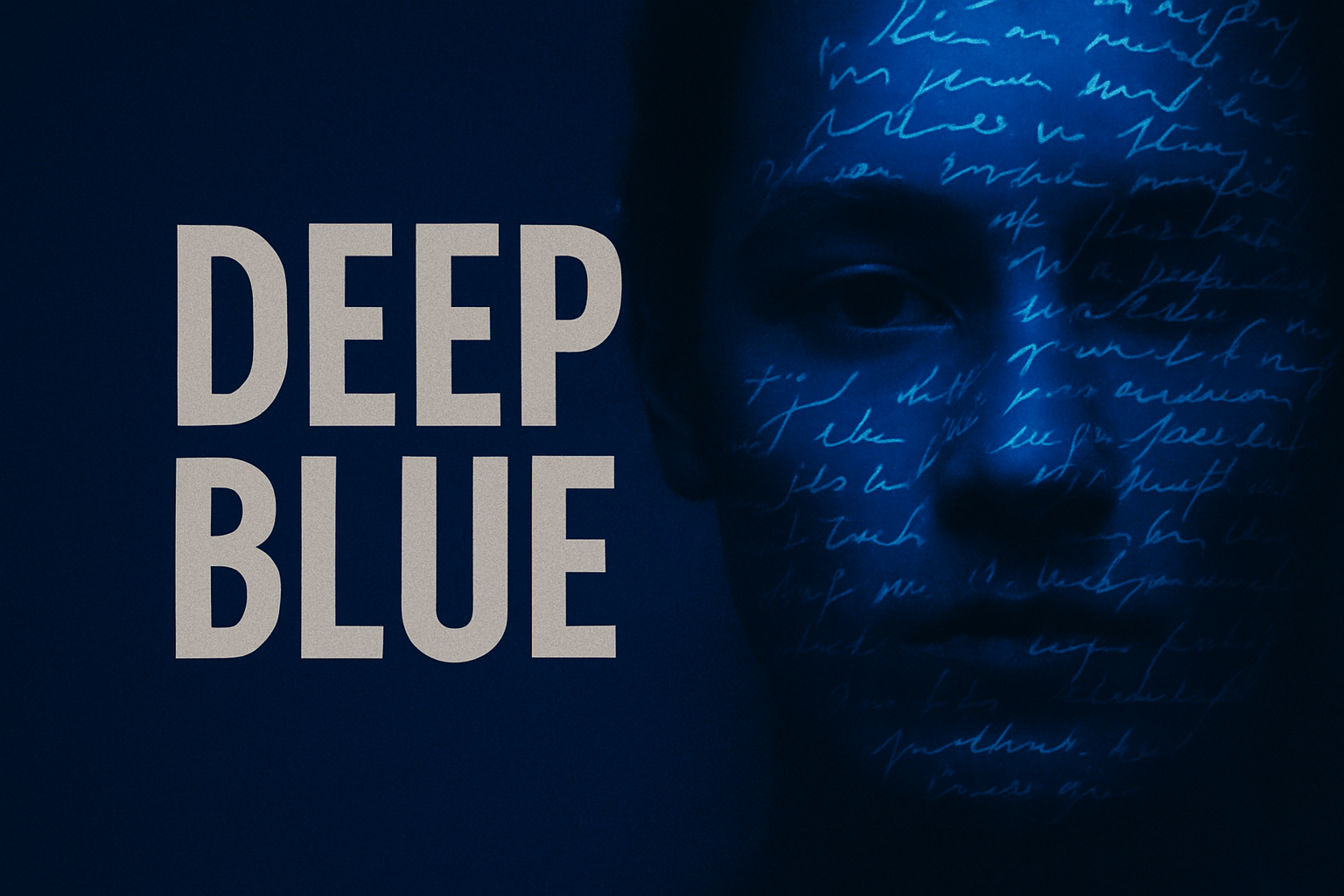
In the age of digital artistry and creative expression, seamlessly blending text with photography has become a compelling way to give your images a narrative touch. Whether it’s creating a tribute to your favorite songwriter or immortalizing your personal mantra, crafting a poster that combines face and handwritten words can be a powerful artistic endeavor. Let’s discover how this process not only refines your Photoshop skills but adds a personal layer to your creative projects.
Start with Your Base: Choosing the Right Photo and Text
Begin by selecting a photo of someone meaningful for your project. This could be an image of a beloved musician, a treasured family member, or even a self-portrait. Alongside the portrait, choose words or lyrics that resonate with you. The words can be handwritten for authenticity or typed for clarity. Both approaches offer unique aesthetics, enriching the narrative you’re aiming to tell through your artwork.
The Artistic Script: Converting Text for Perfect Contrasts
The initial step in marrying text and image is adjusting your text against a pristine white background, ensuring optimal contrast. Using Photoshop’s Curve adjustment panel, you can shift the tonal range between black and white to create crisp, clear text. The intuitive interface allows you to drag the diagonal line from the top right to make backgrounds whiter, and from the bottom left to deepen the blacks of your printed letters.
Crafting That Perfect White Canvas: Layering Up
Once your text is finely tuned, capture a composite snapshot, a clever trick that encapsulates all your visible edits into a new layer. This process enables selective adjustments without affecting the original image—a testament to Photoshop’s non-destructive editing prowess. Additionally, refining the selection with tools like select color range further polishes the extent of your creativity, giving you control over the subtleties of white space and text contrast.
Text Meets Image: Blending with Precision
Bringing text into your photo requires some finesse to ensure that it doesn’t overpower the visual narrative. Carefully scale and position the text over your photo, using Photoshop’s transform tools. Version-specific shortcuts make resizing a breeze, allowing uniform scaling by anchoring the corners.
By converting your photo layer into a smart object, every subsequent modification is flexible and reversible—a boon for the perfectionists and spontaneous artists alike. Applying Gaussian blur smooths the image, creating a subtle dreamlike effect that elevates the contrast between text and photo, and enhances the textured touches later on.
Color Magic: Gradient Maps and Personalized Palettes
To infuse your image with mood and character, delve into the world of gradient maps. Play with gradient stops and colors to find the perfect hue combination that complements your photo and text. Keep in mind that Photoshop’s color flexibility within smart object layers allows for endless experimentation without sacrificing quality—ideal for creators who love to tweak and tune perfection.
Adding Texture: Distressed Film Texture
A touch of distressed film texture gives the poster an edgy, vintage look. By using a film texture overlay (easily drag-and-drop into your workspace), you add depth and visual interest to the poster. The secret? Tailoring the texture blend mode to overlay, surpassing simplistic layers to give it a genuine, analog feel. Whether you’re recreating the nostalgia of physical film or adding rustic charm, textures can hugely influence the sentiment of your project.
Final Touches: Merging Text and Texture Gracefully
As each layer builds upon the last—your text, once again visible—plays a pivotal role in pulling the entire piece together. Subtle final adjustments in text overlay color and opacity ensure that the words delicately float over your image without overwhelming it. This dance between text opacity and texture lays the groundwork for a balanced, cohesive poster.
Conclusion: From Digital Canvas to Wall-Worthy Artwork
Transforming a simple portrait with lyrics of your soul or quotes dear to your heart into a powerful poster isn’t just enriching—it’s transformative. The blending of digital techniques with personal expression offers a fulfilling journey into personalized artistic creation. Whether you’re a long-time Photoshop aficionado or a creative soul entering this world, these steps will guide you in crafting wall-worthy art pieces.
Go ahead, make something beautiful that tells a story. A story that’s yours.
For those curious enough to dive into this digital artistry, we hope you find this guide helpful to begin blending text, photo, and texture to create compelling visuals. Once you’re ready, share your creations online and inspire others!