Unlock the Magic of Photo Editing with a Fractured Photo Effect
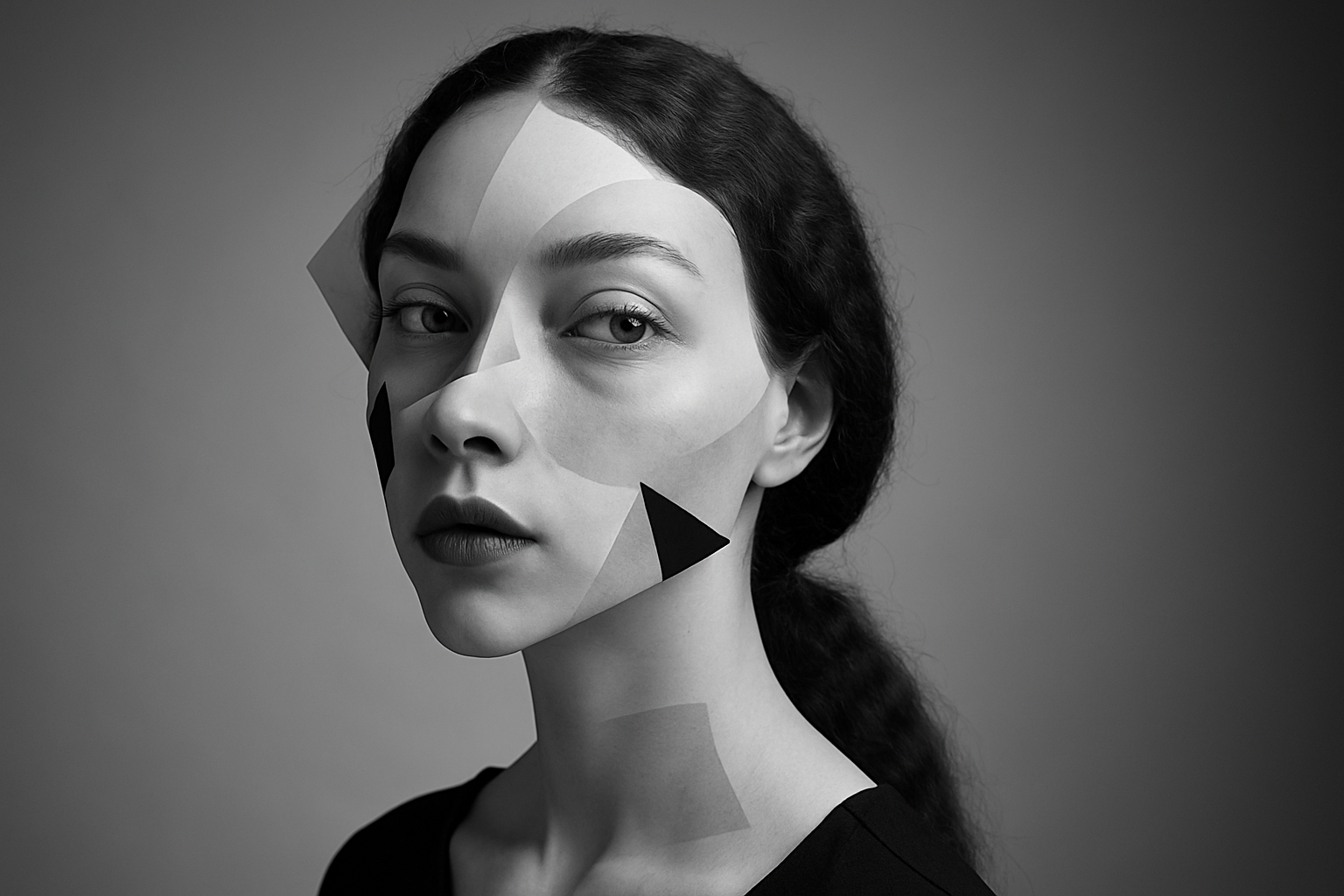
If you’re like us, you love the thrill of taking an ordinary photo and turning it into something extraordinary using Photoshop. Today, let’s dive into the captivating world of the fractured photo portrait effect. It’s an eye-catching technique that enhances your images by transforming them into contemporary pieces of art, making any subject look like they’ve stepped out of a graphic design masterpiece. Not only is this effect fun to create, but it also powers up your editing skills—giving your portfolio that artistic edge!
Getting Started with Your Favorite Photo
First things first, grab a photo where you can see the potential for some serious transformation magic. Head to stock photo websites like Shutterstock if you need some inspiration. Once you’ve decided on your image, it’s time to edit!
Separating the Subject from the Background
To make this effect truly pop, you’ll want to separate your subject from the background. If you’re using Photoshop CC 2020 or later, Photoshop has your back with the Remove Background feature in the properties panel. It’s like sorcery—click, and the software does all the dirty work for you! For those of you rocking earlier versions, you’ll have to manually select your subject using the Quick Selection Tool while holding the ‘alt’ key to refine edges.
Converting Your Image into a Smart Object
Once your subject is set free, convert it into a Smart Object. This handy-dandy feature allows you to modify your image non-destructively, meaning you can always go back and tweak it later without breaking a sweat.
Crafting a Stunning Background with Gradients
The background plays a crucial role in emphasizing your fractured masterpiece. To craft a dramatic backdrop, fill a new layer behind your subject with a radial gradient. Adjust your settings in the gradient overlay options, scaling strategically to fit the aesthetic you’re aiming for.
Mastering the Art of Layer Masks and Black & White Effects
Here’s where things get spicy! Create multiple copies of your subject and strategically layer them using layer masks. You’ll want to dive into the black and white adjustment layer here, conveniently clipped to just your subject to fine-tune the effect without altering your entire image.
Set the Stage with Shapes
Unleash your inner Picasso by creating intriguing shapes with the pen tool, responding to your subject’s outline. Opt for perfect circles using the marquee tool to bring an added dimension and depth to your composition. Remember, the higher the shape layer is in the panel, the more it will take center stage in your fractal masterpiece.
Twist, Turn, and Transform
Finally, amplify the impact by transforming the pieces of your subject. Whether you scale parts up or down, or reposition elements using the transform tool, you’ll find that playing with size and location can lead to sensational results. This is your chance to shine, so don’t shy away from experimenting with just how much you can fragment and multiply sections of your subject.
Conclusion: Your Turn to Create
Armed with these steps, you’re now ready to breathe new life into your photos, creating captivating fractured portraits that redefine creativity. Remember, practice makes perfect. So dive into Photoshop, unleash your imagination, and let the world see your fractured works of art unfold layer by layer.
Stay curious, stay creative, and remember: every keystroke and click is another brushstroke in your growing gallery of digital wonders. See you next time with even more juicy tricks to help you conquer the realm of digital art!