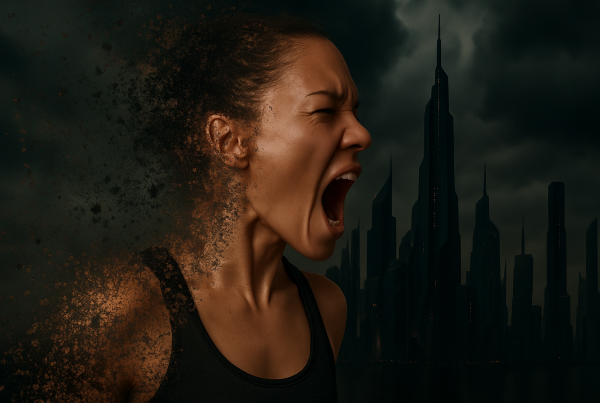
Unleash Your Inner Graphic Design Sorcerer
Ever wanted to channel your inner digital sorcerer and conjure up fantastical images that add a spark of magical realism to your creative projects? Look no further—because today, we’re diving into the art of creating luminous fire spirit animals using the magical tools of Photoshop. Whether you’re a seasoned design wizard or a beginner just dipping your toes into the pixelated waters of graphic design, this guide will light your creative fire.
The Digital Alchemy Begins
Picture this: a majestic leopard blazing through your Photoshop canvas, not as a mere image but as a fiery apparition bursting with luminous energy. Sounds cool, right? This transformation isn’t just eye candy—it’s a testament to the powerful tools and techniques that modern graphic design software offers. Here’s how to do it.
Building the Foundation with a Solid Background
Start by obtaining a noble image of your spirit animal—a leopard, for example. You can use a stock image or your own photo, ensuring it resonates with the fierce aura you want to imbue. For optimal results, embed the image against a solid black background. This isn’t just for drama or theatrical effect; it’s about grounding your elements so your fire and glow effects have a bold stage to shine against.
Adjusting Tone and Contrast with Black & White and Curves
Manual labor follows next by converting your leopard into shades of black and white. In the great symphony of design, black and white play the role of the rhythm section—keeping your highlights steady and your shadows intact. The ‘Curves’ tool here is your best friend, allowing you to manipulate the tonal range so your spirit animal maintains its mid-tone integrity without overpowering contrasts.
Creating a Fiery Glow
The charm of the spirit animal lies in its glow. To achieve this, imagine your spirit animal basking in the fiery glow of a summer sunset—warm hues and soft flares. Use Photoshop’s ‘Outer Glow’ and ‘Inner Glow’ layer styles to introduce this luminance. Select dynamic color values—bright reds and yellows—and adjust the blend modes to ‘Screen’ or ‘Soft Light.’ Play with opacity and size to embed that supernatural essence.
Setting the World on Fire
Alright, you’ve established a fiery aura—now it’s time to set the whole stage ablaze with actual flames. Introduce a stock image of flames, layer them over your original image, and let Photoshop’s magic mode—‘Screen’—work its flaming wizardry. Multiply and scatter these flames to form ethereal patterns across the leopard’s exact body lines.
Mastering Layer Masks and Refinement
Layer masks are your precision instrument when sculpting fiery perfection. They allow you to erase—or rediscover—parts of the flames for a seamless integration with the body. The key here is subtlety and the realization that perfection isn’t about having each flame dancing uniformly. It’s about that occasional wild flicker casting unpredictable shadows—reflective of the untamed soul of the spirit animal.
Embracing the Smoke and Mystique
What makes a spirit animal more spirit-like? A smoky, mysterious aura enveloping its fiery form would do just that. We use custom smoke brushes to fade and blur transitions, adding a whisper of the unknown. Smoke brushes are not only great for the effects themselves but serve as an excellent technique to gentle the fiery intensity, making it look natural rather than a wild inferno.
The Final Touch—Sizzling Heat Glow
Add the final flourish to your creation with a heat glow effect. This subtly hints at the fiery essence of your spirit animal, like the residual warmth you feel from an ember. By layering more images of diffused, rich reds, and utilizing filters like ‘Clouds,’ you’ll construct a visually calming yet intense heat glow—mimicking an enchanting afterglow that completes your majestic visual symphony.
Sealing Your Masterpiece
And there you have it—your very own luminous fire spirit animal, ready to roam the digital landscapes or even grace your latest project showcase. With each step, not only have you gained the skills to produce a mesmerizing piece but also an appreciation for how digital artistry transforms simple ideas into scorching works of beauty.
Feeling inspired? Dust off your photo repository, summon your creativity, and light up your canvas with the macrocosm of fire spirit animals. As they say, the sky (or in this case, your screen) isn’t the limit—it’s just the starting point for igniting your imagination.