Google just turned the Gemini app into a mini music studio. With a new beta feature powered by DeepMind’s Lyria 3, Gemini can now generate short original tracks from a text prompt or from a photo you upload. Google also says video uploads are supported. The official announcement is here: Use Lyria 3 to create music tracks in the Gemini app.
This is a meaningful shift for creators because it puts “good enough music, instantly” inside the same assistant people are already using for scripts, outlines, thumbnails, and ideation. It’s not trying to replace a composer. It’s trying to replace the part of your workflow where you burn 40 minutes scrolling stock libraries and still end up with “Corporate Uplift 07.”
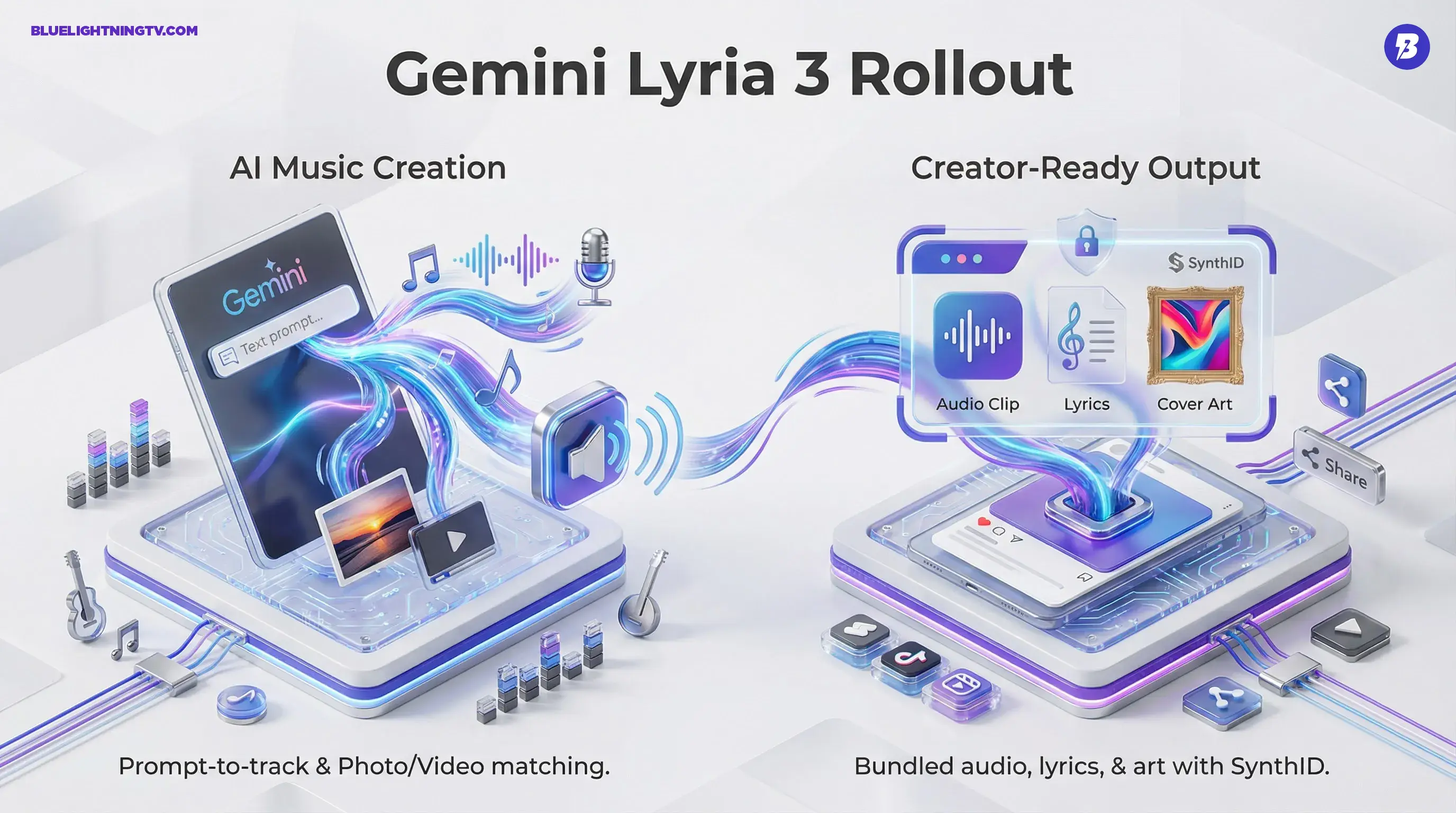
What’s new: Gemini can generate 30-second music tracks from text prompts, and Google says you can also generate tracks inspired by uploaded photos and videos. Google also says you can create instrumentals or tracks with lyrics.
What Gemini can do
The headline capability is straightforward: you describe a track, Gemini generates it. But Google’s framing is less “AI does music” and more “AI does content packaging.” Alongside the audio, Gemini also generates cover art for the track. If you want context on Google’s “Nano Banana” image generation layer inside Gemini, see our post: Nano Banana Pro.
Text-to-track generation
You can prompt for genre, mood, tempo, instrumentation, and general use case (intro music, ad bed, transition sting). Google says Lyria 3 can generate lyrics from your prompt, and you can also provide your own lyrics for Gemini to use.
Media-to-track matching
Gemini can also generate music inspired by a photo, and Google says video uploads are supported as well, with the goal of matching tone (and, for video, the feel of the clip) to what’s on screen. That matters because the hardest part of “quick music” isn’t making sound. It’s making sound that doesn’t fight the visuals.
Why creators should care
AI music isn’t new. What’s new is where it lives: inside a mainstream assistant with distribution gravity. When music generation sits inside Gemini, it starts acting like a default layer in the creation stack, the same way captions and quick cut templates became “just part of posting.”
Fewer tool hops
Creators already bounce between writing tools, editors, thumbnail apps, and stock platforms. If Gemini can produce a workable bed track in the same place you’re generating the script or storyboard, that’s a real reduction in friction even if you still do final sound design elsewhere.
Faster iteration loops
For short-form, speed wins. A 30-second track is basically the native currency of Reels, Shorts, TikTok, and ad variants. Being able to generate multiple options quickly makes it easier to test different vibes against the same cut: upbeat vs. moody, acoustic vs. synth, sparse vs. maximal.
Better “good enough” audio
Most creators don’t need a soundtrack. They need something that doesn’t get them claimed and doesn’t feel like the default iMovie pack. AI generation’s strongest value is “fresh enough to not feel recycled,” especially for background beds, transitions, and lightweight intros.
How outputs are packaged
Google is positioning this as a creator-ready output bundle: audio + lyrics + cover art. That’s a subtle but important product decision. It acknowledges how content actually gets shipped today where a “track” is often also a post, a thumbnail, and a reusable asset.
| Output | What you get | Where it helps |
|---|---|---|
| Music clip | 30-second generated track | Shorts/Reels beds, ad variants, transitions |
| Lyrics | Lyrics generated from your prompt (or you can supply your own) | Hooks, jingles, playful branded moments |
| Cover art | Generated image for the track | Posting, pitches, asset libraries |
SynthID and provenance
Google says tracks generated in Gemini are embedded with a SynthID watermark, Google’s embedded provenance system for AI content. DeepMind’s overview of SynthID for audio is here: SynthID for AI-generated audio.
For working creators, provenance tooling is both boring and necessary. It’s the kind of infrastructure you only notice when you need it like when a platform starts checking for synthetic media markers, or when a brand partner asks what’s “safe to use” at scale. SynthID doesn’t magically solve every rights question, but it does signal that Google expects AI-generated media to be tracked, not hand-waved.
Google has also been building detection around SynthID more broadly, including a detector experience described here: SynthID Detector.
Availability and rollout
Google says the feature is rolling out in the Gemini app as a beta for users 18+. At launch, Google lists support for eight languages: English, German, Spanish, French, Hindi, Japanese, Korean, and Portuguese, with more languages planned. Google also says rollout starts on desktop, with mobile expanding over the following days, and access may appear gradually rather than all at once.
Limits worth noting
This is where the hype usually tries to sneak in wearing a fake mustache. So let’s be clear: this isn’t “make an album.” It’s “make a clip.” And that’s fine because that’s what most people actually need.
Short duration by design
The 30-second length is perfect for snackable content and testing, but it means longer formats (podcasts, long YouTube essays, short films) still require looping, stitching, or a different toolchain. If your workflow needs evolving themes and timed hit points, you’ll feel the ceiling fast.
Lyrics won’t replace songwriting
Auto-lyrics are great for lightweight hooks, throwaway jingles, or comedic bits. But don’t expect emotionally complex writing or nuanced phrasing. Think “supports the vibe,” not “wins a Grammy.”
Style requests may be constrained
Google’s public positioning emphasizes original expression and responsible safeguards. Google also notes that if you prompt with an artist name, Gemini treats it as broad inspiration rather than a request to replicate a specific artist, and it uses filters intended to help avoid generating content that matches existing music too closely. For creators, the implication is simple: describe musical attributes (tempo, instruments, mood) rather than name-dropping a living legend and hoping for a perfect imitation.
What this signals next
The bigger story isn’t that Google can generate music. It’s that Google is building a stacked generative media suite inside Gemini: image, video, and now audio, where each piece can be produced fast enough to support daily publishing.
We’ve already seen Google push generative media deeper into creator surfaces. For a broader look at how Gemini is evolving into a creator-first stack, see: Gemini’s Creator Upgrade: Veo Video, Project Genie, Web Drafts.
Bottom line: Gemini’s Lyria 3 integration makes “custom background music in seconds” a default option for creators, especially in short-form. The output is not studio-grade scoring, but it’s fast, flexible, and packaged for real publishing workflows.