Elevate Your Design with this Unique Effect
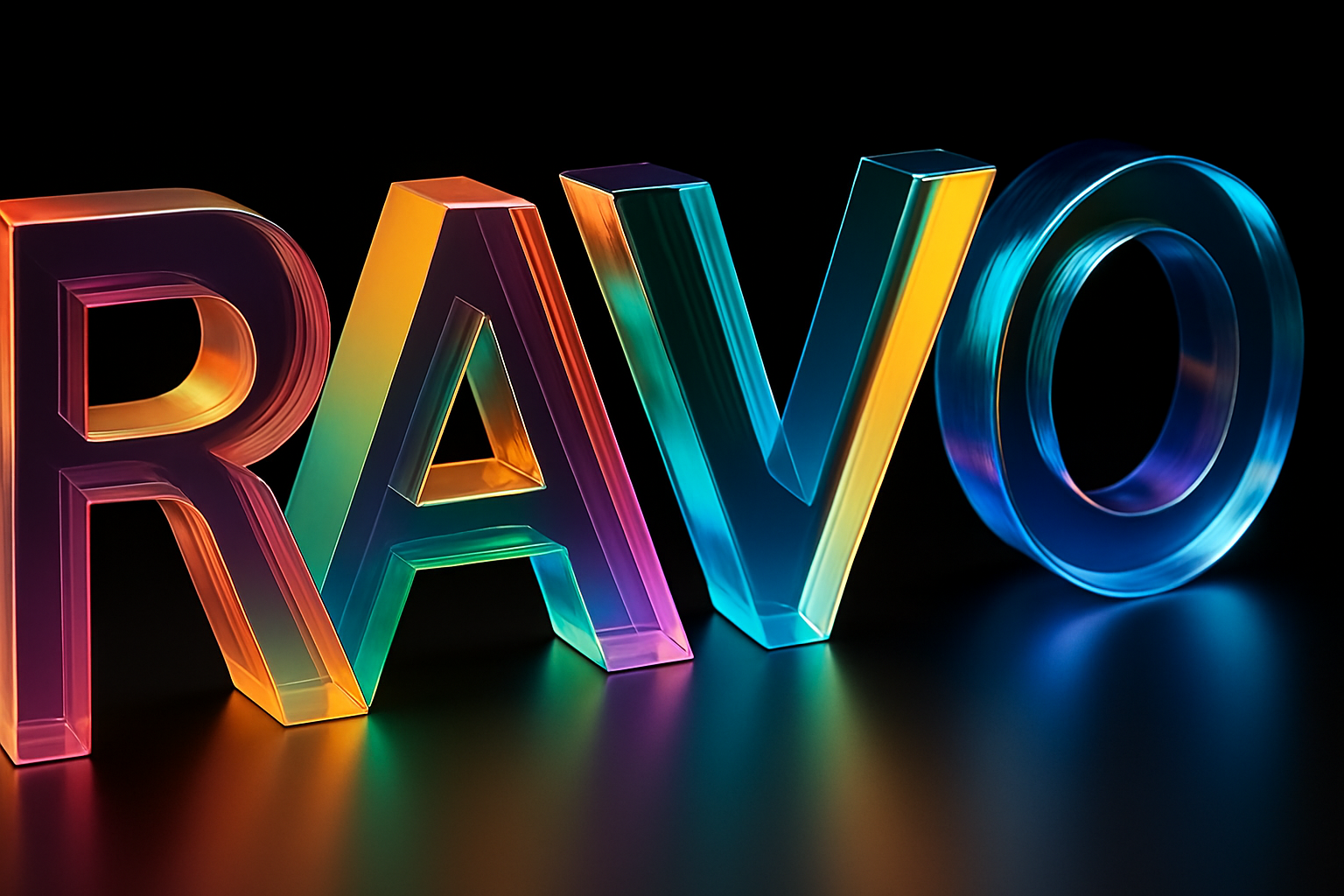
In the age of automation and AI-fueled creativity, a new horizon is opening for designers eager to blend technology with art. This tutorial explores how to craft a mesmerizing 3D glass light dispersion effect on text or logos, using some handy tools and AI wizardry. As you journey through this guide, you’ll discover how this effect can transform mundane text into a striking visual masterpiece, all with minimal effort. And guess what? An easy-to-use AI tool has your back to handle the heavy lifting.
Setting the Stage with Adobe Illustrator
Before we delve into harnessing AI magic, we need a solid foundation. Adobe Illustrator is our weapon of choice to sculpt the text that will later bask in the glow of our glass effect. Starting off, create text using the ‘Moner Rot’ font. Its clean, bold edges set the perfect stage for this effect. In choosing a color, opt for anything but black to facilitate shadow creation later on.
With our text style locked, head over to Effect followed by 3D and Materials,
and select Extrude and Bevel. Tweak the depth settings to 80 pixels;
this breathes life and dimension into the text. Don’t overlook the lighting either—strategically adjusting light sources enhances the shadow intricacy, pivotal in our upcoming glass-like transformation.
Render and Export for AI Treatment
Once your 3D text is sculpted to your liking, it’s time to render and export it. Opt for a white background for clarity, or whip out a screenshot if you’re feeling cheeky. Trust me, this isn’t cutting corners—it’s just creative efficiency.
The Marvel of Adobe Firefly
Welcome to the next frontier: employing Adobe Firefly AI (visit Adobe Firefly). Upon signing in with your Adobe account, step into the editor and prepare to witness digital alchemy at its finest.
The first order of business is setting up the AI’s playground. Ensure the model is updated to Firefly Image 3 for the freshest, most robust results. In the gear of settings—disengage fast mode. Sure, it takes a tad longer, but premium quality rarely comes easy.
Match your text dimensions to appropriate aspect ratios and set the content to photo for a hyper-real output. Your exported text image now serves as a muse for AI. Upload this as the composition reference, increasing the strength to maximum; you’ll want the AI to mimic your input as closely as possible.
Effects, Cameras, and Styles Galore
Navigate through the effects menu where low lighting primes your base with a touch of realism. Scroll down further for macro photography in the camera angle settings, finessing the texture depth. Finally, at the style section, dial down visual intensity and strength—an anti-thesis to overpowering the original elegance you’ve crafted.
Prompt Magic: Resculpting Reality
With our digital pottery wheel primed and ready—head to the prompt area. This tutorial offers meticulously crafted prompts tailored for achieving this ethereal effect. Key these in, deploy them, and wait for Firefly’s wizardry to unfurl.
The allure of our initial results is unmatched; the glass effect emerges crisp, with well-defined edges. While variability in results can occur—revisit your prompts or modify style settings for further finesse.
Exploration Beyond Text
Experimentation is king. Would you fancy trying the glass effect on a logo? Imagine the Photoshop logo floating serenely in a glass prism. Your gut is right—it’s breathtaking. Yet, it’s worth noting that intricate designs may face limitations with this effect—simplicity reigns supreme in the land of glass dispersion.
Indulging in Glitch Galore
A little twist—why not indulge your inner designer with a glitch effect fusion? Begin by replicating the previous steps but pivot with a glitch-prompt reboot. The result is a digitally fractured yet gorgeously cohesive presentation of your text—a nod to AI’s infinite creative possibilities.
Closing the Chapter on Glass Effects
And there you have it, a comprehensive tour de force for creating compelling 3D glass dispersion effects. Tailor settings, prompts, and techniques to your heart’s content and witness the seamless blend of art and technology unfold.
Remember, AI as a co-pilot in design is not about replacement but enhancement. Your canvas is no longer just confined to your imagination—it draws upon the endless realms of artificial intelligence.
Keep experimenting, discover the undiscovered, and share your creations. Because in this digital agora, the only limit is your creative vault. So, plug into Adobe Firefly, and start shattering artistic boundaries today.