Transform Your Designs with a Classic Indie Aesthetic
Ever stumbled upon an intriguing indie movie poster from 2013 and thought, “I want to recreate that!”? Great news—channeling your inner graphic designer is more achievable than ever, thanks to the marvels of Photoshop and a bit of creative flair. Today, we’re diving headfirst into building a vintage-style indie movie poster, a task that’s both nostalgic and modern. It’s time to get your hands on some digital scissors and glue, and let those creative juices flow.
A Layered Approach to Creative Design
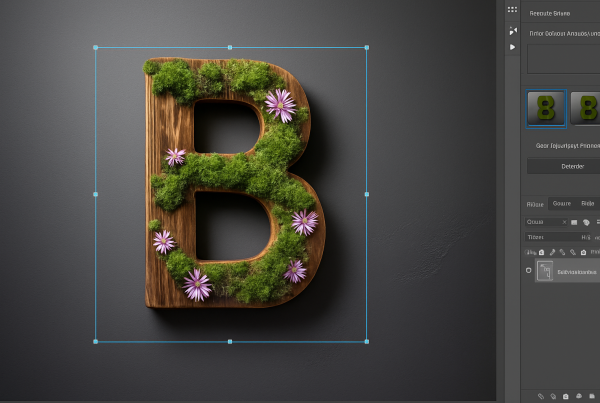
Working with a thoughtful, layered strategy is key in Photoshop. When you open the file, you might spot just a single layer, but don’t be fooled. Dive deeper, and voila! Four crucial layers come to life—each serving a distinct role. Here’s the lineup:
- Top Layer: The original poster. Here lies the core inspirational piece you’re aiming to mimic.
- Second Layer: A grainy texture, adding that vintage appeal.
- Third Layer: Neatly holding the top and bottom text, because no poster is complete without some snazzy lettering.
- Bottom Layer: The crucial photo, watermarked but essential for that genuine indie vibe.
Want full control over your starting photo? Behold the magic of content-aware fill to cleverly erase those pesky watermarks with just a swipe of the trusty lasso tool.
Unshackling Your Subject from the Background
Time to set your subject free! With our handy selection tool, a couple of clicks whisk away the background like magic, leaving your subject front and center. Photoshop’s ‘Select and Mask’ or the classic ‘Refine Edge’ are both contenders here, each offering a unique toolset for tailoring those edges. Smart radius can be your best friend, deftly handling smooth and sharp edges with grace.
Pushing the Contrast Envelope
Now, to make your subject pop, we’re dialing up the contrast. Enter the Levels adjustment—plugging in specific values like 43 for shadows and 2.23 for midtones is just the start. Every image dances to its own rhythm, so don your conductor’s hat and adjust away until it feels right.
Coloring Dreams with Gradient Maps
Gradient maps are like a spirited splash of color over your masterpiece. Anchor it as a clipping mask if you merely want this burst of hue to trickle onto a single layer. Go for the classic black-to-white gradient, then delve into specifics, such as customizing stops and color values (here’s looking at you, EDE90B). Witness as your poster transforms, embracing both flair and dimension.
Layers Upon Layers of Artistic Tonal Fabric
Stacking layers artfully defines the depth of your design. First, a yellow layer underpins your subject—a bold stroke of color. Not spicy enough? Adding a hot pink layer beneath ensures you’re not missing out on the colored chaos. It’s all mask-and-reveal here; with a deft use of layer masks, you’re semi-transparently juggling background colors like a pro.
Ensure more vibrant hues by sculpting the shape of your subject, enlarging it subtly, and brushing details with precision. Voilà, more artful thickness within the poster’s hair, mimicking true indie spirit.
Perfecting the Grainy Texture
A sprinkle of grain over the entire design grants it an aged patina. By copying and altering the texture layers, you adjust transparency à la ‘Subtract’ and ‘Screen’ blend modes—embedding that grizzled 2013 nostalgia into every pixel.
Raising the Curtain: Typography Time
Text can make or break a poster. We lean on “caveman”-styled fonts (how’s that for nostalgic?) sized up to a bold 117 points, and then we finesse it—stretching it vertically until each line sits just right. Typography reigns supreme in indie posters, acting both as a calling card and a sneak peek into the movie’s mood.
The final act is yours, adjusting spacing, lines, and scale to ensure every letter dances across the page in perfect indie harmony. So, put on your director’s hat, grab that virtual megaphone, and adjust until your poster sings its indie anthem just right.
Designing in Photoshop never felt so much like a worthy indie pursuit. It’s tactile, it’s dynamic, and best of all—it’s boundlessly creative. So, snap up this Photoshop template and sync your vision with your virtual toolkit. Welcome to the glamorous world of indie movie posters. The spotlight is yours.