
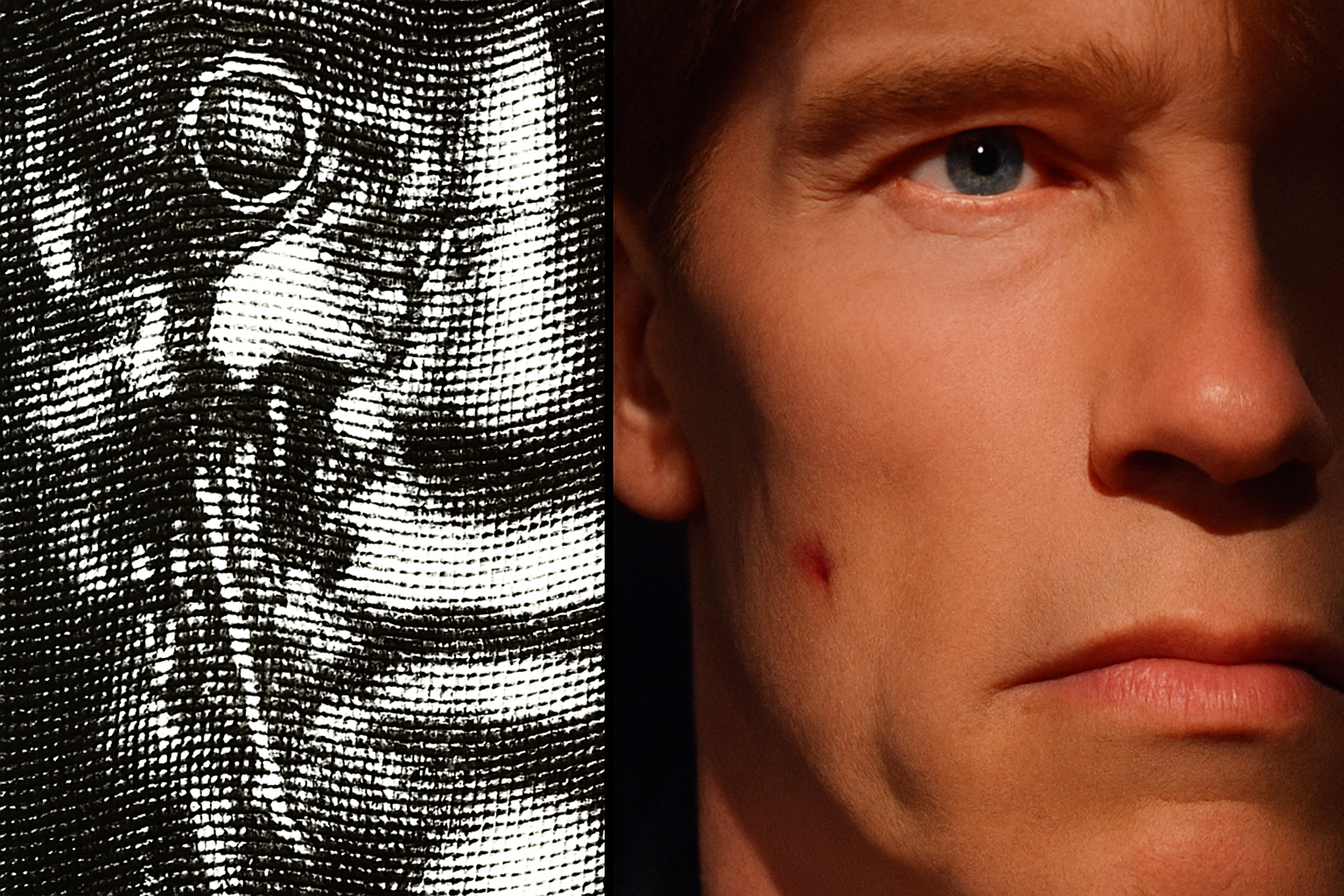
Unleashing Your Creative Potential with the Crosshatch Effect
In the vast expanse of digital imaging, where nuances of design can elevate a simple photo to artistic grandeur, understanding how to use a crosshatch effect is an empowering skill for creatives. This technique fuses a timeless etching look with modern, digital photos—melding art history with Photoshop wizardry. This tutorial will guide you through transforming an ordinary image into a captivating visual narrative, employing the sophisticated crosshatch effect with finesse.
Setting the Stage for Crosshatching
In case you’re wondering why this technique should spark joy or even a slight sense of rebellion against the mundaneness of ordinary photo editing—think of it as giving your images a sophisticated, artistic edge. You start by selecting the image you want to redefine. This could be any photograph, be it landscape, portrait, or continuous tone illustration. Equipping yourself with a strategic base is paramount, hence, we transform our chosen image into a Smart Object, which allows for non-destructive editing. This step ensures the safety of your original photo while you engage in creative vandalism—uh—I mean artistry.
Enhancing Detail and Texture
To dramatize or highlight the features of your photo, delve into the world of shadows and highlights under Image Adjustments. Feel free to play with these settings; each photo tells a unique story through its contrast and brightness. It’s entirely up to your artistic intuition to decide which shades stand out or softly echo in the backdrop. Fine-tuning using Shadows and Highlights accentuates the hidden elegance within your image, enhancing details that make it more compelling.
The Magic of Smart Blur
While clarity is often sought, a slight blurring can lend your image a moody, mysterious quality. This is where the blur tool comes into play, specifically, the Smart Blur. You’ll control both the radius (determining the degree of blurriness) and the threshold (deciding how different pixels must be before being blurred). A suggestion: for a balanced distortion, aim for high quality with the radius and threshold set at roughly 30 for each. Feel the satisfaction of watching your image subtly transform to a softer silhouette with these smart tweaks.
Black & White – A Timeless Classic
You might ask, why revert to B&W in this colorful digital era? The reason is simple: black and white imagery is timeless—they capture emotions and tales unnoticed in vibrant shades. Click on the Black and White adjustment layer to remove the colors, letting the soul of your picture shine through.
Crafting Depth with Levels
Brighten up, or tone down—levels are your micro-managers in this journey. Control contrasts by manipulating shadows and highlights in the Levels adjustment layer. For our purpose, you might set the input shadows around 45 and highlights close to 200. Yet, the art is in your hands to experiment and match the final look to your vision.
Time to Crosshatch
Here’s where the fun begins! You’ve got that crosshatch pattern—you downloaded it from wherever magic crosshatch patterns reside. It’s now time to weave it into your photo. Add the pattern onto your subject, and with a quick mix of blend modes, specifically ‘Hard Mix’, you witness your average image morph into something strikingly artistic. Resize your pattern if need be; play with it using the transform tool and adjusting width and height using scrubby sliders for responsive scaling.
The Grand Reveal
With all pieces in place, your masterpiece is ready to command attention. This crosshatch effect does not just enhance; it bridges the world of classical art with cutting-edge digital design. It’s all about finding the perfect synergy between creativity and technique.
That’s the adventurous journey from raw image to artistic expression—mixing traditional art vibes with modern editing tools. Let this technique be a conduit for your creativity; it’s not just about the final picture but the story you want your photo to tell. Until next time, happy crosshatching!





