
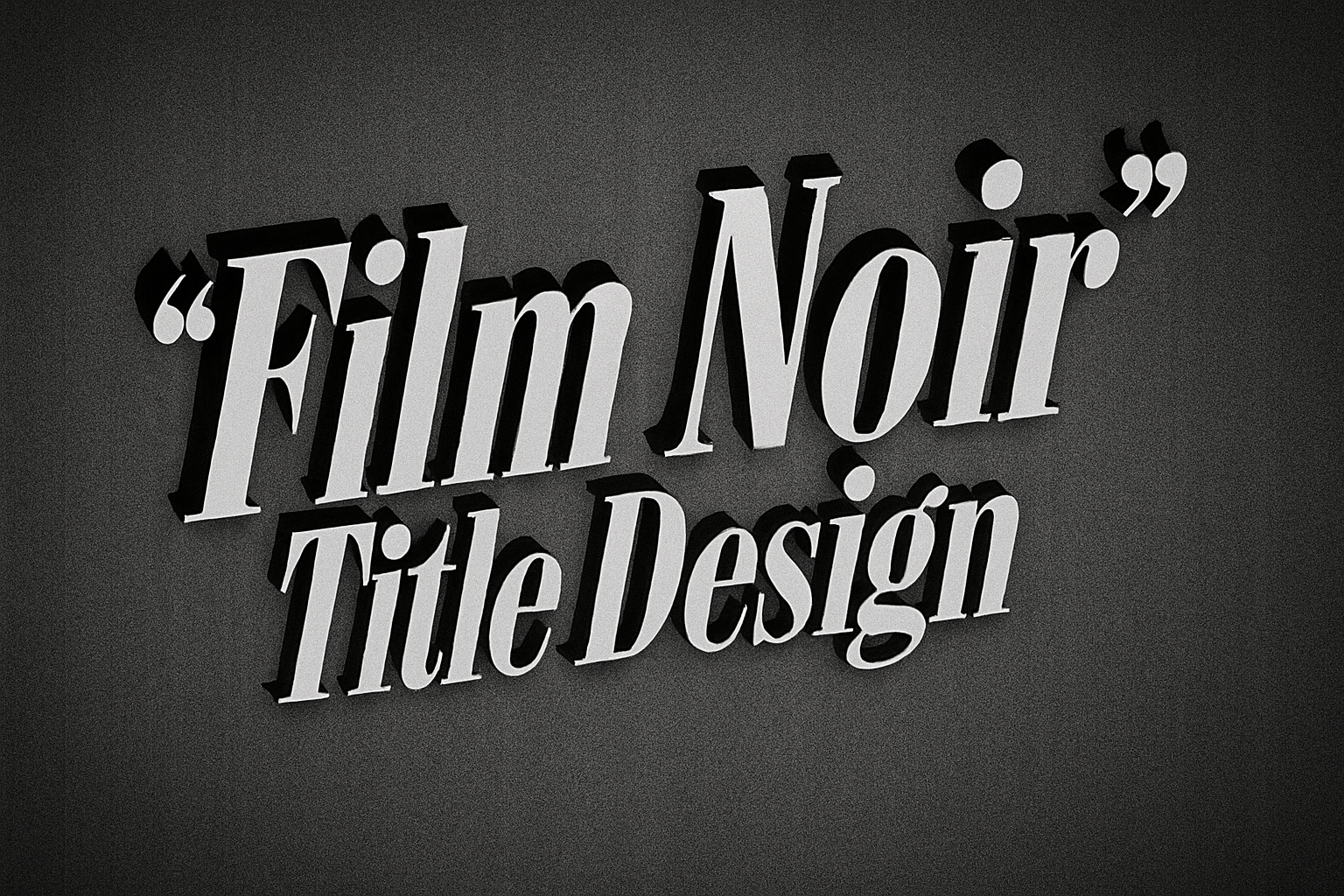
Unlock the Magic of Vintage Film Noir with Your Own Title Design
Lights! Camera! Action! Welcome to the world of 1930s and 40s film noir, a cinematic style famous for its dark themes and striking visuals. Today, we’re diving into a fascinating Photoshop tutorial that will have you crafting an authentic-looking film noir movie title from scratch. Whether you’re a Photoshop novice or a seasoned pro, learning how to create this nostalgic title screen is a spectacular skill to add to your digital toolkit.
Getting Started with the Basics
Our journey begins by setting up the background. Imagine yourself in Hollywood’s golden age, back when film noir set the stage for intriguing storylines—complete with twisting plots and brooding characters. The background is the frame for your masterpiece, and it’s essential to set the right tone.
Start by filling your new layer with a rich black hue, and don’t forget to check those foreground and background colors. Converting the layer to a Smart Object ensures you’re working non-destructively, giving room for adjustments later on. Old-school projectors clicking through reels would be proud of this meticulous attention to detail.
Textured Background Magic
Open your treasure chest of “Legacy Patterns and More” in Photoshop and discover patterns that imbue your background with depth. The “Yankee Canvas” pattern is our pick for today, giving that rugged feel akin to old movie reels. With a few tweaks to layers and levels, your background is ready for its close-up in glorious black-and-white.
Crafting the Iconic Film Title
Now for the stars of the show: your film title. Choose a film noir typeface—there’s an abundance of them out there, from strikingly bold to elegantly cursive. Adjust your text’s size, kerning, and other nuances such as color brightness using your Text Tool.
Your film’s name should leap off the screen with the same dramatic flair that defined “The Maltese Falcon” or “Double Indemnity.” To add dimension, convert the text into a Smart Object, creating a brilliant drop shadow that leans at a chic 45-degree angle. A multiplicity of copies lends that unmistakable film noir charm, steeped in heavy shadows and mood.
Adding Cinematic Depth
Make your text rise from the paper—truly a feat of digital wizardry. Use your Transform Tool to skew and shift your titles, adding an arresting angle. A final coat of “Drop Shadow” finishes the look, weaving that mysterious noir web just below your striking text.
Completing the Movie Studio Look
No vintage title would be complete without the illustrious name of the movie studio. Place it at the top of your design using another classic 1940s font. Smooth those lines and adjust the “leading” to give it a crisp headline look.
The key here is balance: playing with text sizes, spacing (tracking), and baseline shifts until everything syncs into a stunning visual alignment. Centering your text on the document ensures everything looks professional—a scene worthy of becoming a collector’s poster.
The Final Touch: Film Grain and Scratches
Let’s channel some old-school filming techniques—add a film grain texture, sprinkling history onto your digital canvas. Monochromatic noise, blurred just enough, imparts that timeless grain, while scratch textures mimic the analogue era. It’s a nod to those dusty projector rooms where classic films ran endlessly to adoring fans.
Create motion with vertical scratches and adjust their opacity for authenticity. This isn’t just a Photoshop feature; it’s a trip back to cinemas where these scratches were as beloved as the films they adorned.
Spotlight on Drama
The dramatic spotlight is the pièce de résistance, elevating your design to the iconic. Distort a black spotlight layer—stretch and manipulate to create the perfect backlit effect, indicating mystery and anticipation. Every detective’s reveal and femme fatale’s glance echoes from this light’s glow.
Combine layers, apply blending modes like Darken, and reduce opacities to craft a visual that makes any detective story or heist film logo come alive. Adjust the brightness slightly, ensuring your masterpiece shines with the right vintage allure.
This exploration into the world of 1930s and 40s film noir might be simulated through pixels today, but the excitement and depth of those films is far from lost. So, get your beret on, channel your inner Hitchcock, and let your creativity run noir!
This has been Blue Lightning TV. Cultivate your craft, transform your visuals, and keep redefining the boundaries of digital design.





