
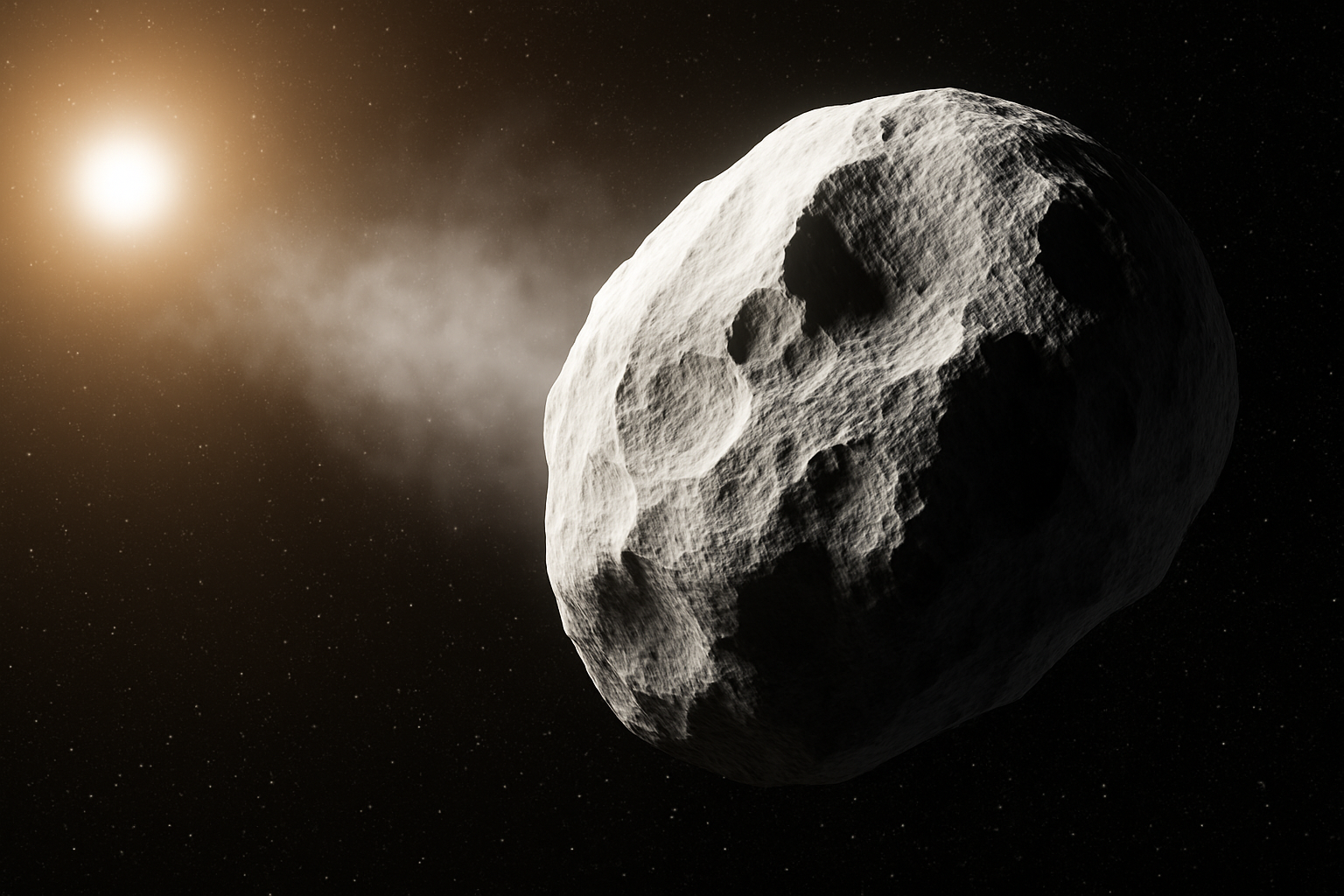
A Cosmic Photoshop Adventure
In the vast, limitless imagination of creative designers, where black holes, parallel dimensions, and giant asteroids roam freely, there’s one tool that always comes in handy: Photoshop. Buckle up, because we’re about to take a creative journey through deep space, crafting a massive asteroid so detailed that even NASA might be impressed.
Launching into the Process: Setting Up Your Canvas
Let’s start with the basic structure. Creating an asteroid involves a few easy steps.
1. Create a new document in Photoshop. Canvas size 1920 by 1080 pixels.
2. Set the resolution to 150 pixels per inch.
3. Begin with a black canvas.
4. Add a new layer and use the polygonal lasso tool to map the asteroid’s shape.
Adding Texture: A Rugged Landscape
Set your foreground and background to black and white. Tap ‘d’ to do this. Navigate to Filter > Render > Clouds for initial texture. Then apply Difference Clouds. This will layer complexity and make your asteroid look realistic.
Cratering the Surface
With brush tools and Legacy Brushes, choose the Fuzzy brush at 75 pixels and 50% opacity. Add craters randomly. To soften the edges: use Select > Modify > Contract (2px) and Select > Modify > Feather (2px). Mask and convert to smart object for future tweaks.
From Flat to Fabulous: Embossing Depth
Use Filter Gallery > Sketch > Bas Relief to emboss realistic depth. Fine-tune detail, smoothness, and light. Next, Filter > Distort > Spherize at 100% to transform your flat asteroid into a 3D object.
Smart Object Masterclass
Smart objects let you reposition, resize, or edit non-destructively. Add highlights and shadows using polygonal lasso and Blend Modes to bring contrast and depth.
Finishing Touch: Stars and a Flare
Add background stars with Monochromatic Gaussian noise. Use Filter > Render > Lens Flare and colorize with a Hue/Saturation layer for drama. Fade parts of the flare with a soft brush on a layer mask for realism.
Think of it as Asteroid Zen
For a smoother look, tweak your smart object and filters. This cosmic journey gives you techniques to fill your universe with one-of-a-kind asteroids and dramatic space scenes. Keep exploring and pushing your Photoshop skills into new realms!





