Dive Into the Spooky World of Typography Art
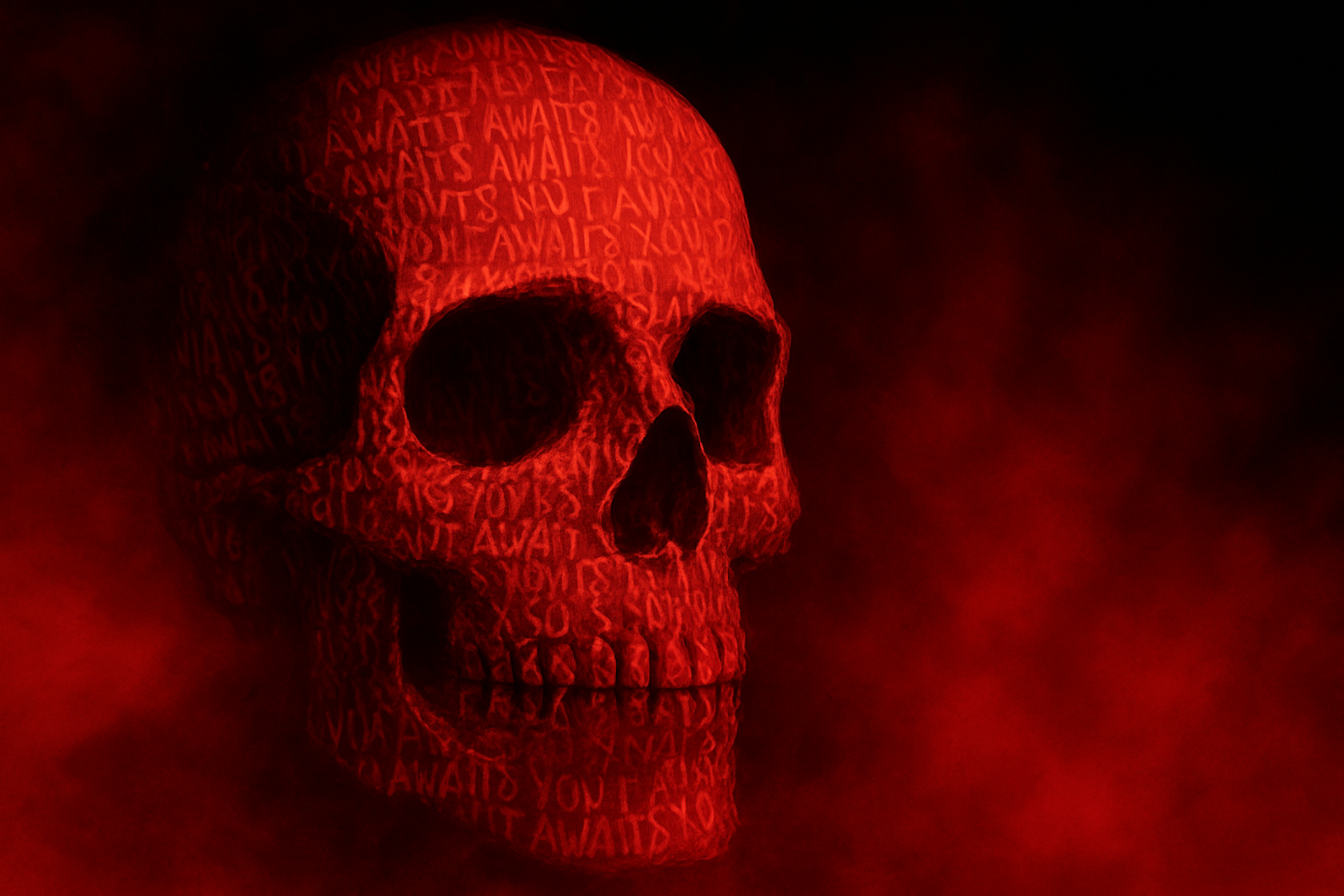
Have you ever marveled at the chilling allure of classic horror movie posters? There’s something about their eerie beauty that captivates the imagination and sends shivers down one’s spine. In today’s post, we’re going to unravel the mystery behind crafting a spine-tingling horror movie poster using Photoshop. From words etched into a skull to the crimson haze of smoke, this tutorial will transform your digital canvas into a dark, alluring masterpiece.
Set the Scene: Tools of the Trade
Before we plunge into creating our spectral scenery, let’s arm our digital toolbelt. The essentials for this spectral artwork require a human skull image, aptly provided in the project files, as well as two fonts that encapsulate the horror genre: “Another Danger” and “Chiller”. “Another Danger” can be sourced from Envato Elements, a digital treasure trove boasting over 55 million assets perfect for any creative endeavor. Meanwhile, “Chiller” is freely available on Font Zone.
Starting Off on the Right Foot: Converting to Smart Objects
To ensure that our creative forays remain non-destructive, our starting point involves converting the skull into a smart object. This technique allows us to apply and tweak effects without overwriting our original image. In Photoshop, this can be swiftly accomplished by right-clicking the layer and selecting ‘Convert to Smart Object’.
A Touch of Blur and a Hint of Displacement
Applying a Surface Blur lends a smooth finish to the skull, sparing its eerie edges. Set both the radius and threshold to 20. Next, create a displacement map, a secret weapon for making text appear to cling to the skull’s curves. Duplicating the skull layer and applying a Gaussian Blur with a radius of 3 creates this map, savable as a .psd for subsequent steps.
Adding Text: The Eerie Art of Typography
To wrap words around the skull, we align text using the Horizontal Type Tool in your chosen font. The key is to manipulate tracking to spread the letters, and leading to space the lines, conjuring an unsettling, packed appearance. By pasting repeated blocks of text, the skull becomes covered in unsettling script as if the words were whispered onto the bone.
Stylize and Emboss: Bringing Depth to Your Design
Words can haunt when given the right depth and style. Using Bevel and Emboss settings — with techniques such as Chisel Hard and a direction set to “Down” — makes typefaces leap from the page, enhancing their spectral aura. Achieve a haunting allure with Color Dodge blend mode set to 70% opacity, adding spectral highlights to your creation.
Smoke and Red: Summoning the Atmosphere
Creating atmosphere calls for some smoke and the color of menace: red. Select a fiery hue as your brush’s foreground color and employ the Explosion brushes (provided) to shroud your poster in a veiled mist. Rotate and resize each brush stroke, letting the smoke linger and coil around your typeface like an expectant spirit.
Title Your Beast: Warping for Effect
For the poster’s title, we tantalize readers with another chilled whisper. A robust 56-point “Another Danger” font crowns your poster, while the subtle Liquify tool warps the text with a sinister flair. By elongating and dragging letters, the words appear stretched and strained, as if groaning under some hidden compulsion.
Final Flourishes: Enhancing the Horror
To nail the final aura, a radial blur applied to text layers provides motion or a ‘ghosting’ effect, reducing opacity where needed to blend seamlessly. Nestled within folders for top and bottom text, each element remains easily tweakable, ensuring every aspect screams perfection.
Envato Elements isn’t just a sponsor here — it’s a catalyst for creativity. Offering an abundance of fonts, photos, and templates at a competitive rate (a whopping 50% off annual subscriptions with our link), it’s a haven for aspiring designers crafting breathtaking projects.
Your skull poster is now primed to be part of the online halls of terrifying triumphs. Whether for a movie night or your design portfolio, this ghostly guide offers the tools to captivate and, perhaps, unsettle. So pick up your digital quill and etch out your story across the brow of something truly haunting.