Shatter the Ordinary: Crafting Broken Mirror Reflections in Photoshop
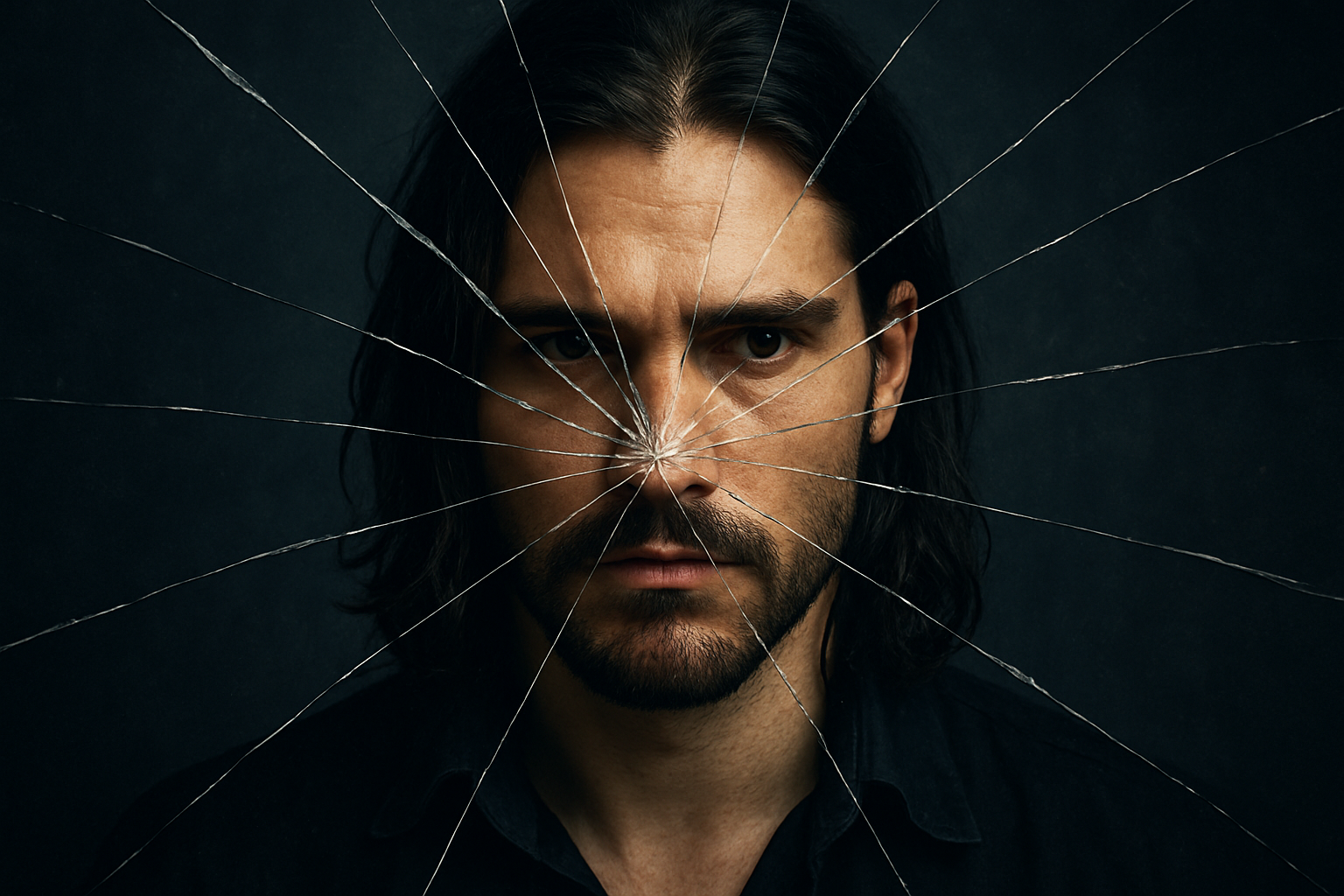
It’s time to make some cracks in your creative world—literally. Whether it’s creating a mysterious portrait or adding dramatic intrigue to your designs, the art of transforming a simple photo into a shattered mirror reflection can be an enthralling project. Here we’ll delve into how you can master this effect in Photoshop, combining your subject’s reflection with an imaginative twist.
Set Up Your Project
Download and Open Your Resources
To get started on this reflective journey, you’ll need a couple of things. First off, grab a high-resolution, well-lit photo of your subject—the clearer and more focused, the better your cracked reflection will appear against the broken mirror backdrop. If you’ve downloaded the provided image or any other cracked mirror image, you’re well on your way.
Importing Your Subject
With your Photoshop document set up, bring your chosen photo into the digital workspace. Be ready to harness the mighty Move Tool by hitting ‘V’ on your keyboard, then effortlessly drag your subject over to your mirror tab, releasing it carefully into place.
Fine-Tuning Your Reflection
Sizing It Just Right
A perfect illusion demands precision. With your subject’s layer selected, hit ‘Ctrl’ or ‘Command + T’ to summon the Transform Tool. Adjust your canvas view using ‘Ctrl’ or ‘Command + 0’ if necessary, and size your photo with care, making sure the subject fits naturally into the broken mirror’s realm.
Layer Management Magic
Opacity is key. Lower it gently, allowing the cracked mirror to peek through your subject for better positioning. Once satisfied with the adjustment, crank that opacity back up to full strength. Then, take some organizational initiative by placing your subject into one tidy folder with ‘Ctrl’ or ‘Command + G’. Clever, eh?
Now, make sure to unlock and rearrange if needed, ensuring your fractured masterpiece starts to take shape with the broken mirror nestled above your subject.
Duplicate and Define the Shards
Cloning Your Subject
Press ‘Ctrl’ or ‘Command + J’ with gusto—12 times if you dare! Each press conjures a new clone of your subject for every fractured piece of mirror you’ll outline. If you find yourself needing more mirror shards later, just keep cloning like you’re screen printing Warhol portraits.
From Pen to Path
Arm yourself with the Pen Tool, ready to etch out the cracks of your mirror. If the thought of vector lines causes a shudder, fear not—your journey through Pen Tool land will be rewarded. With each click, trace the jagged edges of your mirror pieces, leaving no shard uncharted.
Masking the Marvel
With your path ready, forge it into a selection by right-clicking and choosing “Make Selection.” Feather those edges at a nifty zero pixels for precision. Click the Layer Mask icon, and voilà—a masked layer that seamlessly blends each piece of your subject into the reflective cracks.
Repeat for each shard until your subject is comfortably embedded within the broken mirror.
Enhancing the Illusion
Channeling the Light and Shadows
Turn attention to the mirror layer, making it active and tapping into the hidden potential of the Channels panel. With ‘Ctrl’ or ‘Command + Click’ on the RGB thumbnail, select all those delicious tones in the image. Now, cut and copy with ‘Ctrl’ or ‘Command + J,’ providing your subject with the perfect reflective canvas.
Bringing Reflection to Life
To inject some life into those reflections, reposition each subject within its layer mask, ensuring the chain link icons are unlinked. With Channels navigated, return to the Layers panel to begin crafting those illusionary depths.
Achieving Subtlety with Blur
An often-overlooked element of a shattered mirror reflection is the distortion—the blur. Enter the Gaussian Blur under Filter > Blur > Gaussian Blur, where 4 pixels of blur adds a touch of realism, softening and scattering light through the shards. If desired, bring your Brush Tool into play to sharpen selected details for dynamic contrast.
Finally, by selectively blurring individual shards and mastering layer masks, your broken mirror reflection transforms from creative exercise to an eye-catching masterpiece.
So go ahead, shatter expectations and craft captivating reflective artistry with this Photoshop wizardry. The next time you face a creative challenge, stare boldly into the mirror and assure yourself, I’ve got this.