Combine Two Perspectives for a Trippy Conclusion
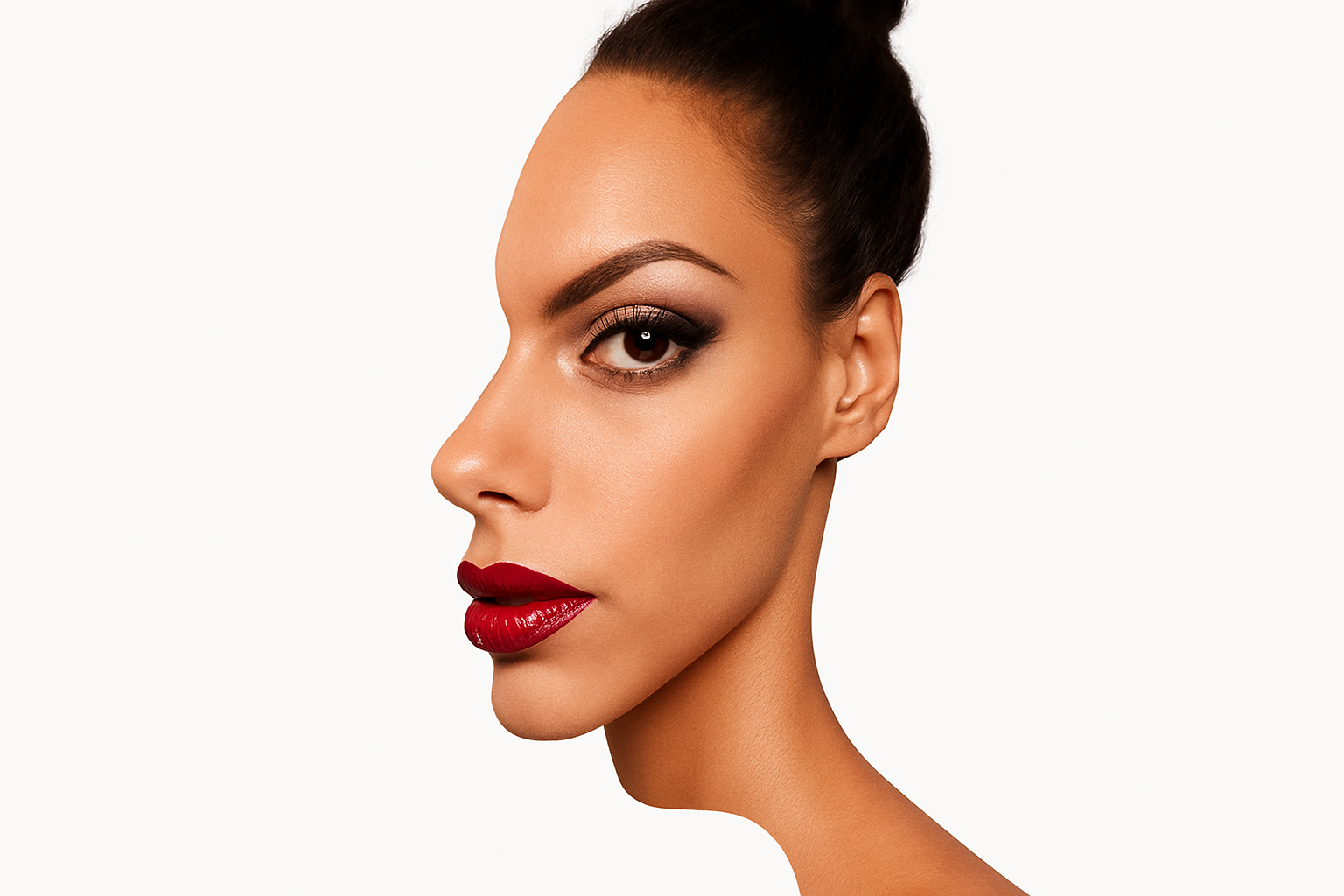
Ever wondered how to craft a surreal, mind-bending portrait that blurs the line between reality and optical illusion using Photoshop? Well, you’re in luck. Imagine taking two photos of a subject—one facing forward and another in profile—and merging them into a single, dizzying masterpiece. It’s like giving a facelift to reality itself. Let’s walk through the remarkable journey of creating a multi-directional portrait that’s both trippy and ingenious!
Step-by-Step Guide to Make the Magic Happen
First things first, you need both images of your subject: one profile and one facing forward. For illustration purposes, such images can often be embedded with watermarks—but rest assured, the techniques you’re about to learn can be applied to any of your photos.
To bridge the gap between fun and function, your first task is to isolate the face from the background, allowing for creative usage later. This means making a selection around your subject. Our tool of choice? The Quick Selection Tool. More than just a tool, it’s like a magic wand for content creators! With a brush size of 9 pixels, drag it over your subject until her face is fully embraced by the selection.
Refine, Refine, Refine
Now that we’ve selected our subject, it is time to tweak the edges like a pro. Click the Refine Edge button and select “Smart Radius,” letting Photoshop do what it does best: make you look good. Increase the Radius slightly while brushing over the hair. It’s like you’re retouching the Mona Lisa—every little detail counts!
Choose to output this as a “New Layer with Layer Mask” before clicking OK. What you have now is a classic layer where your selection dons that iconic layer mask!
Syncing Faces and Perspectives
Alright, time to open up the forward-facing image. Repeat the process, but this time, when you refine the edges and brush over the hair, you’ll save it as a “New Layer.”
Soon you’ll be working with layers like a Michelin-star chef works with flavors. Make sure your background colors are set up right; press “D” for default black and white, and then fill the bottom layer with white while keeping other layers tidy and visible.
Open your subject’s profile again, because it’s time for some unique face-merging action. Drag the profile image into your forward-facing document—with finesse, of course. Here’s where the real fun starts! Holding Shift while dragging will keep everything perfectly geometrically centered.
A Layered Experience
With your layers neatly stacked, toggle the visibility of the top layer—think of it as taking a peek into the creative cosmos. Click off the chain link icon between the middle layer and the layer mask. This game-changing step allows for independent movement and resizing of the layer and the mask.
Your primary mission? Align those lips perfectly using the Transform Tool (Ctrl or Cmd + T for those in the know). Remember, syncing these faces for that surreal effect relies on aligning them as precisely as possible.
Crafting the Obscure Illusion
Here’s where the magic truly happens: Replace the nose from the face-forward image with the one from the profile. Nose tweaking has never been more artful! Make necessary amendments by selecting the profile and adding a layer mask. Invert it (Ctrl or Cmd + I) to switch up the foreground and background colors.
Brush over the area to unveil the profile nose. Think of it as an artist’s brushstroke—each swipe, revealing a glimpse into an alternate dimension.
The Grand Finale
And there you have it! It’s as if René Magritte and M.C. Escher teamed up for an epic Photoshop collab. You’ve successfully created a surreal, multi-directional portrait redefining perspectives—it’s a bit disorienting but oh so fascinating. This optical illusion artwork compels viewers to pause and ponder.
Now, equipped with this knowledge, a world of creative possibilities stands before you. Consider diving deeper with more advanced techniques or take this psychedelic vibe into other creative spaces.
As always, remember that creativity is both your canvas and palette. Keep experimenting, keep creating, and let this be your stepping-stone to cosmic design adventures.
Time to take what you’ve learned and turn some heads… literally!