
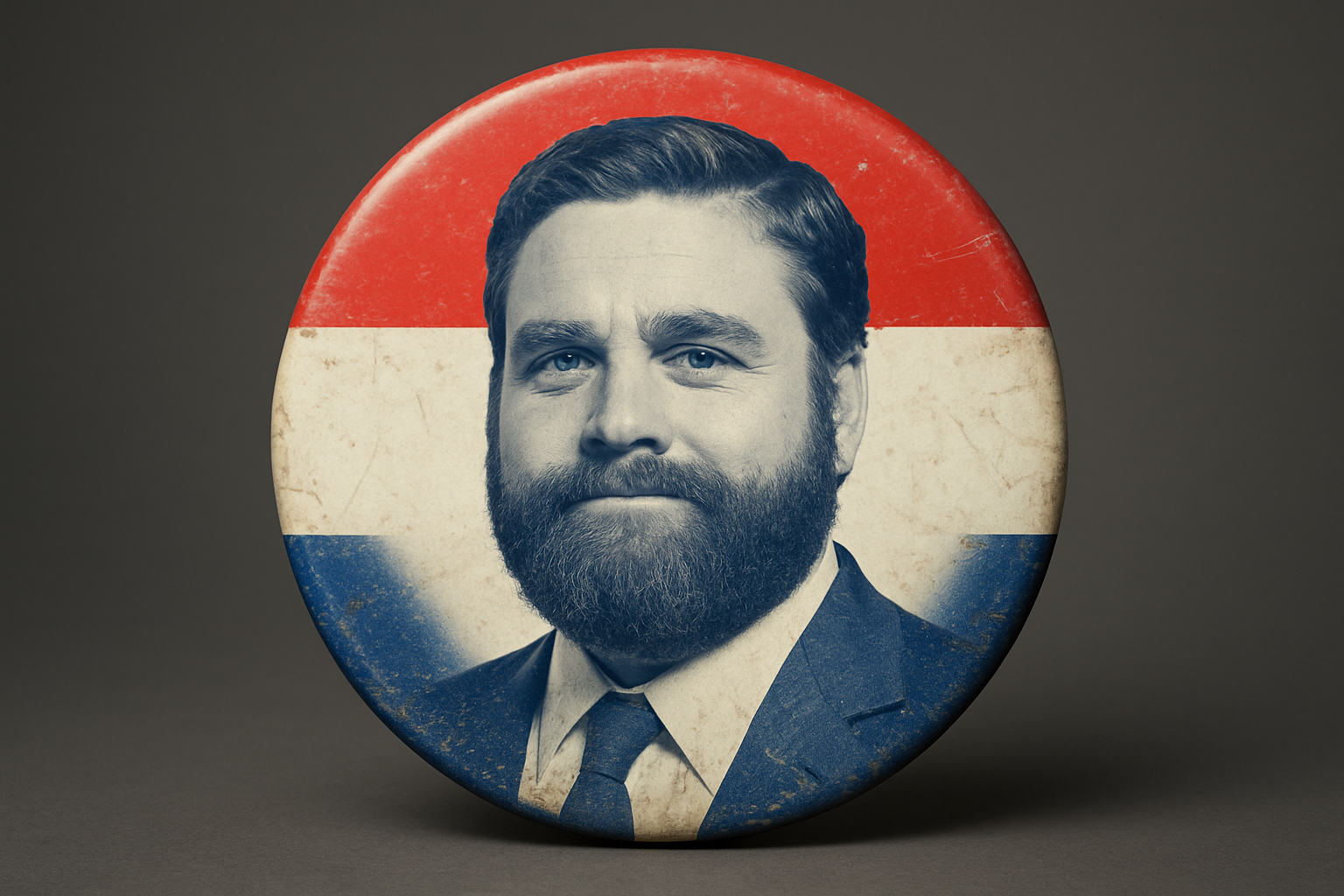
Design a Timeless Piece of Campaign Memorabilia
Ever dreamed of crafting an iconic, button-style campaign flair that screams “vote for me”? Whether you’re putting together memorabilia for a political campaign or just want to play around with vintage aesthetics, creating your own well-worn presidential button design can be both a fun and rewarding experience.
Setting the Canvas Right
Before diving deep into the design process, it’s essential to set the stage for your creative masterpiece. Start with a document that’s 1920×1080 pixels in size and a resolution of 150 pixels per inch—details that ensure a high-quality design output. Renaming its background to bkg (short for background) is a neat way to keep everything tidy.
Once you’ve got your setup in place, activating rulers (Ctrl+R or Command+R) and adjusting them ensures precision, which is the bedrock of any design worth its salt. These rulers and guides, though seemingly mundane, are like the GPS for your Photoshop journey, leading precision and ensuring your elements snap comfortably to their rightful positions.
Crafting the Button’s Base
Ah, the art of gradients, where magic begins. Choosing a foreground-to-background gradient with subtle brightness shifts lays a beautiful foundation. By dragging it from the center to the edge, you set a dimension that whispers, “This button has stories.”
Next, embracing circles with the Elliptical Marquee Tool allows you to carve out the core of your button—the nucleus of nostalgia. Drench the canvas in colors that reflect timeless patriotism: a deep, dignified blue (think #2C407F) and a vibrant red (#F412E). These hues aren’t just colors; they’re emotional triggers—a nod to history, loyalty, and the spirit of campaigning.
Adding Flair with Effects
Now, it’s time to give your button that well-worn look. Inner glows, drop shadows—these are your magic dust. Opt for a blend mode like linear burn to achieve an intensity that makes your button pop. Adjusting the opacity, distance, and size of these effects injects realism, with shadow playing its dramatic role.
But what’s a button without a bit of glam? Reflective shine speaks volumes of wear and tear, slash journeys across countless campaign trails. Adding a highlight using your selection tools provides just that, helping the surface gleam as if it caught sunlight on a bustling election day.
Capturing the Perfect Portrait
A presidential button isn’t complete without the face of its candidate. Opt for a clear headshot and embrace methods like the Quick Selection Tool to clip it out with finesse.
With your craftsmanship in play, drag and drop this portrait onto your button document. Transform commands (Ctrl+T or Command+T) allow you to resize and reposition until the portrait sits comfortably within the button’s embrace. The key here: adjust levels to imbibe a vintage feel, echoing campaigns of yesteryear.
Styling with Texture
A sprinkle of texture can breathe unmatched life into any digital design. Websites like CG Textures offer a treasure trove of free, downloadable textures. By dragging texture files and altering the blend mode to Multiply, your button takes on a vintage, tactile charm.
The Finishing Flourish: Custom Text
Your button must speak, and what better way than with bespoke text? Harness our ellipse tool and a trusty path to ensure your statement wraps around neatly, embossing your message onto this historic button.
Donning a classic font like Cooper Standard Black in white gives text the needed contrast and bold representation. Grab the path and let your imagination run as you position your call-to-action, aligning past the button’s edge for that integral statement moment.
A Worn Look That Tells a Story
Topping it all, apply additional textures and layer adjustments to convene a button that whispers “vintage” with a clever blend of modern Photoshop techniques. Once you’ve crafted your desired look, releasing the product to print or digital is the final step in bringing this button to life.
With these steps, you empower yourself—mastering the craft of creating campaign buttons that resonate with legacy, style, and the proud journey of a storied election year. This button doesn’t just belong to Photoshop; it belongs to history. Prepare to unleash your creativity and let it shine in the world of campaign memorabilia.
In the end, if designing a vintage button can teach us anything, it’s that the smallest details—colors, textures, text placement—can tell the grandest stories. So what are you waiting for? Let the nostalgia reign.





