
Unleash the Wild: Mastering Furry Text Effects
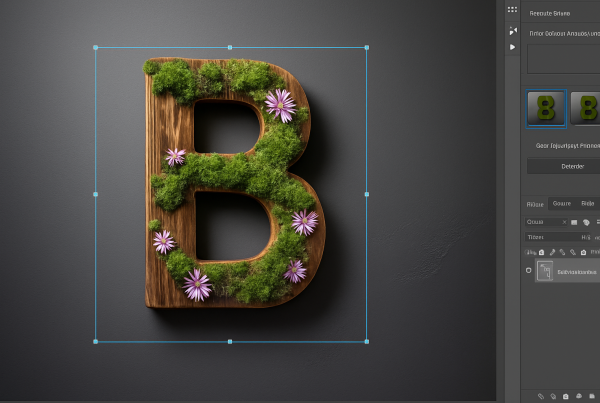
We often turn to the digital realm when we need an extra imaginative punch in our creative projects. Creating text that looks like it’s made of soft, fluffy fur isn’t just a skill—it’s a portal into limitless creativity. Whether you’re designing a wild new logo, a striking poster, or adding whimsical titles to a digital storybook, furry text can add a playful yet sophisticated edge to your work. It’s not only about the “awwww” factor but also about the dynamic texture that can enhance the visual story you’re telling.
Setting the Stage: Document Preparation
Before jumping into the world of furry text, it’s essential to set up your canvas properly. Think of this as laying the groundwork for your masterpiece. We begin by configuring a document with the dimensions of 1280×720 pixels and a resolution of 150 pixels per inch. This setup ensures that your text graphics will be crisp and vivid, like a high-definition safari for your eyes.
Furry Edges: Using a Fur Brush
Creating a fur effect requires the right tools. Enter the fur brush, available at BrushEasy. With a quick search for “fur brushes,” you’ll be ready to install and configure these brushes to add furry edges to your text. After downloading and installing the brushes, the fun truly begins.
Start by selecting your type tool and choosing a font that complements the fluffy aesthetic. If you’re open to suggestions, the “Gulum” font available at FontPost is a strong contender, bringing a playful yet professional vibe to your work.
Next, ensure your text layer is rasterized to make it easier to manipulate further. Then, with a few clicks and adjustments in Photoshop’s brush settings, adjust size, angle, and characteristics like jitter and scattering to transform your plain text into a furry wonder.
Adding Texture: Giraffe Patterns, Anyone?
While fur is great, let’s not forget the importance of texture. Enter the giraffe texture, which adds an exotic flair to the project. You can find such patterns at websites like CGTextures.
Once you’ve snagged your texture, it’s time to integrate it into your text. Using Photoshop’s powerful layers and mask tools, you can subtly weave this texture into the fur-lined letters, making your text appear as if it’s truly part of the wild. Pro tip: keeping the layer mask editable allows you to tweak and perfect the texture to your heart’s content.
Building a Rich Background
With text this dramatic, you’ll want a background that’s equally compelling. The goal here is to create an image reminiscent of rich African or Aboriginal textures using simple Photoshop techniques. Start with basic cloud filters and refine the image with artistic effects to simulate the look of natural fabrics or tribal patterns.
Employ smooth strokes with the “rough pastels” effect to mimic traditional art forms, playing around with the scaling and relief settings to achieve that nuanced, handcrafted look. It’s like giving your text a stage with vibrant curtains made from the very fabric of tradition and culture.
Polishing Touches: Make It Shine!
After the heavy lifting, it’s time for the polish—adjustments that bring out details and ensure every element shines. Brightness and contrast settings are your best friends here. With a few tweaks, you can highlight the fur’s texture, making it appear more luscious and vibrant.
Additionally, layer effects such as inner glow and drop shadow give depth, as they subtly lift the text off the screen and into the viewer’s focus. There’s a fine balance to strike here, but flexibility is key; feel free to duplicate layers and experiment with various blend modes to pump up that texture even more.
Final Flourishes: Customizing Colors
Your masterpiece is taking shape, but don’t stop now! Further customize by changing your background’s hue and saturation, allowing you to play with the mood and atmosphere of your piece. Imagine transforming the scene to capture different times of day or seasonal variants—all at your fingertips.
And there you have it! Crafting text made of animal fur with an evocative background is not only about following a process but about exploring and pushing the boundaries of your creativity. From fluffy font choices to textured textiles, each element is an adventure—an invitation to the wild side of design.
Needless to say, have fun with the process. The internet is your jungle, and your creativity is as limitless as the savannah skies. Happy crafting, fellow creatives!