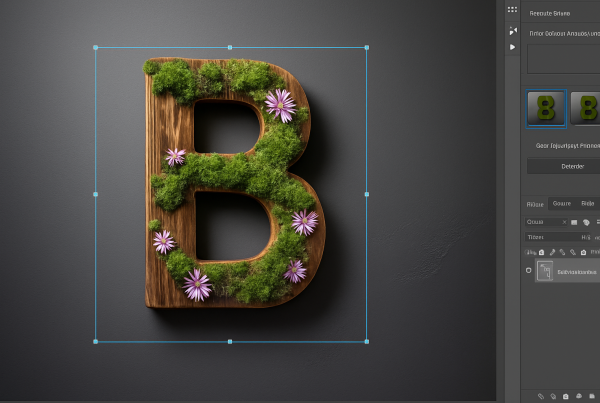

The Dark Allure of Gotham: Bringing the Iconic Metropolis to Life
No city has enthralled and terrified us more than Gotham, the gritty and shadowy home of Batman. Its looming buildings, rife with crime and urban decay, echo the danger and allure of its fictional universe. But what if you could create a dazzling feature of this iconic city right from your digital studio? We’re diving deep into the creation of a massive entrance sign to Gotham City, giving you a chance to bring a piece of this legendary metropolis to life using Photoshop.
Designing the Sign: Tools and Textures
Creating a piece of Gotham within the confines of your computer may seem like a monumental task, but with the right resources, it’s a thrilling journey. Start by setting up your document with dimensions of 1280 by 720 pixels at a resolution of 72 pixels per inch. This gives you a canvas that mimics the dark, moody charm of Gotham.
One of our first resources is a gritty wall texture. Visit CGtextures.com for a wide variety of textures that add an authentic feel to your project. These textures lend the sign the age-old grimy charm that Gotham is renowned for.
Creating the Text
Enter the text that will grace our virtual Gotham entrance using the “Decoe” font. Choose this free font from Dafont.com to lend an art-deco feel synonymous with Gotham. The typography in your digital space, when combined with carefully chosen textures, brings out the unique ‘welcome to Gotham’ vibe.
Once your text is in place on your document, it’s time to head into the extraordinary 3D realm of Photoshop. Transform the text into a 3D extrusion, giving it a depth that suggests an imposing fortification within the city.
Moving in 3D Space
Creating an entrance sign for Gotham demands more than just flat text or images. Use Photoshop’s 3D tools to create a paradigm shift: A 3D layer becomes a canvas for multiple adjustments, not the least of which is adding a third dimension to a once-flat world.
When adjusting for accurate perspective, ensure you don’t lose any portion of the text by enlarging your text layer. This expansion anticipates the rotations and adjustments necessary for a convincing 3D perspective.
Applying Materials and Textures
Adding depth to your entrance sign involves more than just adding texture; it requires imaginative application with texture presets. Make that wall’s texture pop by using materials settings to wrap textures around the text. By playing around with bevel and extrusion properties, the sign takes on a tangible quality, suggesting weight, age, and grit.
Introduce an enticing marble stone texture to the bevels. These textures illuminate the edges of the letters while maintaining that hewn-rock elegance.
Lighting: The Final Touch
Gotham City’s infamous ambiance wouldn’t be complete without dramatic lighting. Spotlights render shadows and highlights, guiding the viewer’s eyes to every contour and edge, thus setting the mood. Toggle between spotlight positions and see the uncanny transformation in visibility and mood.
The lighting setup adds realism and is the final bastion of creativity in our build. Enhance ambient colors to complement the stone, thereby knitting the entire scene together. Adjusting these lights doesn’t only shift shadows; it transforms how the 3D text breathes within its fictitious environment.
Rendering the Final Image
After all the intricate adjustments, it’s time to see your work culminate in a jaw-dropping render. Choose Ray Traced Final quality, and let Photoshop do its magic. The waiting might be hard, but the Gotham skyline waits for no one!
Grab a cup of coffee, and while you wait for the render to complete, envision the neon glow, and smoky ambiance of Gotham unravel through your art. Once it’s done, you’ll have a stunning piece of the metropolis ready to take its place in the digital history of sculpture.
Conclusion: Celebrating the Urban Legend
With some imagination, a touch of dark humor, and advanced digital tools, you have created an authentic entrée to Gotham City. Your newfound knowledge of Photoshop’s 3D capabilities can now be wielded like a cape in this endless playground for design enthusiasts. As you showcase your creation, let it serve as a cryptic reminder of Gotham’s legacy, forever captured on a digital plane. Welcome to the creativity of urban legends!
Whether you’re designing for fun or function, remember—Gotham is just a click away! Dive further into the deliciously dark world of graphic design and stay tuned as we illuminate more paths for your creative ventures.