Immortalize Your Loved Ones with a Unique Stamp
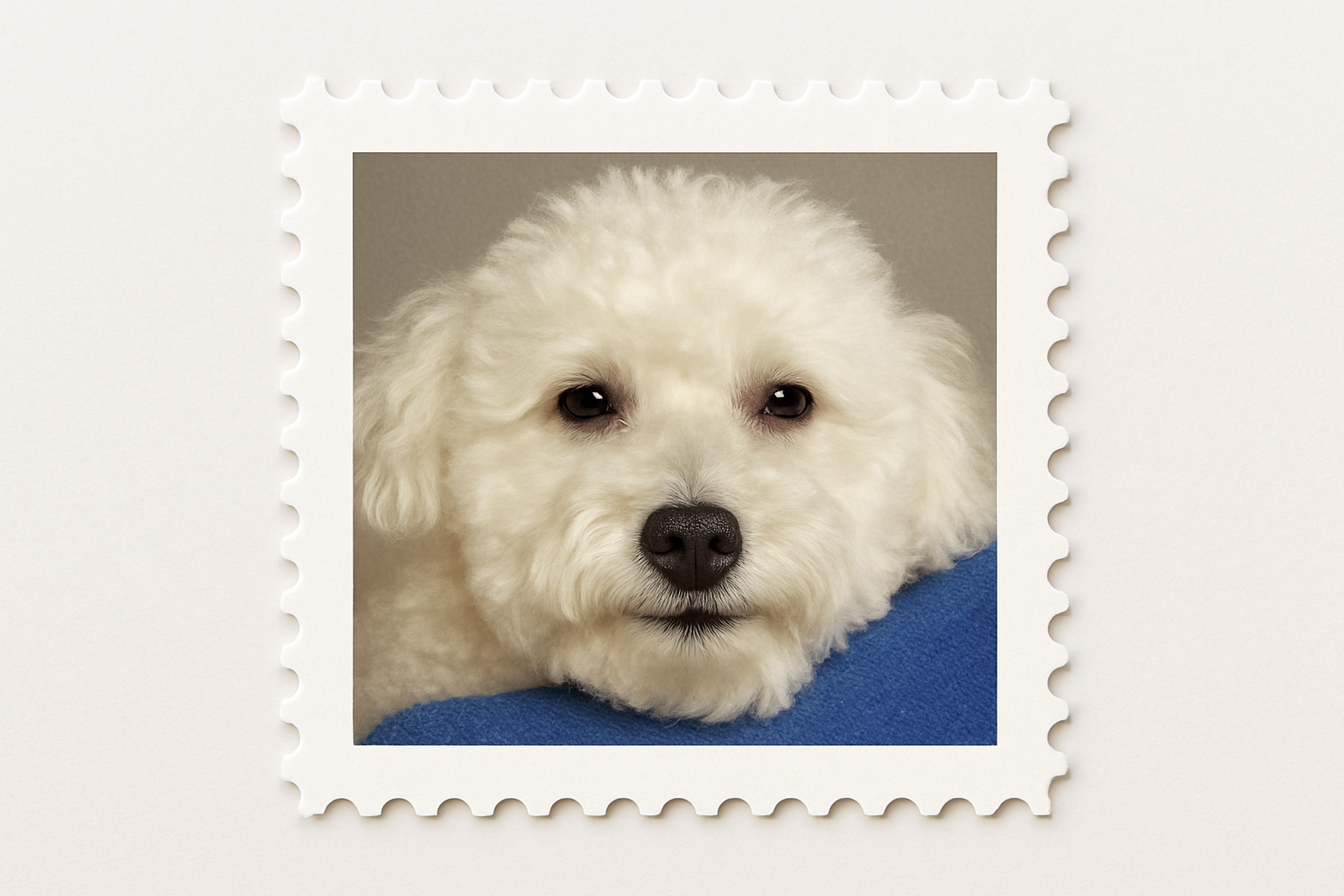
There’s something incredibly satisfying about crafting personalized designs that capture the essence of someone dear to you. While traditional tributes might come in the form of framed photos or albums, how about stepping it up a notch with a custom postage stamp? Take a journey with us into the realms of Photoshop wizardry and discover how you can create a unique forever stamp that bears the visage of a cherished individual. It’s a fun, creative project that is as simple as it is rewarding, and perfect for anyone looking to add a personal touch to their tribute.
The Foundation: Setting Up Your Canvas
To start, you’ll want a clean slate to work on, much like any new creative venture. Begin by opening a new document in Photoshop with dimensions set to 1280×720 pixels and a resolution of 72 pixels per inch. This provides you with ample room to play around and ensures crisp, clear results.
Your first layer will act as the base of your stamp. Making sure your foreground color is black, press Alt + Delete to fill the layer entirely. Naming your layers is a good habit that helps organize your workflow, so let’s call this first one “Base”. Ready? Set! Let’s dive into crafting.
Creating Margins and Design Elements
With your foundation solidly in place, it’s time to map out your design with rulers and guides for surgical precision. Make sure that both rulers and snap functions are enabled—these little lines will keep your composition on the straight and narrow. By dragging out guidelines from your rulers, you’ll ensure elements align perfectly, giving your design professional polish.
Next, employ the rectangular marquee tool to draw out the area where your photo will sit. Remember, this tutorial loves shortcuts, so here’s another one. Holding Shift and Alt (or Shift and Option on a Mac) while dragging lets you create a perfectly symmetrical square, centered around that alluring guideline intersection.
Edging with Style: Perforations
One of the hallmarks of a classic postage stamp is, of course, that lovely, perforated edge. To craft these, you’ll transform the rectangular selection into a work path and call upon your trusty brush tool. This isn’t just any painting—it’s about creating perforations.
With a brush size of 30 pixels, 100% hardness, and 151% spacing, your stamp’s edges will develop that recognizably dotted charm. The percentage might need a little tweaking depending on your specific layout, so be ready to eyeball it and make necessary adjustments.
Bringing Your Image to Center Stage
Now comes the fun part: inserting your beloved image. Fetch your picture and paste it into your working document. Utilize the transform tool (Ctrl or Command + T) to reshape and scale down to the ideal aspect, ensuring your photo sits snug within the boundaries of your newfound creation.
But wait, it gets better. By duplicating the photo layer and applying a pixelate effect like “Color Halftone”, you can lend your image that retro halftone finish—a visual homage to yesteryears of print and postal history. Reduce the opacity to let the underlying image shine through subtly; this blending is where magic meets elegance.
Top It Off: Text and Labels
Every good postage stamp bears a proclamation or title. Activate the type tool to etch in the name or title of your choice in a font that sings. Whether it’s a shoutout to the legendary air conditioner font or the robust Arial—your approval is what seals the deal.
For contrast and emphasis, consider changing the “forever” text to “Arial Black,” boosting its size and making it bolder. This strikes a fine balance between flair and a touch of gravitas. The stamp now sings your dedication with style and heart.
Final Touches: Placement and Alignment
With snap deactivated, move your text wherever feels most harmonious within the composition. It’s all about balance and aesthetics at this point. Proper alignment isn’t just about creativity—it speaks volumes of the respect and value of the subject being honored.
A final tweak here and gentle adjustment there, and voila! You have your very own custom-designed postage stamp ready to send across the virtual miles or as a novelty print to remember someone truly special.
Create with fervor and honor with heart. Until next time, keep your creativity posted!