Crafting the Perfect Foam Texture and Designs, Without the Calories
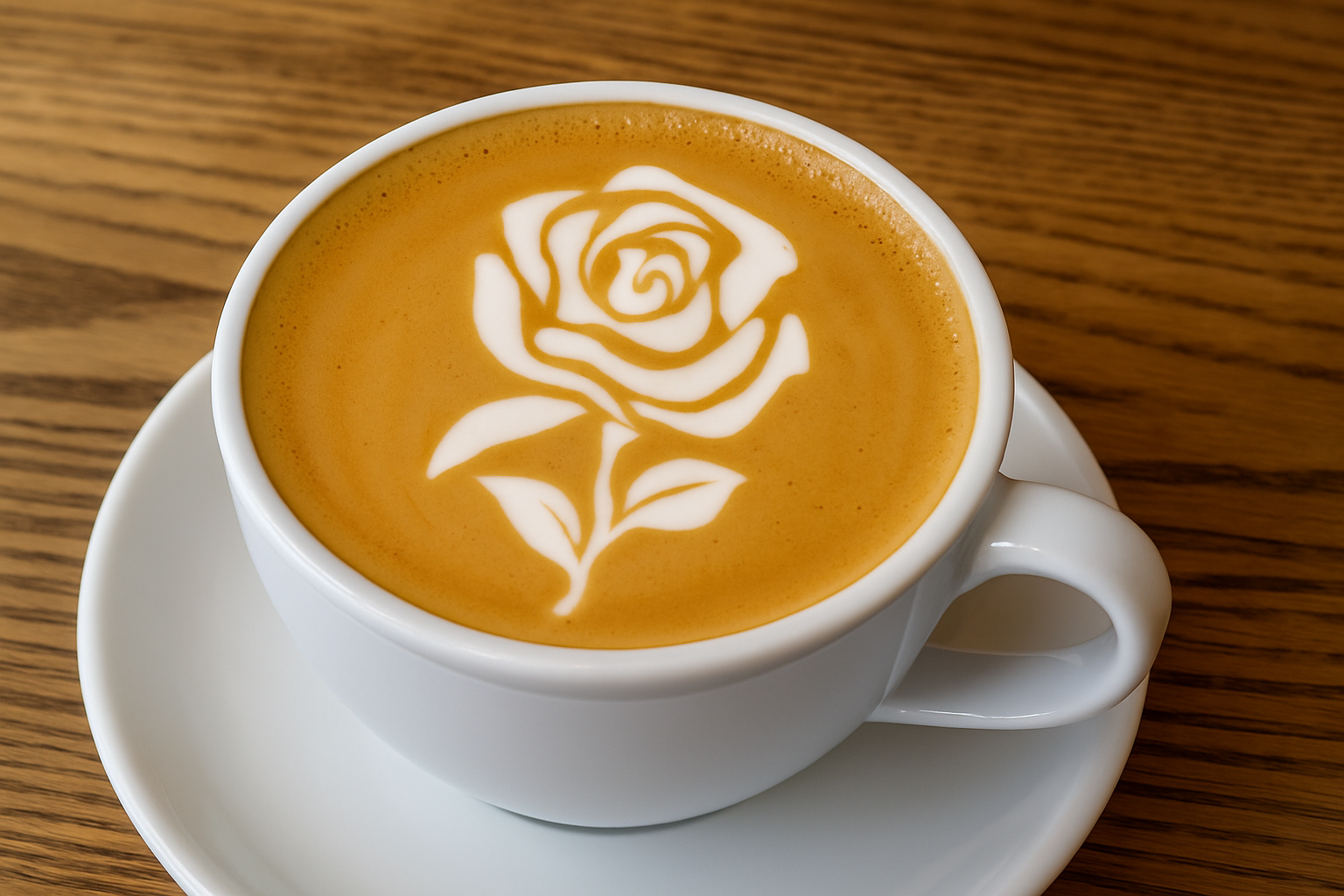
Have you ever marveled at those intricate designs that baristas create atop your morning cappuccino? Maybe you’ve thought to yourself, I could never do that. Well, what if I told you that you could create stunning coffee latte art without even stepping away from your laptop? Thanks to the power of Photoshop, you can whip up digital latte art that’s nearly as satisfying as the real thing, minus the caffeine buzz. Let’s dive into the world of digital foam artistry and reveal the steps to crafting your very own gorgeous coffee top masterpiece.
First Things First: Tools and Resources
Before we spill the beans, you’ll need a few starting ingredients (or rather, resources) to dive into this artistic adventure. We’ve provided a base photo and a black and white clipart of a flower as a template. This graphic can be anything you choose—a logo, text, or any design that floats your digital boat. For the resources, check the video’s description.
The Magic of Smart Objects
To begin, we need to convert our design into a smart object. This is akin to digital insurance. It ensures any changes you make remain non-destructive, meaning you can replace your graphic without needing to redo the work you’ve already put in. Simply click the icon at the top-right of the Layers panel and choose “Convert to Smart Object.” Voilà—one solid step toward low-pressure creativity.
Creating the Canvas of Foam
Once your graphic is smartified, it’s time to bring it to the canvas: the surface of your virtual coffee cup. Select the move tool (shortcut: V) and drag your graphic over to the base photo of your coffee cup. Adjust the size and perspective as needed—this is where your artistic side gets to play.
- Resize with precision: Use Control/Command + T to open transform tools. Hold Alt/Option to resize uniformly, maintaining those all-important proportions.
- Perspective tweaking: Hold Control/Command + Alt/Option + Shift to angle your design and fit it snugly on the cup’s surface.
Foaming It Up with Realism
Actual foam isn’t razor-sharp, and neither should your digital version be. Gaussian Blur is our friend here—applying around six pixels worth softens those edges just enough. Follow this with a touch of threshold adjustments to perfect the shape. Remember: left constrains, right expands. Tweak until it looks just right.
Dive Into Details with Layers and Masks
Now let’s get into the nitty-gritty, where the magic really happens. We’re talking layers, masks, and channels. Think of these as your barista tools—each one with a specific purpose.
- Channel Selection: Control/Command-click any channel thumbnail to select image tones.
- Invert and Mask: Convert this into a selection mask using Control/Command + Shift + I, then apply a layer mask.
You can refine this mask further using blurs and selection tools to ensure your foam art sits prettily atop its caffeine base.
Capture the Latte Look with Layer Styles
Now it’s time to infuse it with that creamy coffee look. Access the Layer Style window and apply a color overlay to mimic those silky white foams. Click Satin to add the latte’s frothy shadows (these touch-ups are key to realism). Triple-check your hex codes for color accuracy: try F6EDC5 for that luscious latte tint.
Adding that Zigzag Drama and Finessing the Finish
Your latte isn’t complete without a little wave. Enter the Zigzag Distort filter to ruffle up your design, pulling it outward from the center. This subtle motion embodies that classic pour-over charm.
Lastly, a Gaussian Blur will help smoothen transitions, adding that professional touch to your virtual art.
A Latte’s Bubbly Secret
Tiny air bubbles give your digital art life, much like your barista’s secret signature. With the Patch Tool, dynamically blend textures for that natural look—you can manually add bubbles and perfect their placements until they sparkle just right!
Final Thoughts (Or Sips)
Whether you’re a Photoshop pro or a frothy first-timer, digital latte art is a delightful blend of technique and creativity. While it might not win you any coffee competitions, it’s a fun way to hone your skills. Plus, you can create without the clean-up… or the risk of accidentally spilling your masterpiece!
We’d love to see your created latte art—what designs will you pour into your digital cups? Get crafting and share the results with us. Happy Photoshop foaming!