 Star Wars: The Force Awakens Poster" style="display: none;" />
Dive into the Creative Process of Designing a Star Wars Poster
In the realm of Photoshop artistry, few projects ignite the imagination like creating a movie poster. And what better subject than the epic saga of Star Wars? This blog post walks you through an exhilarating journey as you design a captivating “Star Wars: The Force Awakens” Episode VII poster, building on techniques that pack a punch right out of the galaxy. This is Part 2, so if you missed Part 1, you might want to catch up.
Bringing the Rebel Insignia to Life
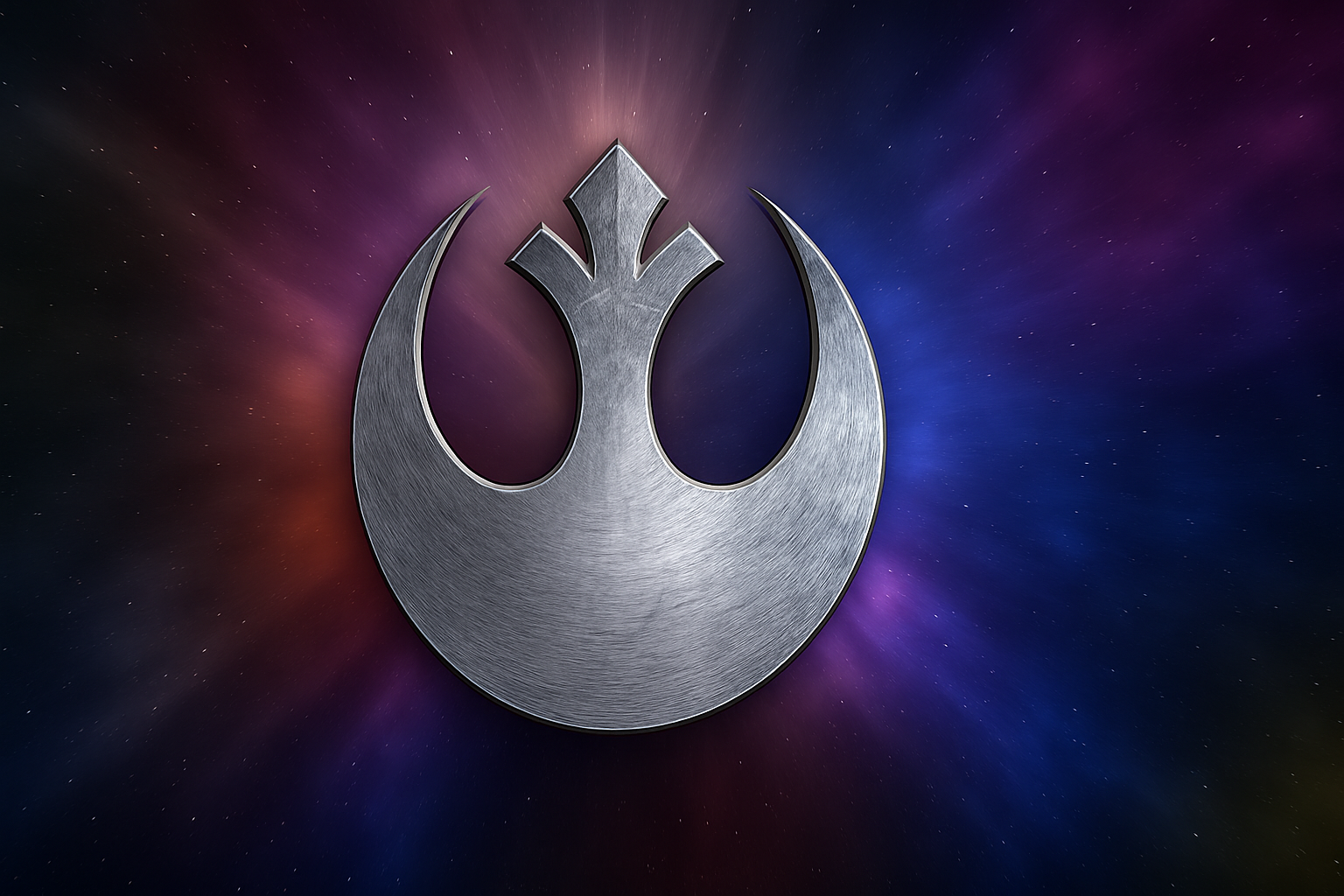
Every great saga needs its symbol, and the rebel insignia is the beating heart of this design. Let’s start by importing the insignia you crafted previously onto your poster canvas. Pro tip: when dragging it over, press and hold the Shift key. This nifty trick keeps your insignia perfectly centered—symmetry, much like in the Force, brings balance.
Mastering Layer Styles with Bevel and Emboss
Now, let’s add some depth. Open the Layer Styles and prepare to boost the insignia’s appeal with Bevel & Emboss. Go for an “Inner Bevel” with the “Chisel Hard” technique. Adjust your Depth to 100% to retain that fierce edge. Don’t forget to forsake the “Global Light” as you shift the angles—your insignia now casts a light reminiscent of twin suns setting.
Adding Drama with Outer Glow
Punch up the contrast using Outer Glow. Set the Blend Mode to “Color Burn,” with a mere 10% Opacity offering a subtle yet striking effect. Your insignia emerges from the shadows, draped in the aura of defiance.
The Art of Controlled Adjustment Layers
Fine-tuning your design, a Hue/Saturation layer allows you to zero in on the insignia alone. With Colorize checked, play within the spectrum—Hue 220 and Saturation 15 should invoke a cold serenity akin to Hoth’s icy landscape. Clip through “Ctrl + Alt + G” (or “Cmd + Option + G” on a Mac) to restrain this transformation solely to your emblem.
Structuring Groups: The Rebel Way
With your transformations complete, bundle the insignia and Adjustment layers into a single folder. This tactic not only declutters but also preserves your masterpiece as a harmonious unit. Your organization game just leveled up.
Highlights that Sparkle
Achieve dramatic flair by spotlighting the badge with highlights. Using your Brush Tool, lay brilliance upon the insignia, blending with “Normal” mode. White serves as the color of choice—bright as a lightsaber, humming with potential.
Creating Text with Impact: Galactic Typography
Text, too, bears significance—combat mundane with the “Trajan Pro Regular” font. Strapped for options? There’s a download link for convenience. With center alignment, your epic declaration cuts through the fabric of space and time, emboldened by Bevel Emboss settings that mirror our insignia, but with a touch more flair.
The Power of Text Groups
Consolidate text layers into a folder, keeping your Photoshop environment as sleek and organized as the Millennium Falcon. Shift-click and group (Ctrl or Cmd + G) with Jedi-like precision. Name layers whatever you fancy—and may those names not give away Rebel secrets.
Radial Blur: Adding a Twist of Motion
For a dynamic visual twist, introduce good ol’ Radial Blur on your original text. Opt for “Zoom” and crank it to 100%—the text mimics light-speed travel. Converting to a Smart Object ensures edits remain flexible, a photographer’s hyperdrive if you will.
Finishing Touches: Space-Infused Brilliance
Concluding this poster escapade, let’s enhance background radiance, channelling the vastness of space. A sizeable brush at 600 pixels width, setting to “Color Dodge,” kisses the canvas with vibrancy. A few clicks on either side of your insignia and voilà—your background is a Supernova explosion of colors.
Your Own Galactic Legacy
And there we have it—a masterly design, a testament you forged from mere pixels, rich with the history of an enduring saga. Whether destined for personal enjoyment or the gaze of interstellar fans, your artwork stands resilient, bearing the prowess of your newfound skills.
Images created by you, for the love of all things Star Wars—time to let these fly like TIE Fighters across the starry expanse. As with all great Jedi paths, remember—the greatest weapon isn’t the lightsaber, but creativity itself.
May your Photoshop talents continue to grow as mighty as the galaxy is infinite.