
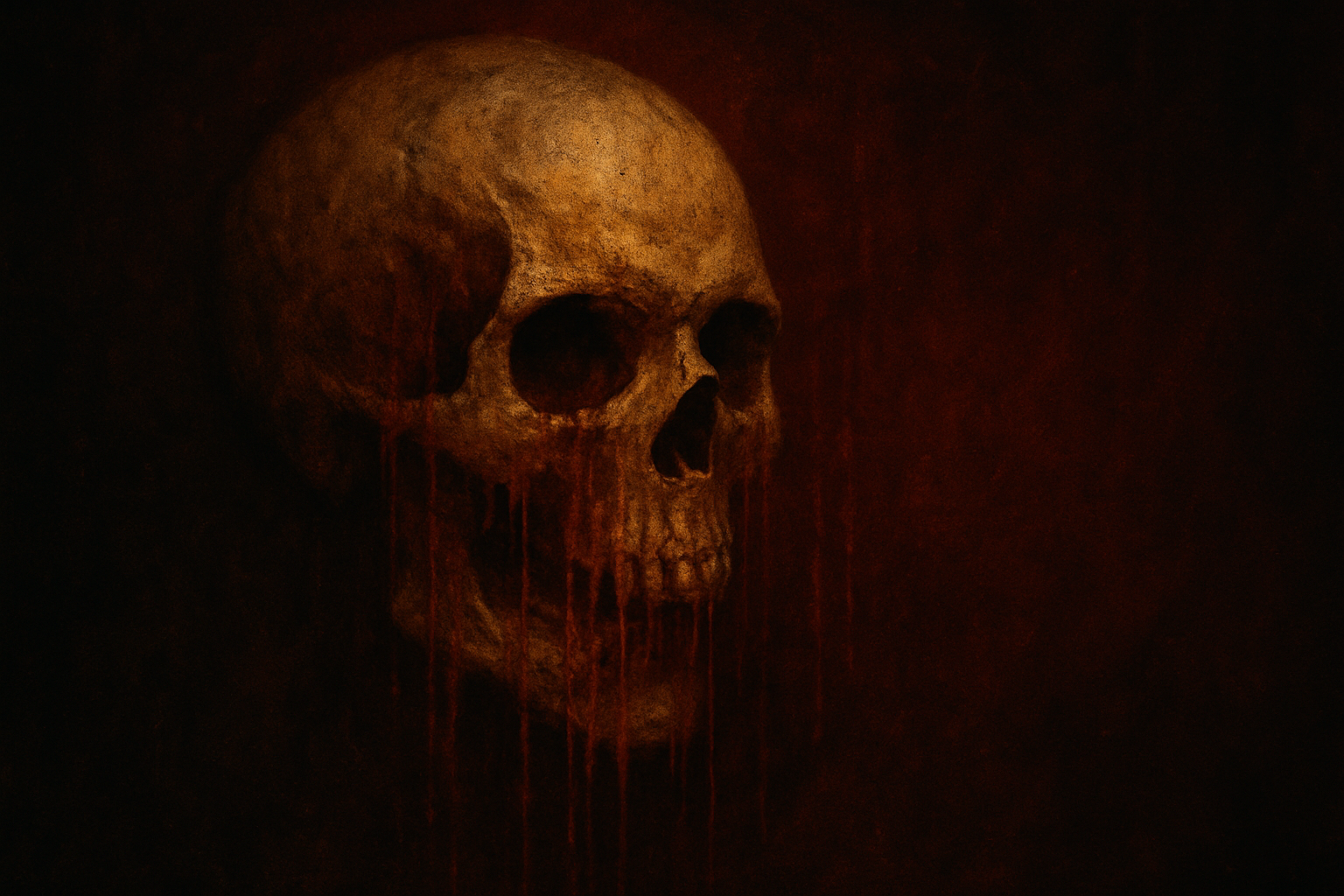
Crafting Horror Masterpieces: Your Guide to a Screamingly Awesome Movie Poster!
Are you a horror aficionado with a flair for creativity? Perhaps you’ve found yourself staring at some gnarly movie posters, wondering how you can concoct one of your own using the digital wizardry of Photoshop. Well, gnash those teeth no more! This post will guide you through the eerie and delightful process of creating a horror movie poster that’ll leave your audience spellbound. So grab your digital toolkit, and let’s dive into the sinister world of Photoshop design. (We’ll leave the fake blood to you.)
The Foundation: Starting with Essentials
Before diving into the artistic mayhem, a solid foundation is key. We’re talking about prepping your canvas and securing your base images—imagine these as your macabre paint and brushes. For our ghastly creation, we’ve got a human skull, a gritty concrete texture, and some nifty movie poster credits. You’ll discover these compiled neatly in a PSD file that you can explore at your leisure.
1. Activate Your Base: Make sure you’re starting with the concrete texture visible and active on your Photoshop canvas. This gritty backdrop sets the mood for the unfolding horror-scape.
2. Level Up: Use the Levels adjustment layer to tweak your texture’s contrast, bringing out those shadowy undertones. Shoot for an input black of 47 and an input white of 209.
Scare Tactics: Molding Your Subject
Next, we’re adding depth to your gruesome centerpiece—the skull.
- Smart Moves: Convert the skull layer to a Smart Object. This clever move allows you to make changes without the fear of destroying your work. (Because nothing is scarier than ruining your masterpiece.)
- Magic Wand Madness: Use the Magic Wand Tool; set tolerance around 40 and ensure “Contiguous” is checked. This helps isolate your skull from its background, giving you a precise selection.
- Create a Displacement Map: Transform your skull into a displacement map. This will be key in rendering blood streaks that wrap convincingly around skull contours. Just save your skull’s image as a PSD file that you can reference later.
Unleashing Hell: Blood Frenzy in Photoshop
A horror poster would not be complete without some theatrically applied gore. Here’s how to create blood streaks dripping off your poster.
1. Color and Render: Change your foreground to a delightfully eerie red (hexadecimal 9B 02 02). Apply the Fibers filter setting variance to 5 and strength to 10 for that dramatic blood effect.
2. Displacement: Reapply the displacement map you’ve created to contort your blood streaks so they cascade naturally over the skull.
3. Blend it: Set the blend mode of those blood streaks to Linear Burn, making them seamlessly integrate with the backdrop and skull.
Shadow and Text Manipulation
No dark tale is complete without its shadow. Let’s darken the scene a little further.
- Shadow Play: Add a soft shadow using your Marquee Tool to elongate and feather the edges. This imitation of surrounding darkness pulls the depths of the poster into sharp, terrifying relief.
- Title It: Here’s where your creativity spelunks into the abyss. Make use of chilling typefaces (like Abidon 2) to craft your title. Adjust size, kerning, and leading until you’ve struck the right balance between horror and legibility.
Final Touches: Blurring Reality with Effects
The final steps are akin to adding the last brushstrokes on an oil painting—or ketchup splatters if that’s your idea of haute cuisine in horror design.
1. Blurred Glow: Introduce an ethereal glow effect to selections of your poster’s text or images. A Gaussian Blur set to 40 pixels helps accomplish this chilling luminescence.
2. Drop Shadow Drama: For finishing touches, apply a drop shadow effect with blend mode set to Color Burn, injecting an extra layer of intrigue and menace. Set the opacity to 70% with some modest adjustments to distance and size for optimal effect.
3. Credit Where It’s Due: Don’t forget to activate your credits layer and set the blend mode to Screen—because even the undead likes to know who to thank.
Wrapping It Up: Step Into Your Own Horrorverse
And there you have it: a spine-chilling horror movie poster worthy of the marquee. Whether your scene is one of tangible horror or chilling suspense, it’s the care in detail that brings your frightful vision to life. So go ahead, complete your dreadful masterpiece and proudly display your work in all its haunting glory.
For those looking to dive even deeper, don’t forget to watch our full video tutorial above—we promise it’s (relatively) ghost-free! Keep creating, stay spooky, and may your inspirations be ever terrifying.





