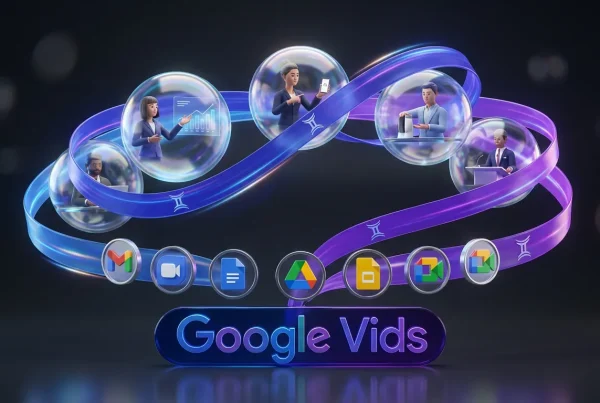
Google just widened the door on Veo 3.1 by putting it directly inside Google Vids for personal Google accounts, with no Workspace admin required. The official announcement is on Google’s product blog here, and the key detail is simple: you get a monthly allowance of free generations, right inside the editor.
This is less “AI video is coming someday” and more “AI video is now a button next to your slides.” And that’s the real shift. Google isn’t just competing on model quality. It’s trying to make video generation feel as normal as opening Docs.

Translation for creators: Google’s best move isn’t that Veo exists. It’s that Veo is showing up in the software your clients already use.
What Google shipped
Veo 3.1 is now available inside Google Vids for personal accounts, with a free monthly quota attached. In Vids, Veo is positioned as a “make me a scene” engine: you prompt, you generate a clip, then you edit it like any other piece of media in a lightweight timeline.
Google Vids itself has always been a “video like a slide deck” product: collaborative, browser-based, built for quick explainers and internal updates more than glossy commercials. Adding Veo 3.1 turns it into something bigger: a draft factory for video teams who need speed and for non-video people who need results.
The free tier details
Here’s what actually matters in the rollout for personal accounts:
- 10 free video generations per month for personal Google accounts (Google accounts, including Gmail).
- Generations are designed around short clips. In the Vids flow, the generated clips are positioned as short scene blocks, commonly referenced as 8 seconds each in early demos and coverage.
- The limit resets monthly. Google describes this as a monthly allotment and does not describe rollover for unused generations.
This isn’t “free unlimited video.” It’s “free enough to be dangerous.” Which is also exactly the amount that gets people hooked into a workflow: you can prototype a campaign idea, build a few b-roll options, and spit out a rough cut for review without opening a separate AI tool.
| What you get | Free tier | Why it matters |
|---|---|---|
| Veo 3.1 generations | 10 / month | Enough for prototyping and quick drafts |
| Clip length | Short (8s) | Optimized for scene blocks, not long takes |
| Where it lives | Inside Vids | No tool-hopping; faster review cycles |
How Vids uses Veo
The workflow is intentionally boring (compliment): generate a clip, drop it into a scene, move on. In practice, creators will spend most of their time in three actions:
Generate scenes on demand
Inside a Vids project, you can create an AI-generated scene by describing what you want in plain language, and optionally anchoring it with images. The point isn’t just “make a cool clip.” It’s “fill the gap” when you don’t have footage, don’t have time to shoot, or don’t want to pay the stock-footage tax for something hyper-specific.
Edit like a Workspace file
The biggest advantage of Vids isn’t effects or deep color controls. It’s collaboration. Comments, suggestions, share links, versioning: the stuff Google already dominates. Veo-generated clips become just another asset in that ecosystem.
Ship faster to YouTube
Google is also leaning into distribution. The Vids update includes a direct YouTube publishing option, and Google says YouTube exports default to Private so you can review before you publish.
What’s new in Veo 3.1
Veo 3.1 is part of Google’s larger push to make Veo less “demo magic” and more “repeatable production.” Previous Veo updates emphasized controls creators actually care about, like native vertical generation and better consistency. We covered the vertical-video push earlier on Blue Lightning: Veo 3.1 Adds Native Vertical Video Creation.
In the Vids context, Veo 3.1’s practical improvements show up as:
- More stable motion and identity: fewer “character drift” surprises across frames (still model-dependent, but this is a widely reported emphasis of Veo 3.1).
- Social-friendly formats: Veo 3.1 supports native vertical (9:16) generation, which matters because most teams now design phone-first even when the brief pretends it’s not.
- Better prompt-to-result reliability: still not perfect, but closer to usable draft more often.
It’s not about making the best AI video. It’s about making the first draft fast enough that you can iterate like a content team, not like a film studio.
Paid tiers and upsells
Google is still keeping more advanced generative features behind paid plans. The announcement bundles Veo in Vids with other upgrades, including music generation via Lyria and advanced avatar capabilities, which Google positions under paid AI plans (for example, Google AI Pro and Google AI Ultra).
For creators and teams, the paid question usually comes down to two things:
- Volume: If you need variants (and you do), 10 generations disappears fast.
- Control: Advanced options, higher caps, and faster rendering matter more than a slightly prettier model.
Google’s broader strategy is clear: make Vids the default workplace video surface, then upsell the heavy users who turn it into a pipeline.
Who benefits most
This rollout isn’t aimed at film people. It’s aimed at the people who already live in Google Drive and need video to stop being a special event.
Creators and solo operators
If you make explainers, product breakdowns, newsletter companion videos, or quick social cutdowns, the free quota is enough to keep a steady drip of AI b-roll and scene starters, especially if you treat Veo as a scene generator rather than an entire video maker.
Marketing teams
Vids is built for review loops. That’s catnip for marketers. Veo inside Vids means you can generate three visual directions, drop them into a deck-like video, and get stakeholder feedback without exporting anything or juggling file chaos.
Internal comms and education
Google has been positioning Vids as work video, but painless. If you’re making onboarding, training, or recurring updates, Veo’s short clips are useful as visual punctuation: cutaways, scene transitions, quick illustrative moments.
| User type | Best use | Main constraint |
|---|---|---|
| Solo creator | Fast b-roll and prototypes | Quota runs out quickly |
| Marketing team | Concept drafts + reviews | Brand precision still tricky |
| Ops / training | Explainers and updates | Short clips only |
What to watch next
Putting Veo 3.1 inside Vids for personal accounts isn’t a flashy model flex. It’s a distribution play, and those tend to be the ones that actually change behavior.
Three practical implications are worth tracking:
- AI video becomes everyday: When the generator is embedded in a tool people already open for work, usage goes from experiment to habit.
- Draft velocity goes up: Teams will generate more options, earlier, which changes what a first cut even means.
- Quality pressure shifts: The winning model isn’t the one with the fanciest demo. It’s the one that produces the most usable clips per quota without weird artifacts.
The balanced takeaway: 10 free generations won’t replace your production workflow, and Veo isn’t going to solve brand-perfect product shots on day one. But for fast, collaborative video drafts, especially inside a Google-native review loop, this is a meaningful step toward AI video that actually gets used instead of admired.