Transform Your Photos with Stunning Sky Replacements
Photoshop’s Sky Replacement feature allows photographers and digital artists to dramatically enhance their images by swapping out dull or uninspiring skies. With its recent update, this tool offers more high-definition sky options and greater flexibility in replacing skies, including the ability to import your own sky images. Let’s dive into how you can use Adobe Photoshop’s updated Sky Replacement to bring more drama to your photos.
Getting Started with Sky Replacement
If you’re tired of staring at mundane skies in your photos and crave a little pizzazz, listen up. With Photoshop’s updated Sky Replacement tool, not only can you choose from a plethora of high-definition skies, but you also have the freedom to upload your own. Let’s get started transforming your images into works of art.
To begin, ensure your photo is open in Photoshop. The first crucial step is converting your image into a Smart Object, which allows for non-destructive editing. This means any changes made can be altered or removed without affecting the original photo’s quality. You can do this by navigating to the Layers panel, clicking the icon at the upper right, and selecting “Convert to Smart Object.”
Exploring Adobe’s Sky Database
Photoshop doesn’t just give you an empty toolbox; it comes loaded with vibrant skies that are ready to use. By going to Edit > Sky Replacement, a world of atmospheric options is immediately at your fingertips. Click on the gear icon within this panel titled “Get More Skies,” where you can download various free sky presets. This library is constantly expanding, allowing you to tap into new, trending backdrops without spending a dime.
After downloading, you can open the preset list and import these skies into your project. Navigate back to the folder where they’re saved and load them into Photoshop. Just like that, you’ll have an arsenal of cloud patterns, colors, and moods to supercharge any photo’s background.
Customizing Sky Addition
What makes this tool truly exciting is the ability to introduce your own custom skies. Whether it’s a breathtaking vista you captured on vacation or a digital creation of your own, simply click the gear icon and select “Import Images.” Navigate to your chosen files and load them in. This opens the door to unlimited creative expression, making your photography genuinely unique.
Have a collection of skies you’re particularly fond of? With Photoshop, importing these images is easier than ever. Select the folder, highlight your desired skies, and import away. Each addition immediately appears in your presets, ready to apply to any project.
Dialing in the Perfect Look
This is where the magic truly happens. After selecting a sky, Photoshop automatically fits it to your image, balancing elements like brightness and temperature to merge foreground and background seamlessly. For precise control, you can tweak settings such as sky brightness, temperature, and scale.
Experiment with flipping the sky or exploring different lighting modes—although “multiply” typically yields the best results. Adjustments to foreground brightness, edge brightness, and foreground color temperature are also at your disposal, allowing you to create a cohesive, visually striking composition.
Unleashing Creative Potential
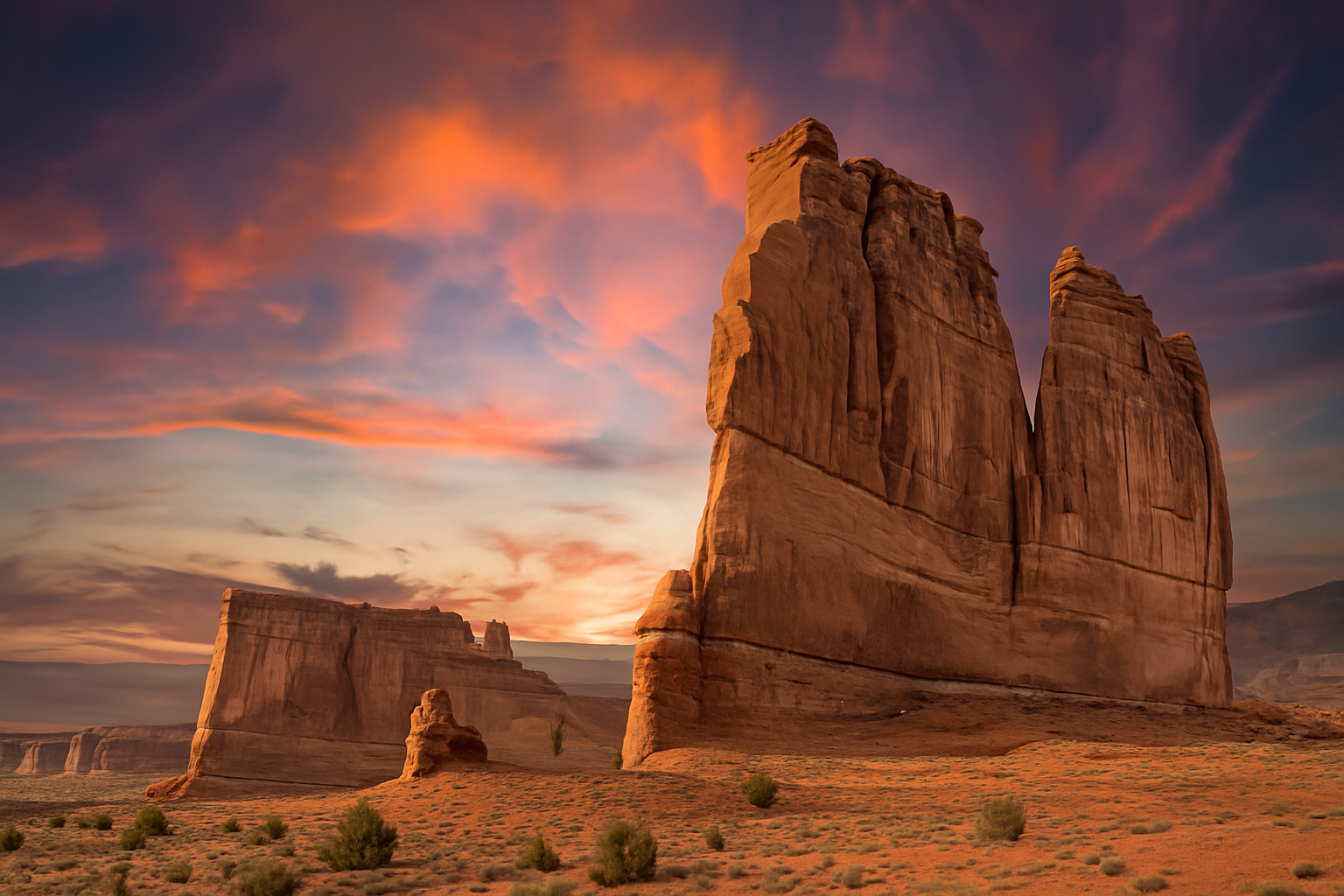
The potential is enormous. With the updated Sky Replacement tool, not only do you have a straightforward method to enhance aesthetic appeal, but you also gain a platform for storytelling. From vivid sunsets to dramatic storms, skies set a tone, evoke emotions, and amplify the narrative of your photos.
This tool isn’t just an update; it’s an invitation to redefine photography’s boundaries. Whether you’re looking to bolster your portfolio, impress clients, or simply indulge in creative exploration, Photoshop’s Sky Replacement offers a user-friendly gateway to stunning transformations at your fingertips.
Conclusion: Elevate Your Art
Photoshop’s updated Sky Replacement feature equips photographers and digital artists with powerful tools to up their visual storytelling game. It’s about more than swapping cloudy skies for sunny ones; it’s about creating impact and stunning visual narratives that captivate and engage. Whether you’re starting out or a seasoned Photoshop pro, push your boundaries. Experiment, play around, and, most importantly, let your imagination run wild. After all, the sky is no longer the limit.