
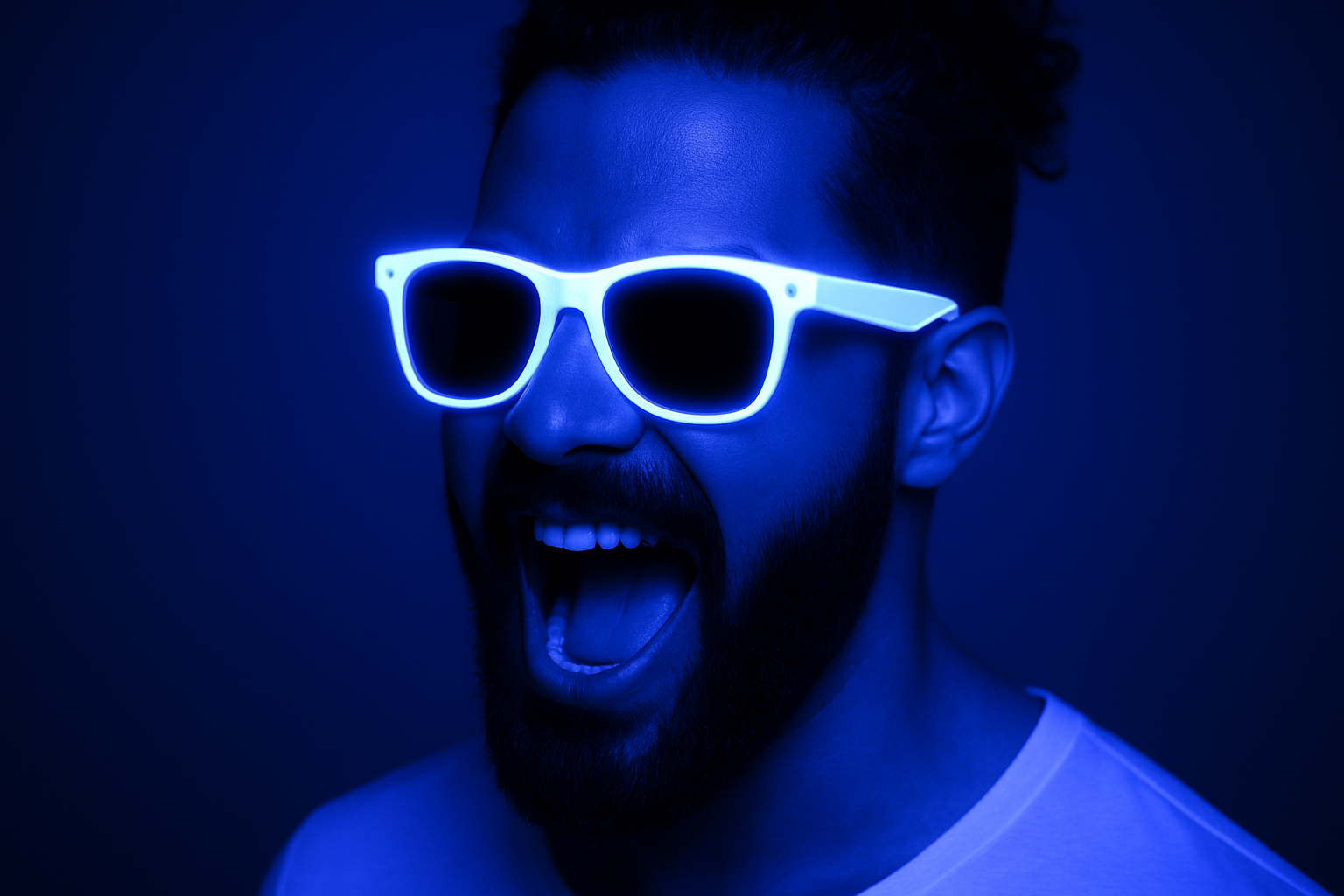
Create a Mesmerizing Ultraviolet Blacklight Effect in Your Photos
Ever found yourself longing to make photos that seem to radiate that classic club vibe? You know, that iconic ultraviolet blacklight effect that turns your everyday pictures into electrifyingly cool artwork? Well, today, you’re in luck. We’re diving into Photoshop’s wonder world to unpack the steps necessary to recreate this ambient glow. So, buckle up, creative! It’s time to shed some (ultraviolet) light on your images.
Start with Selection: The First Step Toward Glow Mastery
To unleash the captivating beam of a blacklight effect, start by selecting your photo’s subject. Photoshop, in its nimble manner, offers numerous ways to streamline this process. Enter the trusty Quick Selection Tool. It’s quick (duh!) and accurate for selections when precision matters. If you’re sporting a Photoshop cc 2018 or later, simply toss in the Select Subject button; it’ll do most of the heavy lifting. Missed out on certain areas? Worry not. You can simply drag your tool over those unselected spots with the elegance of a pro.
Refining Edges: Because Hair is Always a Trouble Maker
The art of refinement comes in handy, especially for areas as unruly as hair. Earlier versions of Photoshop lean once again on the legendary Refine Edge tool, but for those with a penchant for the latest technologies, Select and Mask is your jam. Tackle the feathery edges with Smart Radius and edge refinement brushes to nail that immaculate silhouette.
Layer Masks & Background Magic
After selection, comes the beauty of layering—true art on a digital canvas. Splash a black background beneath your active layer. A keyboard combo of Alt+Delete (Option+Delete for Mac) fills your stage with void-like darkness, setting the perfect vibe for our ethereal project. Magic, indeed!
Touch-ups With the Brush Tool
Whip out your Brush Tool; set it to a soft, round style, and cautiously reveal sections of the original background. Gradual size adjustments allow you to expose just enough to keep it spunky without running the risk of an unwanted glow. On softer areas like hair, kindly indulge the feathering option to maintain a natural look.
Main Attraction: Filters and Adjustments
Now that the foundation is set, let’s unleash the real wizardry: the filters. Dive into Filter > Distort > Diffuse Glow options; these settings—graininess of zero, glow of two, and clear amount of ten—usher in the vibrant energy associated with blacklights.
Converting this image into a smart object not only preserves your edits but gives that extra control over the finesse of your masterpiece. From here, toy with Brightness/Contrast adjustments until your creation screams “electric.” Also, don’t forget to hop onto the Hue/Saturation party for that iconic 220-degree blue hue coupled with a controlled saturation.
Levels and Solid Colors: Fine-tuning Brilliance
Under Adjustments Panel, let the Levels feature do its magic, adjusting inputs to create an even richer pigmentation. A solid color layer with hex 110094 and set to Color Dodge blends perfectly to create lit resplendence across the frame.
Let’s Talk Highlights: Ignite Your Subject
Creating a new layer labeled “Highlights” sets the stage for a burst of energy. Shift your Blend Mode to Overlay. With a soft brush in hand, playful strokes over sunglasses, noses, and teeth deliver those iconic UV reflections.
The Glow of Accessories: Making Sunglasses Pop
Fancy up the accessorizing! To bring the sunglasses into focus, convert them into a smart object for non-destructive flare. The channels menu becomes your ally to portray the reflective brilliance coveted in a blacklight aesthetic. Filters like Gaussian Blur and adjustments to Hue/Saturation get the lenses glowing with a tantalizing intensity.
Layer styles like Outer Glow and Inner Glow further intensify the effect of light encircling the lenses—creating an image that pulses with allure.
Conclusion: Wrap Up with Confidence
And there you have it! A step-by-step journey that transforms humble photos into radiant blacklight artworks, destined to mesmerize viewers. With Photoshop’s tools at your fingertips and a sprinkle of creativity, the possibilities are universal (and ultraviolet!).
Go to your creative corner and try this out. Then tag us on social media if you’re bold enough to showcase those electrifying designs. The world needs to see your masterpiece!





