Bringing the Haunted and Mystical Alive with Photoshop
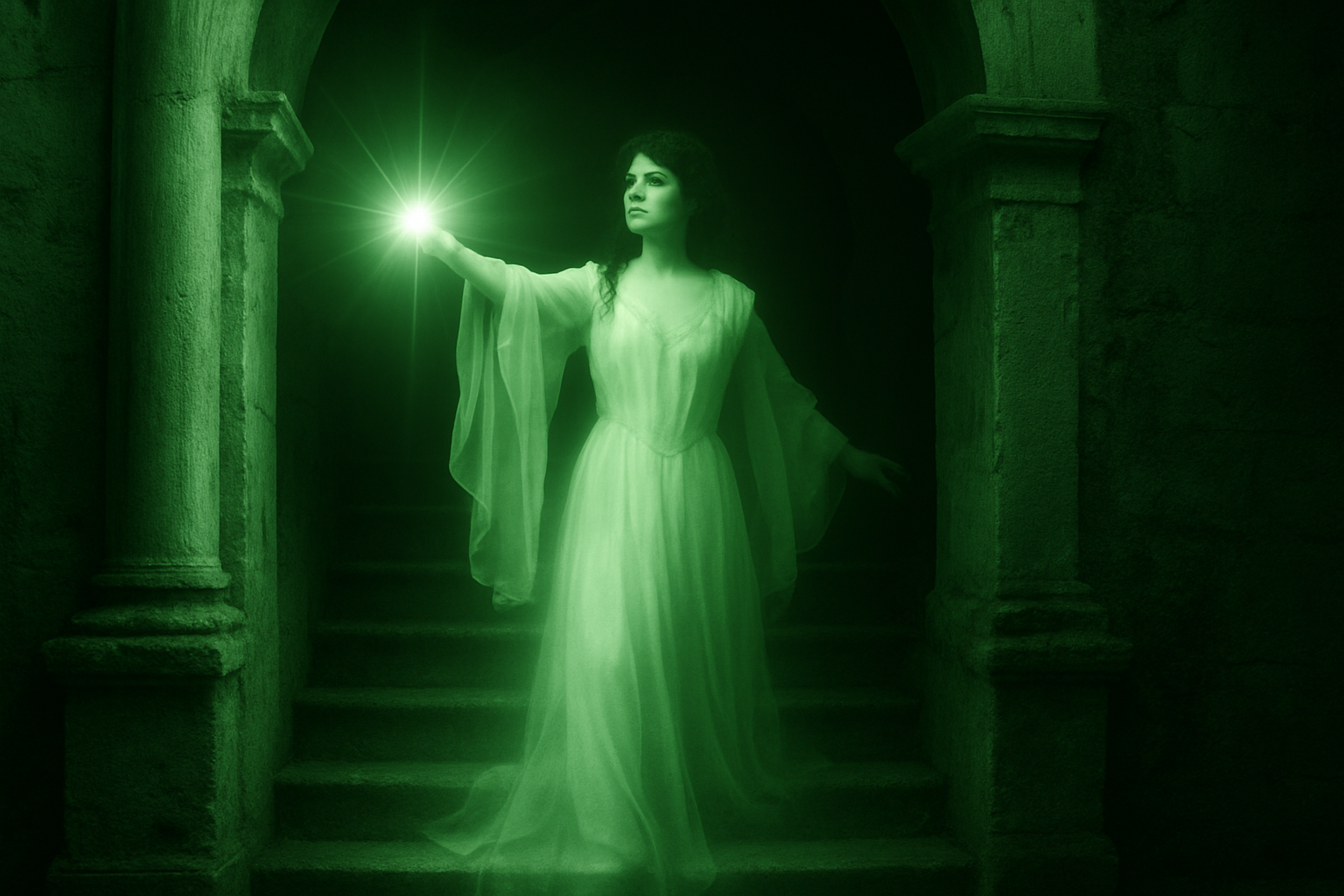
There’s nothing quite like the eerie elegance of an ethereal ghost descending from a long-abandoned staircase. Such imagery can transport us to the spooky scenes of Victorian novels or the haunted halls of ancient castles. Today, we’re diving into a fascinating Photoshop project that will guide you in creating an enthralling ghost scene of your own.
The Artistic Value of Ghostly Images
Creating a ghostly image isn’t just about applying spooky filters or throwing a white sheet over a background. It involves intricate techniques that blend art with digital tools. This project challenges your Photoshop skills and expands your understanding of digital art. By employing blending modes, adjustment layers, and some sleek brushwork, you can masterfully transform ordinary photos into something that seems ripped from the pages of a chilling ghost story.
Getting Started: Essential Elements
You’ll start with two primary images: a castle staircase and a vintage photograph of a woman—in a flowing gown no less. These elements provide the foundational visual components that bring your ghostly scene to life.
- Castle Stairway: Forms the grand, albeit slightly rundown, backdrop.
- Vintage Photo: Serves as the ghostly figure that traverses the stairs.
Both files are available for download from the project resources section in the video’s description.
Separating and Preparing Your Ghostly Figure
The first step involves isolating your spectral figure. Here, you’ll utilize Photoshop’s Channels panel to make an accurate selection and eliminate the original background. It’s one of those moments when your Photoshop power-user skills—like making selections—come into play.
Steps to Isolate Your Figure:
- Select the Alpha Channel in the Channels panel.
- Ctrl-click (or Command-click for Mac users) to make a selection based on the image’s shape.
- Drag the figure onto the main project tab and resize if necessary using the Transform Tool (Ctrl/Command + T).
Once your figure fits seamlessly into its new home, convert it into a Smart Object. This conversion is crucial for subsequent non-destructive editing, which allows you to experiment with filters and effects without permanently altering the image.
Casting the Scene in a Haunted Light
Before your ghost begins its spectral descent, you’ll need to cast the right mood onto the castle. This involves transforming the scene into a more monochrome appearance with adjustments in Hue/Saturation and Levels:
- Hue/Saturation: Set the hue to 120, saturation to 25, and lightness to -80 for a mystical green tone.
- Levels: Adjust the midtone and white input levels to darken the scene, enhancing the supernatural atmosphere.
These color manipulations cloak the castle in an unsettling ambience, emphasizing shadows and light.
Animating The Ghost
With your scene ready, it’s time to bring your ghost into focus. You’ll apply various blur and distortion effects to lend the figure an ethereal, flowing appearance:
- Gaussian Blur: Gives a soft blur at 20 pixel radius.
- Wave Distortion: Set with 9 generators, to mimic spectral movement.
- Radial Blur: Adds that supernatural spin—perfect for a ghost rushing down the stairs.
Adjusting blend modes and layer opacities further refines the illusion until the figure achieves just the right level of translucence.
The Finishing Touches: Eerie Lighting and Eyes
What’s a ghost without its captivating eye glow and the mysterious aura of lens flares?
- Add piercing bright irises with a tiny brush to make the ghost’s gaze haunting.
- Overlay a lens flare to accentuate the figure’s presence or illuminate the surroundings dramatically.
Focus on where the light hits naturally, enhancing the spectral effects with strategically placed flares. Use these elements sparingly to add dimension and life to the ghostly form.
Mastering The Art of Digital Ghosts
With a more muscular understanding of filters, blending modes, and layered effects, you’re not just transforming photos; you’re crafting a story in pixels. This technique enables artists to explore a rich narrative, playing with the ideas of the past, time, and the supernatural through visual mystery. Such a project isn’t just an exercise in Photoshop wizardry; it’s a journey into the creative realm filled with ghost stories yet to be told.
So, ready to haunt some pixels? Welcome to the world of creative digital artistry!