Bring Retro Vibes Back with a Nostalgic CRT TV Effect
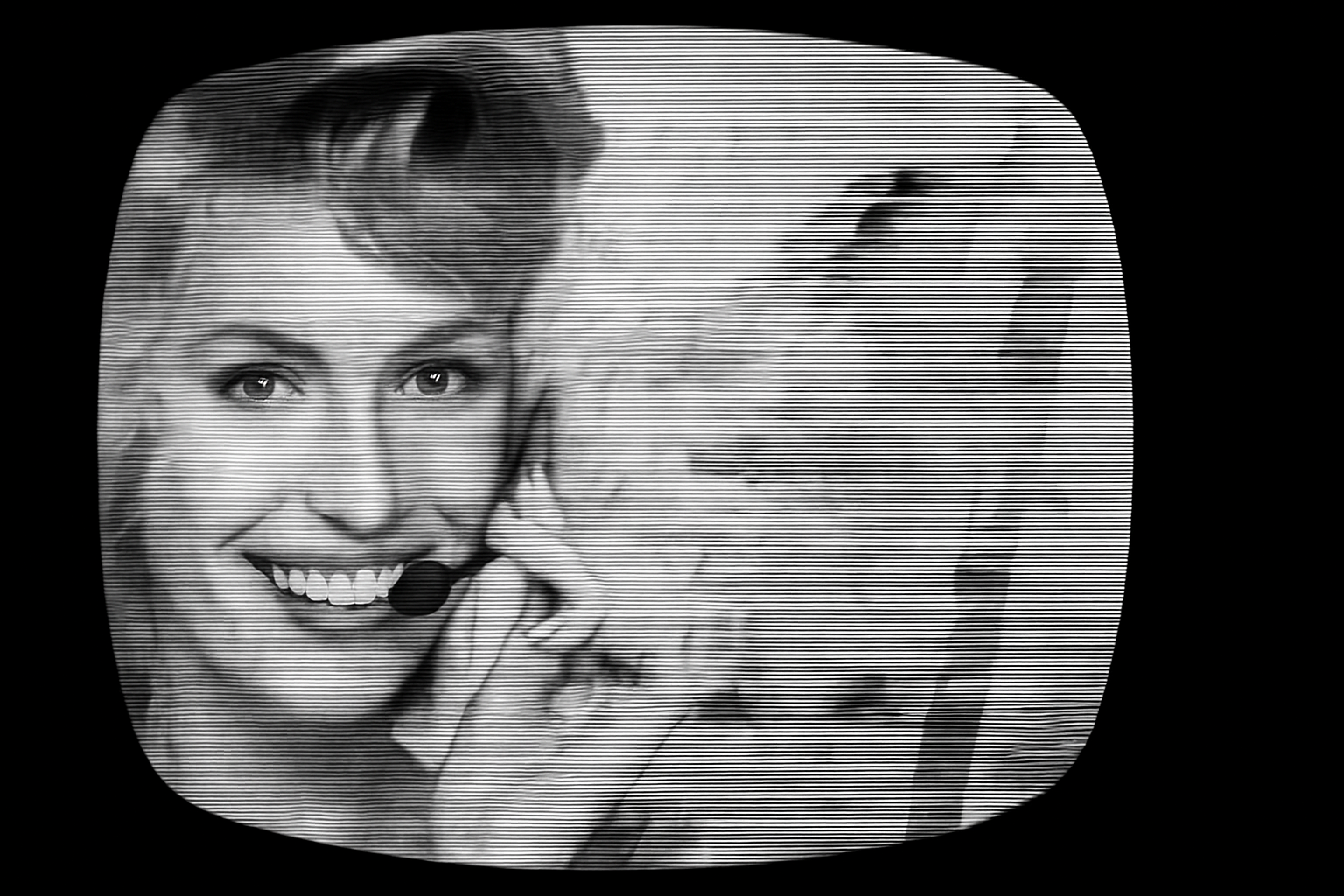
What once seemed like a technological advancement, the cathode-ray tube (CRT) television screen, now feels like a nostalgic piece of art. If you’ve ever found yourself staring at an old black and white CRT TV and longing to incorporate that retro interference effect into your graphics, you’re in luck. We’ll show you how to recreate a vintage CRT TV interference effect, transforming your digital images into masterpieces steeped in nostalgia using Adobe Photoshop.
Preparing Your Workspace
Before diving into this visual time warp, make sure your tools are ready. Open your desired photo—a person, a product, or your pet in a funny pose—and ensure it’s set to 72 pixels per inch for that authentic vintage appearance, reminiscent of low-definition CRT displays. You may need to adjust the width and height to match but remember, precision is key in achieving uniformity throughout.
Embedding the Nostalgic TV Shape
To begin the transformation, download a cathode ray tube TV screen shape (often available in tutorial project files) and drag your selected photo onto its canvas. This amalgamation is akin to placing a glossy modern photo inside a retro television screen, inviting anachronistic charm. Say your photo gets rebellious and insists on moving around or expanding, wield the ‘Transform’ tool like it’s Thor’s hammer till it fits, Hail Photoshop!
Crafting the Interference and Scan Lines
Next, we dive deeper into the time machine and generate the iconic scan lines of yesteryears. Starting with a 50% gray new layer beneath your photo, navigate to the “Filter Gallery” > “Sketch” folder > “Halftone Pattern”. Like a chef choosing ingredients, select “Line” as the pattern type and adjust the size and contrast to conjure a deliciously analog look. Setting your blend mode to “Soft Light” will sprinkle a dash of subtle interference.
Blurred televisions screens are the potato chips of the 70s viewing experience—indispensably essential. Blur these newly minted lines slightly by converting them into a Smart Object (think invincible aesthetic armor) and apply a 1-pixel Gaussian blur—a time-travel mic drop moment that slightly mutes the harshness of timeworn signals.
Achieving the Perfect Tone
Remove all modern hues with a black and white adjustment layer; color is for the weak-hearted when invoking vintage allure. However, CRTs weren’t just grayscale screens—they often had softer, lighter centers. Thus, apply a vignette through the “Lens Correction” filter, adjusting your sliders to mimic this discrete glow emitting from center screens into edges like fog rolling onto a forgotten battlefield.
Tweaking Blur and Distortion for Realism
This would hardly be complete without an overlay of skew, wave distortion, and blurring—sibling traits that scream authenticity. Experiment with the ‘Wave’ and ‘Skew’ filters to contort the presentation into dynamic chaos, adding just the right amount of distortion synonymous with failed TV antenna endeavors and striking artistic finesse.
Layering Effects for an Edgy Finish
In crafting an engaging visual tale of retro chaos, creating multiple copies of the image layer furthers our cause. Each layer is a canvas, adjusted independently in blend modes like “Soft Light” on unsuspected bright areas. Remember being underneath a CRT during a daytime soap opera? Yep, simulate that by feathering adjustments, puckering the image using shear and skew, and revealing strategic sections using layer masks.
Revel in Glitchy Glory!
Wrap up your journey by applying layer masks, filling segments, and adding inverted masks which removes pesky unwanted areas, revealing justification in design. The saga of composition through waveforms completes the aesthetic script, sealing the effect with light brush strokes over masked areas.
It’s like pixel time-travel for your opus, curated with delightful inaccuracies!
Taking a new digital image and subjecting it to vintage CRT TV interference is an artful homage to visual history. Enacted with precision tools and a light hand, this method invites a creative expression steeped in nostalgia—a tangible link connecting us to the memories of another era through the lens of contemporary design.
Go ahead, create your piece of visual history over again with this beautifully frustrating, pixel-perfect interference effect and bask in the warm glow of retro-tech nostalgia.