
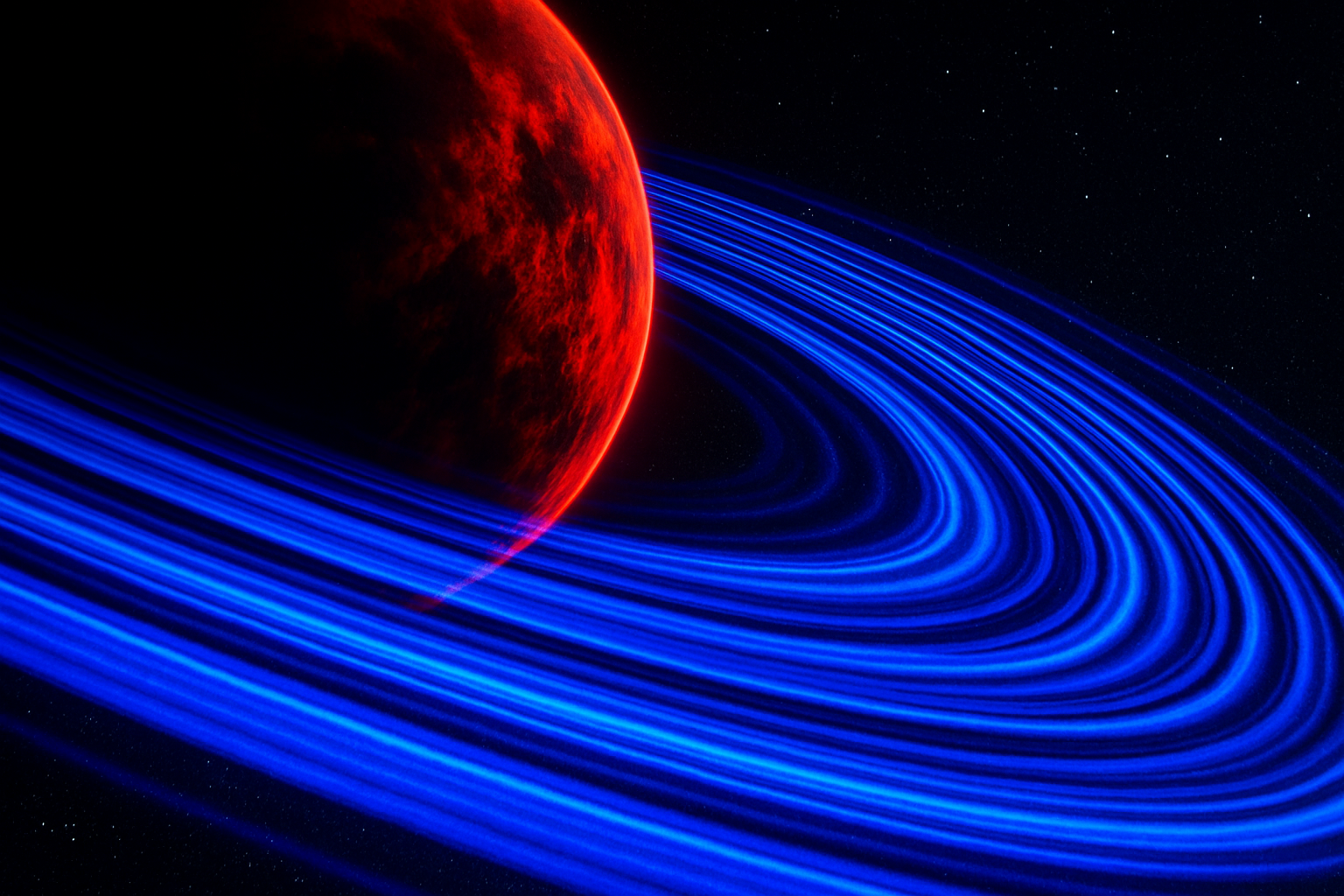
Turn Your Imagination into a Cosmic Canvas
Have you ever wanted to create your own alien world? A dazzling planet encircled by bands of cosmic dust, depicting an interstellar picture perfect enough for a sci-fi blockbuster. Believe it or not, with a little help from Photoshop, you can transform your canvas into an awe-inspiring alien planet that looks like it was beamed straight from a galaxy far, far away. Intrigued? Let’s embark on this interplanetary journey.
Setting Up Your Cosmic Canvas
The creation of a celestial masterpiece begins with setting up the right cosmic backdrop. Start by preparing a new document in Photoshop with dimensions of 1920×1080 pixels. Opt for an RGB color mode and set the background to black—this is your silent void of space, eager to cradle a new world.
Making Stars — Add Some Stellar Noise
Now, let’s sprinkle some stars across your canvas. Apply the “Add Noise” filter from the ‘Filter’ menu, set to 100% uniform noise and make sure ‘Monochromatic’ is checked. This gives a star-studded sky effect. To soften these stars, gently blur them with a Gaussian Blur set at 0.5 pixels.
Crafting the Alien World
Moving forward from a black void to the planet, create a new 2400×2400 pixels document for the planet base. Start by making sure your foreground and background colors are set to black and white respectively. Render some clouds using the ‘Render’ option followed by ‘Difference Clouds’—giving the planet a rough, textured surface.
Shape-shifting into a Planet
To transform those clouds into a planet, navigate to ‘Filter’ > ‘Distort’ > ‘Spherize’. Use 100% for the amount, and voilà, your nebulous clouds are now a spherical planet base. Carve it out using the elliptical marquee tool, ensuring it’s perfectly circular by holding the ‘Shift’ key.
Embellishing with Cosmic Dust Rings
Before placing that planet in its starry domain, you’ll need some cosmic bling – the dazzling rings. Create another 2400×2400 document and unleash your creativity with clouds and twirls. With the filter mode set to ‘twirl’, slide as far right as it can go to create cosmic whirlpools.
Perfecting the Cosmic Rings
To sculpt these swirls into a majestic ring, mask the center and outer parts to result in a crisp, donut-like shape. By feathering the edges, you’ll achieve a smoother transition resembling outer-space magic.
Coloring the Alien Scene
Now comes the time to add color’s magic touch. Apply a vibrant hue to the planet using a ‘Hue/Saturation’ adjustment layer and give it a dramatic red glow with outer and inner glow layer styles. These settings pump life into the barren sphere, turning it into an ominous celestial body.
The Finishing Touch with Light and Shadow
Adding shadows brings depth to your space opera. Use a large brush to shade half the planet, emulating shadows cast by distant stars. Layer layer enhancements further refine your creation, adjusting opacity, size and spread for that ethereal ambiance.
Shaping a Galactic Scene
Now that all pivotal parts are assembled, it’s time to put your cosmic puzzle together. Assemble your stellar pieces: drag your planet into its starry background, sprinkle in colorful nebulas, and hook those rings around the planet. Adjust the rings’ perspective, ensuring they encircle the planet harmoniously before masking the sections trailing behind.
Refining the Final Looks
Don’t forget those vibrant cloud layers illuminating your scene with nebulous colors. Alter blend modes to ‘Vivid Light’, adding a vibrant nebulosity to the background, resembling distant glowing galaxies.
The Galactic Odyssey Wrap-Up
With each step, you’re piecing together a piece of art, right from your imagination into a digital cosmos. Suddenly your screen is no longer a mere pixel playground; it’s a gateway to unexplored worlds. Thanks to Photoshop (and a bit of cosmic magic), you’ve created a visual escape to admire.
Remember, in the realm of digital art, the universe is your oyster. Continue experimenting with hues, contrasts, and structures to discover more galaxies of creativity. Whether you heed the call of the stars or the whim of the brush, the possibilities are infinite – just like space. Happy photo-crafting!





