
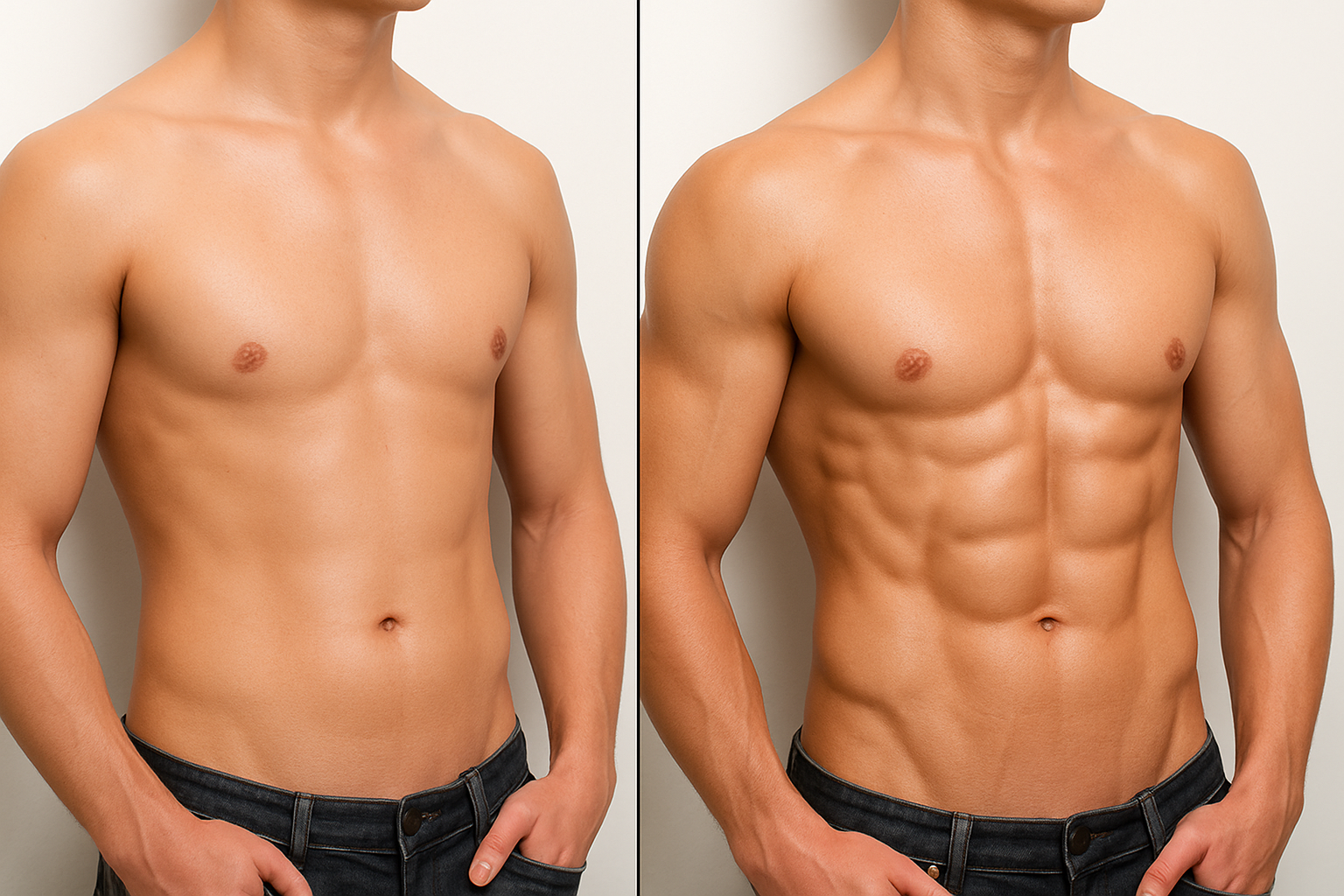
Elevate Your Photo Editing with Effortless Abs
Ah, the internet. It’s a place where everything (and we mean everything) is possible. Including, but not limited to, giving yourself the six-pack abs you’ve always dreamt of and doing it in record time with some digital ingenuity. If you’ve ever marveled at perfectly chiseled physiques on social media and thought, “If only…”, then this updated guide is your ticket to abdominal greatness, minus the gym fees.
Tools of the Trade: Photoshop
Our tech weapon of choice is Adobe Photoshop—no surprises there. With a few deft clicks and a little patience, you too can transform your midriff into an impressive canvas of fitness. Whether you’re prepping for a digitally-enhanced movie role or just spicing up your Instagram game, this technique has you covered.
Setting the Stage: Preparation and Matching
So, where do we start? First things first, gather your digital gear: you’ll want two files—one, an image of those enviable six-pack abs, and another of the body you’ll merge them with. It’s like Frankenstein, but for the modern, body-conscious era.
Begin by color matching the abs layer with the body layer. This step is your Photoshop ritual—go to ‘Image,’ hover over ‘Adjustments,’ and select ‘Match Color.’ In the realm of digital bodies, consistency is everything. Trust us, mismatched abs are a hard sell.
Aligning Your Assets
Now, position those abs onto the body. With the move tool active, just drag and plop it where it belongs, holding down ‘Shift’ to keep everything perfectly aligned. It’s like you’re a digital tailor, aligning a virtual suit. Reduce opacity to see what we’re working with.
Pro tip: The navel is your celestial north. Align that belly button and watch everything else fall into place. Remember, details matter.
Resizing for Reality
Enter the transform tool—Ctrl+T or Command+T if you’re a Mac enthusiast—and adjust those abs to blend into reality. It’s a delicate balance; smaller adjustments make all the difference. Here’s where you justify all those hours spent in front of 3D video games.
The Art of Blending
Mastering the blend is essential. Auto blend filters in Photoshop handle the heavy lifting, merging two images seamlessly. While you might default to ‘Panorama’ mode, feel free to experiment with ‘Stack Images’ if it gives better results. Seamless tones and content-aware fill notice discrepancies before they become cringe-inducing internet memes.
Smoothing Out the Rough Edges
As any good digital artist will tell you, the devil’s in the details. With your trusty brush tool, smooth out those rough edges. It’s like applying digital concealer—zero hardness, reduced opacity, and a steady hand make everything blend smoothly.
Tweaking and Fine-Tuning
Finally, like any true artist, you’ll want to reflect on your creation, making any necessary tweaks. Reducing the opacity of the abs can give a subtler blend—ideal if you’re going for natural lighting rather than studio shine.
Conclusion: Your Digital Six-Pack
And there you have it. Armed with only Photoshop, a few clicks, and your digital prowess, you’ve just sculpted a six-pack from the comfort of your computer chair. So go forth and enjoy the virtual glory. Whether you use it for digital art, video game avatars, or social media flexing, remember: when it comes to creativity in editing, the canvas is yours to shape. Keep experimenting, keep creating, and embrace the wonders of digital design.
Explore the videos, play with the tools, and create visuals that challenge reality as we know it. Or at least your digital reflection in the Photoshop mirror.





