
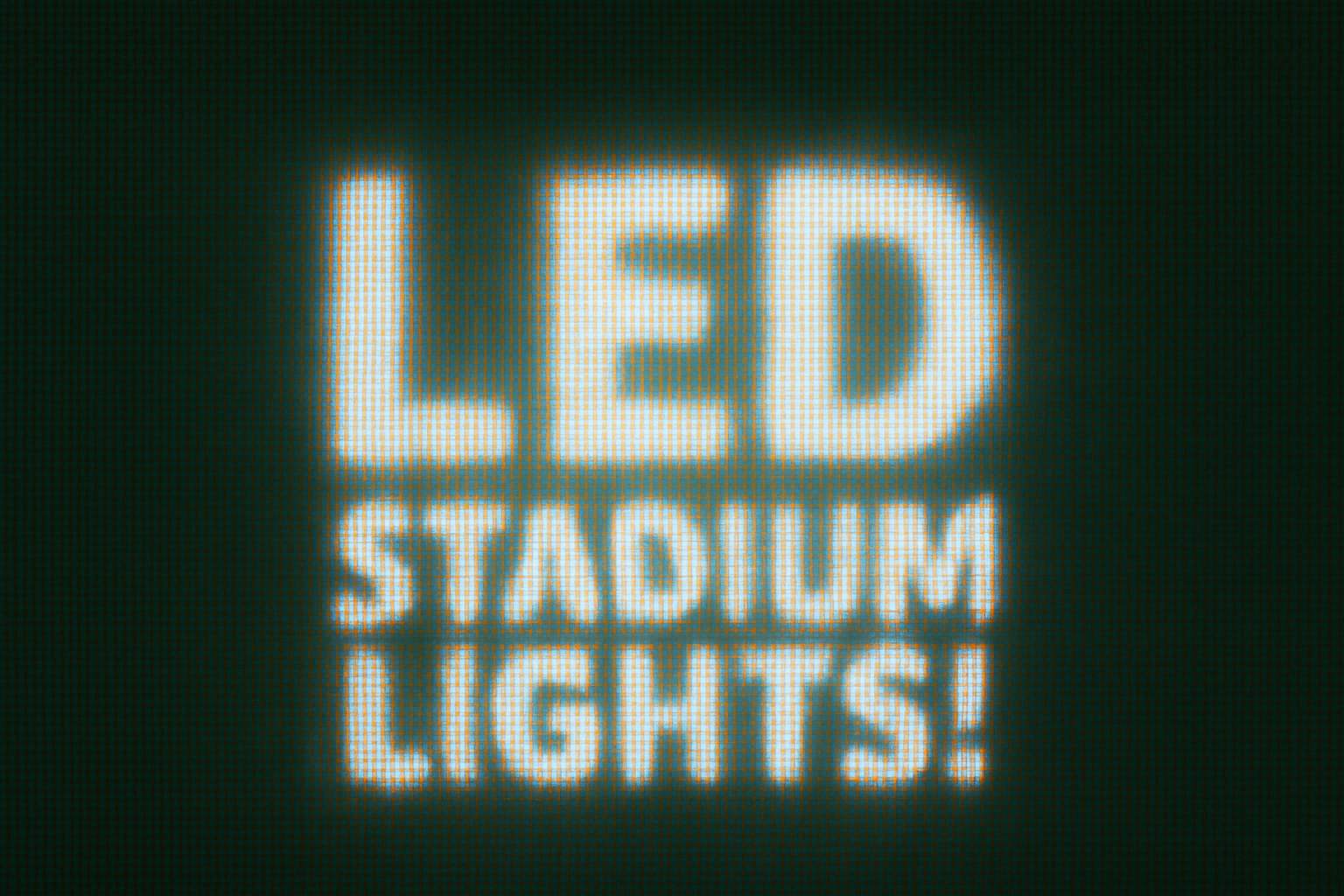
Transforming Digital Text into Dazzling LED Magic
Ever gazed up at the colossal LED screens in sports arenas, awestruck by the vibrant spectacle lighting up the stands? It seems elusive and out of reach, doesn’t it? But what if you could recreate that luminous LED magic right on your screen, and all within the cozy confines of Photoshop? Today, we dive into a mesmerizing Photoshop technique that will transform your digital text to dazzle like arena-style LED signs. This is all about crafting an aesthetic that screams modernity and excitement while having a lot of fun in the process.
Begin with the Right Creative Base
To embark on this electrifying journey, we start by defining a pattern. This pattern will serve as the core structure of our LED effect. In Photoshop, it’s not just about throwing together colors but understanding how to create overlays that mimic those eye-catching RGB lights. You can find starting materials in various places, but remember, the key is to have an RGB light image that fits perfectly onto your canvas. Use Ctrl or Command 0 to make fitting adjustments.
Crafting the Pattern
- Define Your Pattern: Go to
Editand selectDefine Pattern. This is where the magic begins. - Canvas Setup: Create a new document with dimensions set to 1920 by 1080 pixels (a lovely nod to modern display settings) and resolution at 300 pixels per inch. Everything here is in RGB mode with a black backdrop as your base.
Styling Your LED Text
Creating your LED masterpiece involves a few strategic steps:
- Pattern Layer: Access the
Adjustment Layericon, selectPattern, and scale it to 30%. This layer brings in the aura of LEDs with transparent precision. - Texting Your Message: Use the
Horizontal Type Toolto select a bold sans-serif font like Franklin Gothic Heavy for maximum impact. Set it to your preferred size—68 points is a recommended start—to ensure the text commands attention. - Centralizing the Text: Align your text centrally. This alignment acts like anchoring the main attraction on your digital billboard.
Glow, Blur, and Distance
- Outer Glow Magic: The outer glow is vital in projecting the LED feel. Switch to the Layer Style window by double-clicking the text layer and select
Outer Glow. Set the blend mode to normal, opacity at 50%, color to white, a softer technique, and size at 50 pixels. - Smart Conversion: Convert your text into a Smart Object allowing for non-destructive edits. It’s about painting with lights, not with messy layers.
- Overlay Impacts: Opt into
Pattern Overlay, rendering maximum opacity and similar scaling as your background LED layer to unify the glow effect.
Final Touches for Distortion and Dynamics
The details bring this LED magic to life:
- Blur Effects: Spice things up with slight blurring using
Filter > Blur > Gaussian BlurandMotion Blurto create a compelling linear glow akin to pixelated LED screens. - Pixel Perfection: Pixelate the text to mimic the granularity of actual LED lights with
Mosaicfilter tweaks setting the cell size to five. - Color Balance & Lighting: Add richness with color balance adjustments, enriching midtones, shadows, and highlights to refine your LED illusion.
Showcasing the Arena Effect
The last flourish is all about the grandiosity of LED lights often showcased in sports arenas. By converting all elements into a single smart object, you get the scope and perspective transformation needed to simulate a billboard. Here’s where the keystone transformation shines. With your transform tool, unleash distortion by dragging corners and adjusting positioning to replicate a real-life LED experience on screen.
Flexing Your Creative Canvas
By tweaking these elements—blur, mosaic, and color—you can form a perspective that truly emulates the larger-than-life LED spectacles we’re using as inspiration. Remember, the aim here is precision with a lot of creative expression.
So the next time you’re tasked with delivering digital text that feels tangibly electrifying, you’ll be armed with this crafty toolkit. Welcome to the electric glow of digital creative mastery!




