From Photo to Graphic Novel: Unleashing Your Inner Comic Artist
Ever fancied turning your cherished photos into hand-drawn ink panels that exude the vintage charm of aged graphic novels? You’re in luck! Today, we’re diving into the transformative world of digital art, where your photography can morph into a visual storytelling masterpiece using Adobe Photoshop. This tutorial will guide you on how to achieve that nostalgic comic book feel, and for those of you on the go, we’ll show you how to swiftly swap in new images without starting from scratch. Intrigued? Let’s teleport into the universe of retro comic artistry!
Preparing Your Canvas: The Setup
Before we sprinkle any Photoshop magic, we need to assemble our digital toolkit. First off, get your hands on a photo you’d like to transform—think moody portraits or dynamic action shots. For the purposes of our guide, I snagged an image from Shutterstock.
To complement your photo, download a stained, aged paper texture. This will offer an authentic backdrop, reminiscent of leather-bound comic collections. Keep in mind, the aim is to evoke the essence of stories that have been cherished over generations.
Need tools and storage? Adobe offers an enticing Photography Plan that includes both Photoshop and Lightroom along with cloud storage at a steal for $7.99 per month, definitely an offer worth considering.
Crafting the Comic Effect: Layer by Layer
Here’s where the fun truly begins. Whether it’s experimenting with selections, filters, or layers, crafting your panel is all about manipulation and precision.
Detaching Your Subject
To get started, decide if you fancy a different background. If so, isolate your subject using the Quick Selection tool. A size of 10 pixels is usually ideal, though adjustments may be needed. Draw around your subject, refine your edges, and output your selection as a new layer.
Playing with Gradients
Next, craft a dramatic gradient for your backdrop. Utilizing the Gradient Tool, opt for a radial gradient and customize your colors. A light touch with a brightness of 10 on one end and 60 on the other provides a striking contrast.
Smart Objects Are Your Friend
Convert your image into a smart object—a crucial step ensuring that any effects added are easily editable, just in case inspiration strikes again or deadlines loom.
Applying Sketch Effects
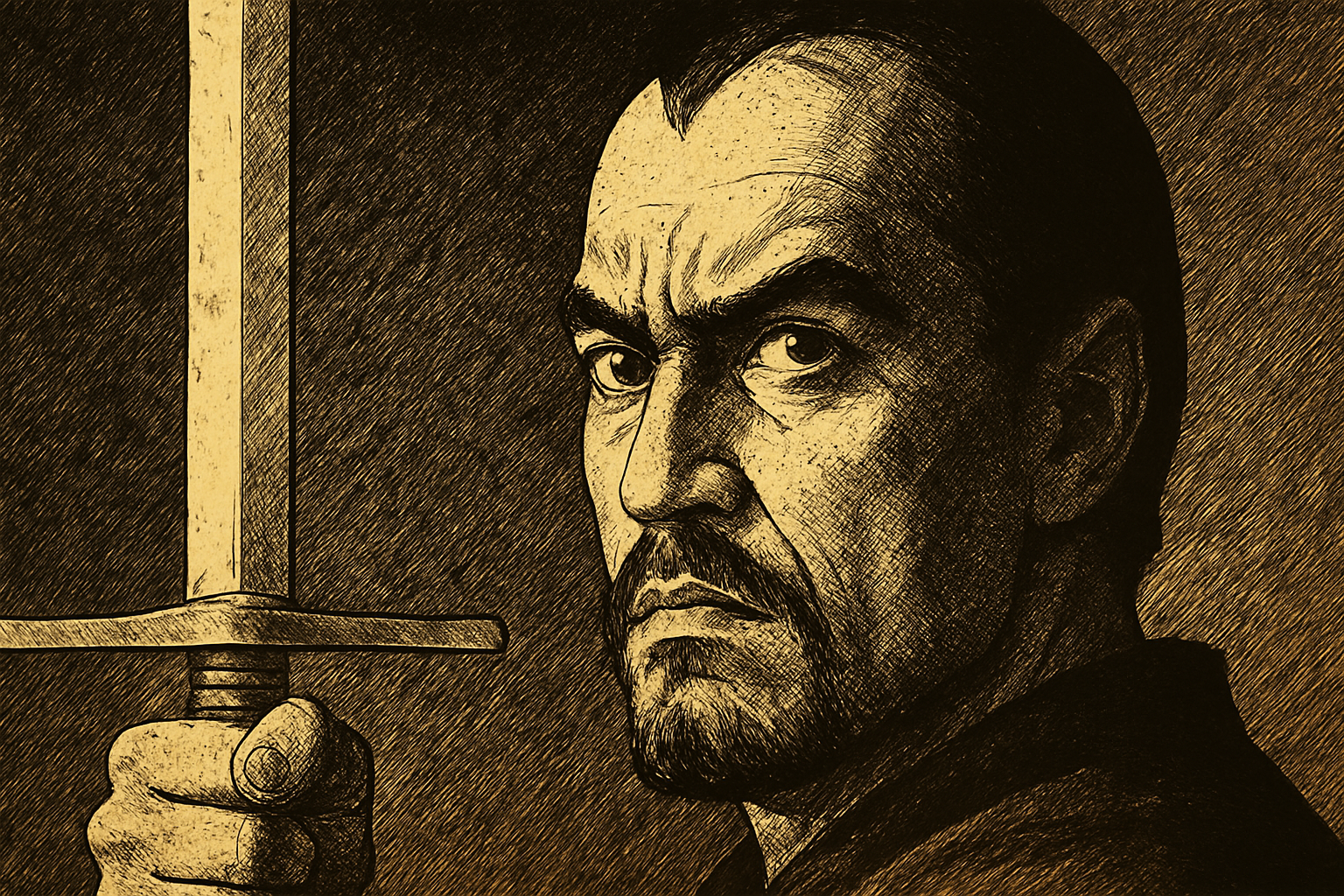
Dabble with the Filter Gallery to achieve that coveted drawn look. Start with the Graphic Pen filter to set the stage for your noir-inspired piece. Tweak away until the strokes narrate the tale you want to tell.
Framing and Finishing
No comic book panel is complete without a striking border or the witty banter of a speech bubble. Here, we’ll blend traditional comic aesthetics with modern design sensibilities.
Decorative Borders
Use Layer Styles to add a multi-layered border to your panel. Think inside the box—literally. By adjusting stroke sizes and colors, we give your masterpiece a professional finishing touch.
Caption Creation
The narrative crux of your panel is, undoubtedly, its caption. Through the use of typography (perhaps a fitting font like Red State Blue State BB Italic), your words will shimmer across this graphic bridge of eras.
The Grand Finale: Swapping Out the Subject
Let’s face it, in the ever-evolving world of design, time is of the essence. The man-hours put into creating your first piece don’t need to go to waste with every shift in concept or client.
To replace your subject, crack open the smart object to swap out your image. Use the ‘Place Embedded’ command for seamless integration. This method lets you keep the mood and the magic without laboriously retracing steps.
With a flick of the wrist—courtesy of the Transform tool—and some gentle resizing, you’ve got yourself a fresh work of art sitting beautifully among your layered legacy. Simple, stylish, and oh-so-satisfying!
To polish the overall effect, layer on the aged paper texture, adjusting the blend mode to Multiply. Watch as your panel synchronizes with the echoes of the past, immortalizing your contemporary touch.
There you have it—a window to the world of comic nostalgia unlocked through digital innovation. Whether you’re an artist under pressure, a hobbyist on a leisurely ride, or a professional revisiting the golden age, this method makes for an extraordinary creative journey. So go ahead, cast your spell, and conjure comic panels that echo with the rhythm of a thousand tales.