
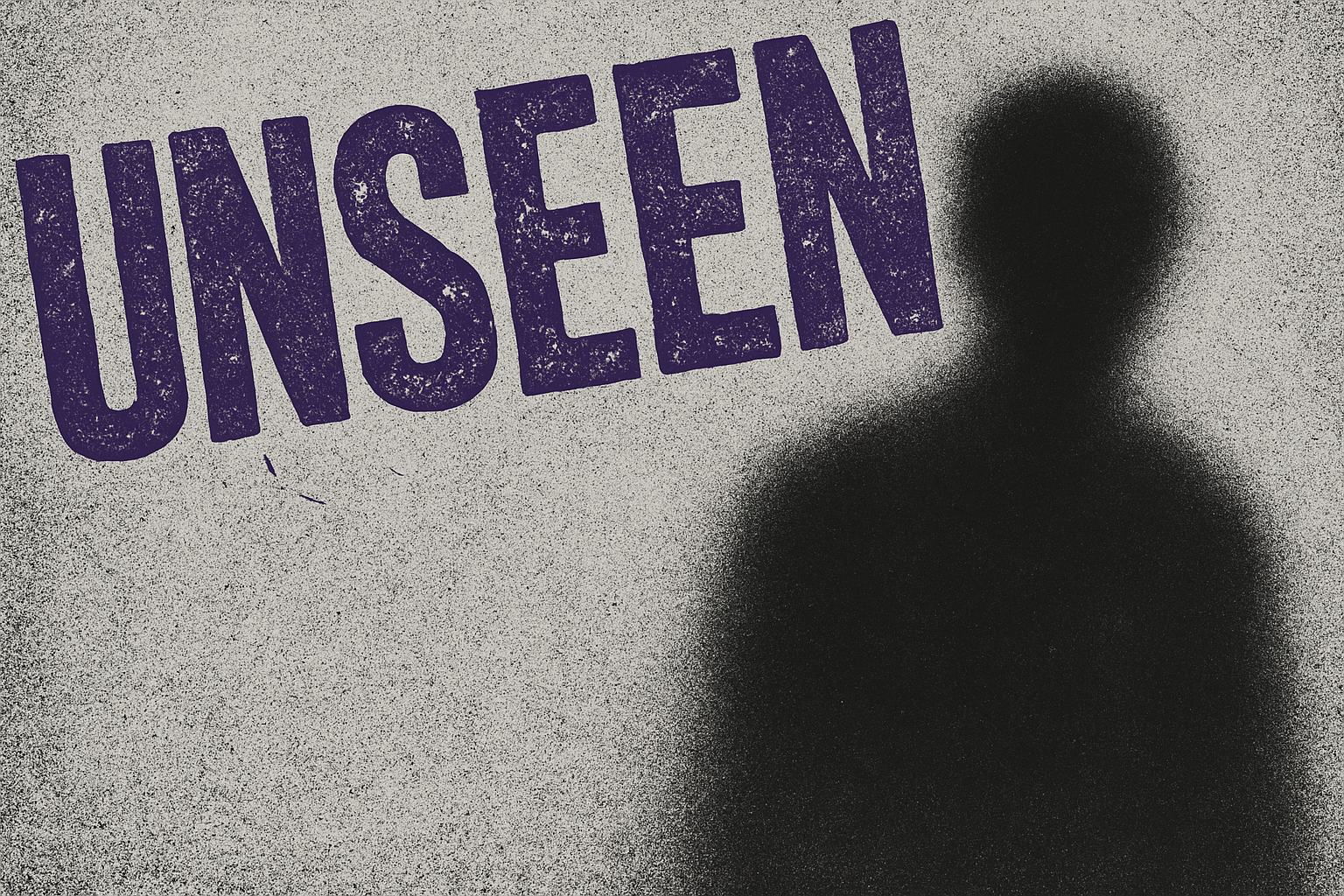
Unleash Your Inner Rockstar with a DIY Indie Rock Poster
Creating a poster for your indie rock band or a gig can be a thrilling yet daunting task. The poster serves as a visual handshake, a promise of an electrifying performance. In the age of digital creativity, you don’t need a degree in graphic design to make an eye-catching poster. All you need is Photoshop and a little guidance. This article walks you through crafting an indie rock poster step-by-step. So, let’s dive into the realms of distortion, grunge, and glowing graphics that define the indie rock poster aesthetic.
Setting Up Your Canvas
Grab a photo that resonates with your music style and we’ll get started. Begin by creating a new document in Photoshop. Aim for dimensions of 1280 by 720 pixels and a resolution of 150 pixels per inch. This ensures your design is crisp yet manageable without overwhelming your computer’s memory.
Next, import the photo into your new document. Utilise the ‘Move Tool’ by pressing “V” to drag and drop your image onto the canvas. If the image doesn’t fit perfectly, employ ‘Transform Control’ (Ctrl + T) to resize it and hold down ‘Shift’ to maintain the aspect ratio. Remember, your image sets the tone—make it the main player in your poster stage.
Transforming with Style: Adjusting and Optimizing the Image
Resizing your photo might leave some empty areas. Don’t fret. Use the ‘Lasso Tool’ to select and fill these gaps with ‘Content Aware’. This step is your Photoshop magic trick for seamless continuity.
Once satisfied with your image’s placement and scale, merge the layers (Ctrl + E) and make a copy (Ctrl + J). Yes, redundancy is key in creative design, allowing freedom to experiment without losing your progress.
Adding Dramatic Creativity with Filters
Now, let’s add some indie rock flair. First, drain all colors using desaturation (Ctrl + Shift + U), effectively creating a grayscale version. Duplicate this layer; one will become ‘Grain’ and the other ‘Diffuse Glow’.
With the ‘Diffuse Glow’ layer active, navigate to ‘Filter Gallery’ and dive into the ‘Distort’ folder to select ‘Diffuse Glow’. Tweak the graininess, glow, and clear amounts. No definitive values here, just artistic intuition. Play with these parameters to manifest the indie spirit—basically, unleash and let it rock!
Activate the ‘Grain’ layer and return to the Filter Gallery. Within the ‘Texture’ folder, select ‘Grain’. Set intensity and contrast to suit your aesthetic. Lightly blur the grain using ‘Gaussian Blur’ to meld your artistic vision into a unified dreamscape.
Text: Making Your Message Roar
Here’s where your band name screams from the poster. Pick a bold typeface like DS Net Stamped or Impact Label, which pack a punch synonymous with indie vibes.
Choose bold colors contrasting your background to ensure legibility. Set the text size to command attention, but keep your alignment tidy. Use ‘Transform Controls’ again for optimal positioning and dramatic rotation—the hallmark of memorable posters.
For added depth, apply a ‘Drop Shadow’. Multipy blend mode with a black shadow at 120 degrees lends gravitas to your words. Make a shadow adjustment to prevent your text from blending into the background like a ninja in the night.
Incorporating Essential Details
Crucial info like venue address, date, and time needs to be stylish yet readable. Use contrasting fonts and colors to differentiate details from the headline. Feel free to adjust font sizes for a hierarchy of importance—play up the date and time slightly larger to ensure eager fans don’t miss it.
Finish by angling the text, peppering the poster with rebellious indie attitude.
Experiment and Evolve
As artists, we create and adjust. Each tweak and change is part of the creative journey. Don’t shy away from trying new filters or fonts. Each decision feeds into crafting an authentic narrative that echoes your band’s voice.
Ultimately, achieving the perfect indie rock poster may not happen overnight. However, with these steps, you’re well-equipped to create designs that resonate. So, grab your digital brush and let your creativity run wild in the realm of indie visual artistry. Embrace the harmony of music and visuals, and watch your poster transform into a masterpiece.
Tune in, design away, and rock on!




