Relive the Golden Age of Hollywood with Digital Magic
Do you ever look at those vintage movie magazines and wonder how your own picture would look on one? Perhaps transforming your friends into classic film stars is more your style? Well, Blue Lightning TV has got you covered. With a splash of Photoshop magic, we’re diving deep into how to make someone look like a classic movie star on a magazine cover from the 1940s or 1950s. Using simple Photoshop techniques and a ready-made template, it’s easier than it sounds.
Getting Started: The Essentials
First things first, you’ll need a decent photo of the subject you want to glamorize. Envision transforming grandma’s sepia-toned nostalgia or your sunny vacation snapshot into something that wouldn’t look out of place on the set of “Casablanca.” To ensure everything fits the bill of that era’s vibe, download the handy template provided in the video’s description. It includes all the trimmings – the masthead, month indicator, a chic 10-cent price tag, text blocks, and best of all, a distressed vintage texture, complete with scuffs and creases to make it oh-so-authentic.
Getting the Image Ready for Its Close-up
- Resolution: Make sure your photo has a resolution of 72 pixels per inch. This is key for achieving that classic look with the particular filter we’ll be applying.
- Desaturating: For any color photo, you’ll want to strip away the color. Press
Ctrl + Shift + Uon a PC orCommand + Shift + Uon a Mac. This helps set the tone before we employ the infamous noir filter. - Auto Levels: Optimize the color levels by pressing
Ctrl + Shift + L(PC) orCommand + Shift + L(Mac). These aren’t just shortcuts; they’re the fast lane to the golden era of film.
Selection, Refinement, and Transporting Your Star
With your subject looking fabulously grayscale:
- Cutting Technique: Use the Quick Selection Tool to cut your subject from its background. Once you’ve got that handlebar mustache or dramatic pout perfectly captured, refine the edges to give the hair that windblown drama so present in those bygone years.
- Patience, Darling: As you refine selections around intricate features like hair, play around with the ‘Smart Radius’ to give it the characteristic flourish.
The Vintage Vogue Look
Ah, the part where we can go wild – filters and colors:
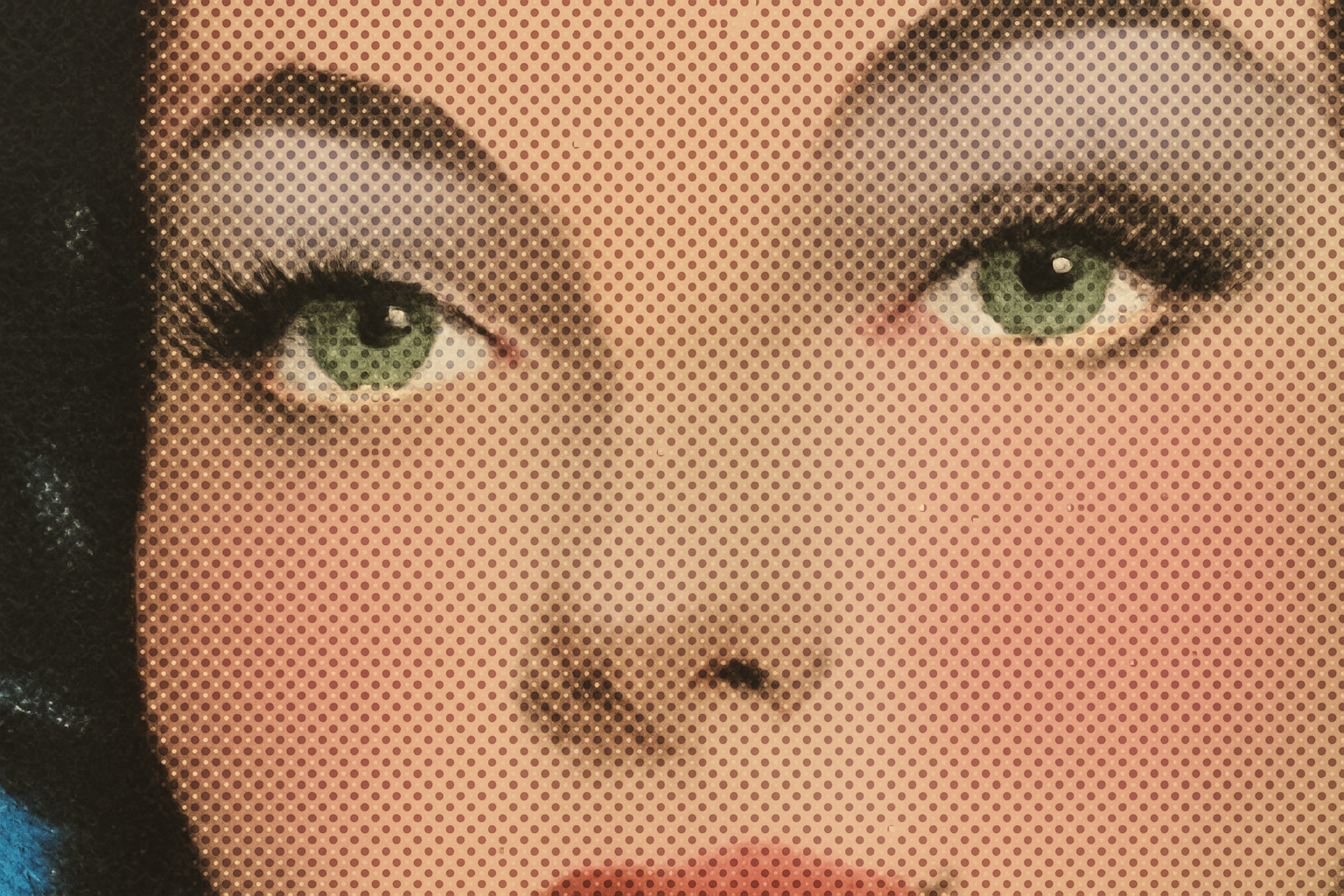
- Halftone Patterns: Navigate to
Filter > Filter Gallery, open the Sketch folder, and select Half-Tone Pattern. Set it to ‘Dot’ with a size of 2 and a contrast of 7. Welcome to the main stage of retro nostalgia. - Move and Transform: Once you’re pleased with the effect, it’s time to make it fit into the magazine. Ensure your muse is center-stage by using the Transform Tool and adjust until they’re basking in the limelight.
Splash of Color for the Cover Girl/Boy
As cheekbones are perfectly poised, let’s introduce some color:
- Blush of Pink: Use the Pencil Tool (100% hardness) to apply a light pastel over the skin, selecting your shade of choice. Yes, think ‘pink’ or whatever tickles your fancy.
- Lips & Teeth: With a dexterous switch to the Bucket Tool, fill in those pearly whites and pucker up with the prettiest lip color, playing with reds and pinks.
Over the Top Vintage Drama
Rehman plan: A soft brush for the delicate touches:
- Cheeks and Shadow: With a soft brush, add blush to cheeks and a subtle eye shadow for that enigmatic gaze. Use light pastel colors to keep it elegant.
- Overlay LUT: For the magical color cast – use
Color Lookup. If you’re not fancying it, a hue/saturation adjustment layer provides similar enchantment. The goal: hand-tinted nostalgia.
Naming Your Star
Finally, what’s a cover without its star:
- Typography: For the title and headline, play with the font. Try ‘Reclaim Script Demo’ for month names and ‘American Captain’ for the name in dark navy blue (code: #1B273C). These seem like details, but they set the subliminal tone for your vintage magazine cover.
Transform a Friend Today
Why not surprise a friend by turning their snapshot into a glamorous 1940s or 1950s movie magazine cover? It’s a creative gift that will keep giving, as you too will hone your Photoshop prowess with each masterpiece you create.
Remember, this technique is not only about crafting a magazine cover but also about learning to appreciate era-specific art and design. From desaturating modern photos to adding period-piece text and textures, the exercise is both fun and educational.
So, what are you waiting for? Dust off your old photos or take new ones and watch this digital masterpiece come to life on your screen. After all, every face has a story worthy of star billing on a classic movie magazine cover!