
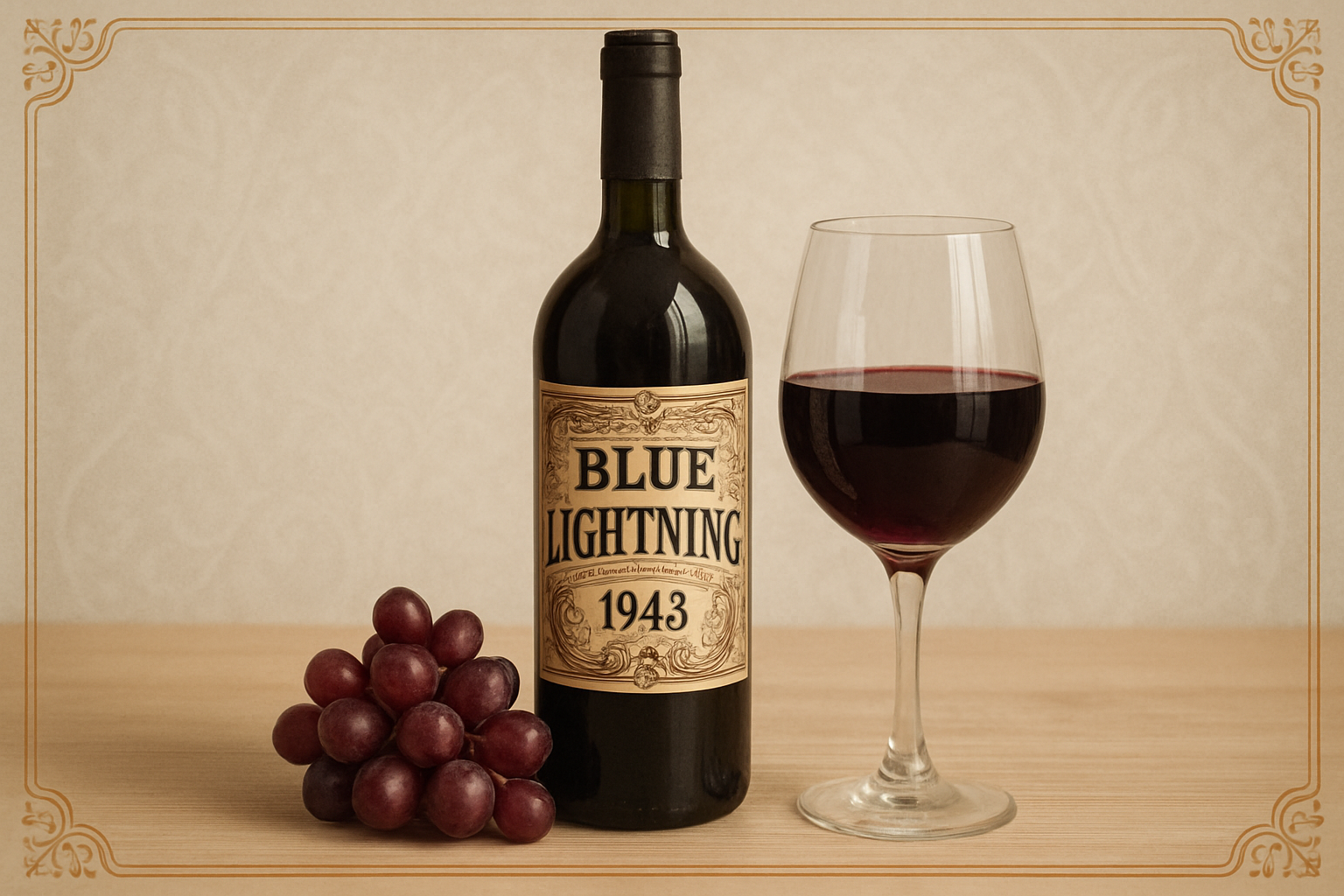
Mastering Wine Label Design: A Step-by-Step Guide
Ever fancied creating your own wine label? Maybe you’re a wine connoisseur with a love for design, or perhaps you’re organizing an event that could use some personalized flair. Either way, crafting a wine label is a fun, creative project that lets you combine artistry with a touch of elegance. With the magic of Photoshop, you can transform your digital dreams into reality quite smoothly. In this post, we’ll take you through an exciting journey to create a personalized wine label and seamlessly place it onto a virtual wine bottle. Grab your digital paintbrushes, and let’s get started!
Gathering Your Tools and Resources
Before we plunge into the creative depths, it’s essential to gather and prepare your resources. You’ll need a digital image of a wine bottle and a label template. Thankfully, we’ve got you covered with a handy image and a template available in the video’s description. Feel free to explore other label options on the internet; just ensure to explore the search tools to get large, high-quality images.
Finding the Ideal Label Template
Trawling through the vast abyss of the internet in pursuit of the perfect wine label can be quite a treasure hunt. Use your browser’s search tools to filter for large file sizes, ensuring your label will be crisp enough for design work. Once you’ve discovered the holy grail of label templates, right-click to copy the image.
Let Photoshop Magic Unfold
With your resources in tow, leap into the creative land of Photoshop. Start by launching a new file and paste your newly found label image. It’s time to become the digital wizard, transforming this label into your masterpiece.
Merging Layers and Removing Old Text
We’ll begin by merging our layers with gnarly keyboard shortcuts—press Control-E on a PC or Command-E on a Mac. Are there tired, old bits of text and images cluttering your label template? Erase them with finesse using the Content-Aware Fill tool. Draw your selection around any unwanted elements, and let Photoshop perform its magic trick—voilà, gone without a trace!
Crafting Your Signature Text
Time to channel your inner calligrapher! With the text clean-up complete, reach for the Type Tool. Whether you’re writing your own name, a friend’s, or something that signifies your brand, this is the space for creativity. Opt for a graceful font—Birch Standard is a good choice—and choose a suitable size and color, like a deep, rich dark brown.
Positioning Your Label on the Wine Bottle
Let the digital detailing continue as we size and position our label on the wine bottle. Use the Move Tool to transport your label to its new home. Adjust and warp it to snugly fit the bottle’s curves. The Warp Transform function is your friend here, with the ‘Arch’ setting allowing for some flexible label bending.
Tailoring the Top of Your Label
The curvature game changes a bit at the top of the label. With precision, bring less arch to the upper sections, so they harmoniously match the bottle’s curvature. Rulers and guides will help you finesse the final polish, ensuring the label fits like a glove.
Adding Lighting and Reflection
Placing your label on the bottle is just half the journey. To complete the illusion, we’ll add some realistic lighting effects. Whether there’s warm candlelight or cool artificial lights spilling across the room, it’s time to dive into the brush tool and impart a shadowy, ambient lighting effect to your creation.
Perfecting with Reflection and Sheen
Embrace the Dodge tool to add highlights—a hint of a reflective sheen that lifts the label’s presence. It’s these subtle touches that transform a flat image into one that sparkles with photorealism. Adjust the highlights to match the imaginary light source’s intensity, giving your label a vibrant, three-dimensional look.
Finishing Touches and Final Flourishes
Now, with your digital canvas brimming with life, you’re ready to admire your artwork. Using these techniques, crafting a custom wine label transforms from daunting to dazzling. Photoshop endows you with the ability to turn ideas from imagination into reality.
Let the world be your vineyard, and may your wine labels be as enchanting as your favorite vino. If you haven’t yet watched the full video tutorial, make sure to check it out for a deeper dive into the technicalities of each step. Whether for personal use or your burgeoning wine business, your custom design is bound to be a hit. Cheers to your creativity!




