
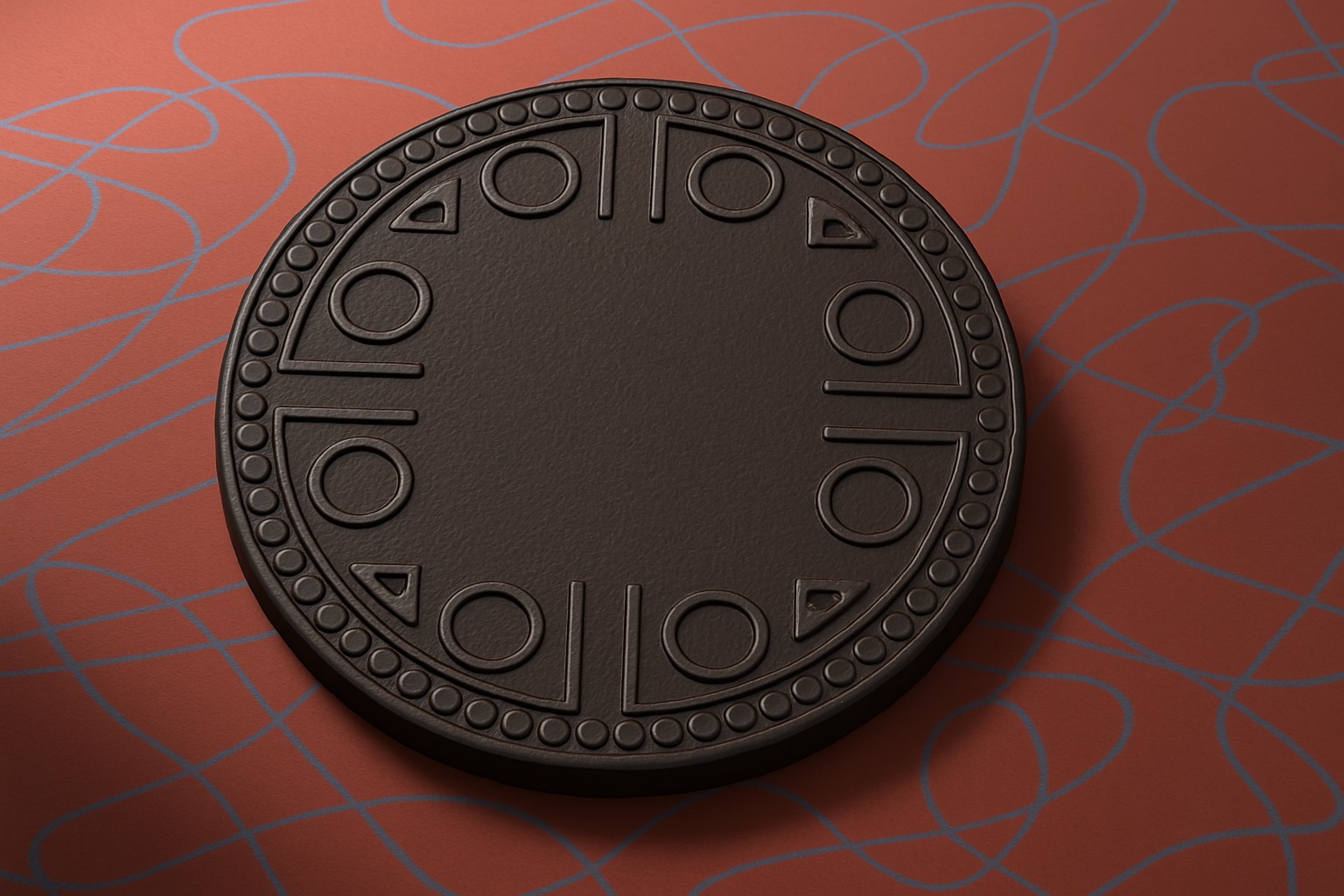
Create Depth and Dimension in Your Digital Desserts
Cookies. They’re delicious, versatile, and… digital? Yes, you read that right. While you can’t eat them, creating digital cookies with your custom designs can still be a treat for your artistic appetite. In “Part Two” of this tutorial series, we delve deeper into transforming your design masterpiece into a photorealistic cookie using Adobe Photoshop—a journey that infuses simplicity into digital creativity.
Getting Your Layers in Order
To kick off this design escapade, start by managing your workspace—specifically, your layers. Like a chef organizing ingredients on a countertop, it’s crucial to have each element prepped and ready to go. Begin by bundling all layers that make up your cookie design into a neatly named folder, conveniently titled “Cookie Design.”
Turning Design into a Delicious Cookie
Once organized, it’s time to work on turning that file of layers into a deliciously lifelike cookie. Hidden in the depths of Photoshop lies the “Color Range” feature. It’s your new best friend for selecting sample colors that will help isolate your design and transform it into a cookie. The process is as smooth as spreading butter on warm bread, ensuring that your creative canvas is ready for baking—digitally speaking.
Add Texture Like It’s Toppings
A cookie isn’t just about the dough; it’s also about the texture. By applying patterns like “Metallic Snake Skin” and modifying opacity and scale within the “Layer Styles” panel, your digital cookie gains a bite-worthy appearance. Using pattern overlays with soft light blend mode, you mimic the realistic nuances of cookie dough texture. Who knew that baking cookies could be no-calorie and calorie-free fun?
The Icing on the (Digital) Cookie: Embellishments with Layer Styles
Layer styles add the pizzazz—or sprinkles if you wish—to your cookie design, giving it depth through Bevel & Emboss modifications. This tool acts as your rolling pin, shaping your image. Tweak settings such as angle and altitude for shadowing that enhances the cookie surface, adding realism through the subtle interplay of light and shadow.
Crafting the Perfect Perspective with Precision
Your design is more than just a two-dimensional snack; it requires depth and perception that mimic an actual cookie. Using transform options and perspective adjustments, you angle both the cookie and the background. The outcome? A 3D masterpiece showcased on your digital screen, making even the most skeptical of skeptics reach for an imaginary glass of milk.
Adding Layers and Layers of Flavor
The magic of Photoshop is in its layers—literally like layers in a cake. Add and manipulate layers to create the illusion of cream-filled goodness using shadows and blending modes. Play with effects like “Drop Shadow” to create depth, resembling that creamy filling sitting snugly between the cookies.
Shadows Bring Cookies to Life
Adding shadows might seem like a meticulous step, but it’s this detailing that brings your digital creation to life. By manipulating inner shadows and drop shadows with precision, you provide the tactile appearance of a real cookie lying invitingly on the surface. Each setting—distance, size, and angle—comes together to reinforce this illusion of photorealism.
Lighting Effects: A Spotlight on Creativity
Finally, no cookie should go unappreciated. Focus the spotlight on your digital delicacy with Photoshop’s lighting effects. Adjusting a spotlight’s intensity and position can make all the difference, showcasing your creation’s richness and inviting interaction.
Creating these digital treats taps into your inner artist and goes beyond basic editing, allowing you to experiment with light, shadow, and texture–all without the calories. Have fun making your designs come alive, straight from your screen to your creative portfolio.
For more creative inspiration and technical guidance, check out Adobe Photoshop’s homepage here and let your designs inspire the next batch of digital desserts.
Celebrate your digital baking prowess and get ready to share those masterpieces—digitally, of course!





