Bringing Vintage Charm to Life with Needlework Samplers
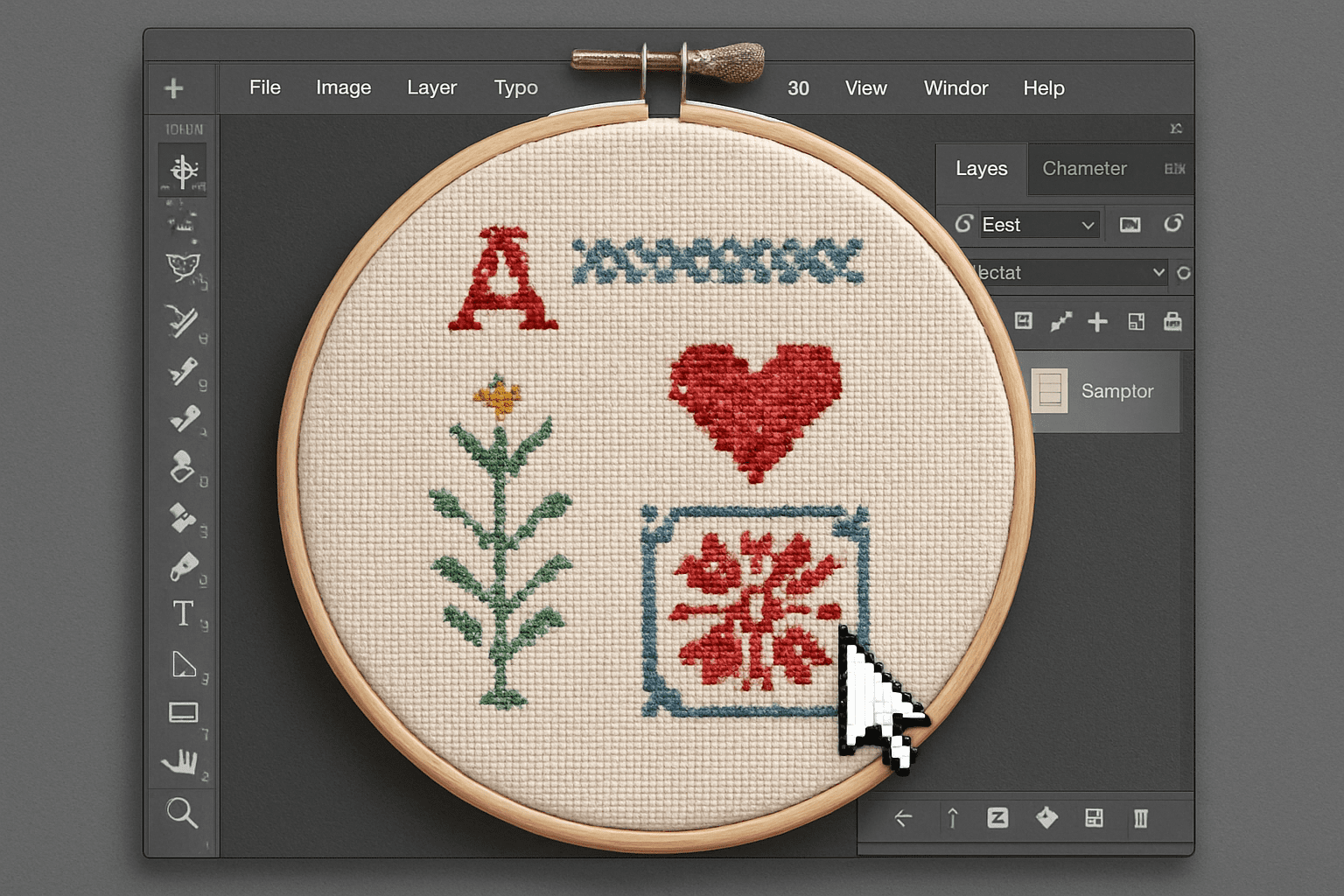
It’s no secret that vintage aesthetics are making a bold comeback in the digital world. From retro filters to animated GIFs that mimic old movie reels, there’s a pull towards nostalgia that creatives are exploring to make their work stand out. One curious art form seeing a digital revival is needlework samplers. Once a quintessential part of domestic life, these pieces of ornamented fabric are being reimagined using modern tools like Adobe Photoshop. Let’s delve into how you can create your own custom needlework sampler, no needle required!
Laying the Foundation: Your Fabric Base
Before you can stitch to your heart’s content, your sampler needs the foundational ‘fabric.’ Think of this as setting the stage for your textile theater. Start by creating a new document sized at 1280×720 pixels—a perfect canvas for modern screens. The initial magic happens with a pattern preset, allowing you to mimic a fabric texture digitally. This involves defining a basic pattern composed of tiny pixels, thus emulating the finely woven nature of traditional needlework canvases.
Crafting Your Fabric Pattern
- Begin with a tiny document—just 10×10 pixels.
- Utilize the magnifier tool to zoom in closely.
- Select a subtle grey tone (90% brightness) to replicate fabric.
- With the rectangular marquee tool, delicately sprinkle this pixel canvas with squares of varying shades to mimic the warp and weft.
Capturing this pattern and saving it as a custom preset will soon blanket your digital document with the aesthetic of handcrafted cloth.
Adding Text: Vintage Fonts for That Authentic Feel
Text in needlework samplers typically includes alphabets, numbers, and sometimes short phrases or life mottos—all rendered in varying types of stitch. For a digital sampler, a font like “Home Sweet Home” suggests a nod to the nostalgic, rural charm of old-timey stitch work. A middle ground font strikes perfectly, evoking the quaintness without the complexity of handcrafted type.
Choose from a plethora of free fonts available from the Webfont List. Set your chosen font, experiment with sizing, and select colors that complement your fabric-like background. Positioning is key, and aligning text centrally often delivers the cleanest look.
Preserving Progress: The Snapshot
Much like a seamstress marking progress, Photoshop offers a digital version of embroidery stitches: the snapshot. Saving your work’s current state allows for instant reversion if things go awry down the digital road. Navigate to the history panel and save a new snapshot, ensuring you can leap back easily if you misstep.
Get Crafty with Digital Stitches
Turning bits and bytes into threads and stitches is where Photoshop shines! Creating a custom brush to simulate a cross stitch pattern feels like sculpting every detail of a pixelated miniature. Incorporate a singular cross-stitch as a brush preset, recreating the individual strokes akin to hands weaving yarn through a loom.
Stepping away from pixel perfectionism, create quirky elements like houses or suns as they are traditional motifs in needlework samplers. Stack these digital stitches, copying and arranging them for desired designs, just as you would align yarns on fabric.
Design the Border: Curved Lines for Flow
The perimeter of your sampler calls for a decorative border—a series of creative stitches shaping a defining frame. Using the rounded rectangle tool and a wavy distortion effect, contour a flowing border that replicates the playful whimsy often found around the edges of fabric needlework.
Fill this border with your stitch brush, creating tasteful outlines that toy with the geometry of the sampler; a digital delineation marking the crossover from fabric to fantasy.
Bringing It All Together: Patterns & Motifs for a Harmonious Tableau
Once your base and text are established, and stitches are flowing into charming borders, apply your imagination. Layer various patterns and motifs—be it nature’s elements like trees and flowers or quaint cottages—and watch your sampler come to life without tying a knot.
Every move is yours to make—choosing colors, defining shapes, integrating symbols—allowing your nostalgic vision to flourish in a digital tapestry.
Crafting your own needlework sampler in Photoshop is an exquisite blend of past and present, technique and creativity. This is not just an artistic endeavor but a joyful nod to simpler times when life’s pace allowed for art in every form. Enjoy the creation and let your sampler become a digital heirloom, shared and cherished across screens!
This fusion of art styles underlines the beauty of digital possibilities in preserving and reinventing traditional crafts for the screen-savvy generation.