
Tap Into Your Inner Forensic Scientist with Photoshop
We all have our favorite crime shows, and CSI: Crime Scene Investigation is undoubtedly a standout for its iconic aesthetic and gripping storytelling. So, what if you could channel your inner forensic scientist and recreate those moody, dramatic visuals using Photoshop? Dive right into this captivating project as we uncover how to craft a signature CSI image using Adobe’s powerful toolset. Ready to bring out your creative crime scene investigator? Let’s get started!
Setting the Scene: Understanding the Dimensions
When you’re trying to capture the essence of CSI, starting with the right canvas size in Photoshop is crucial. We begin with a document sized at 1280×720 pixels and a resolution of 72 pixels per inch. Think of these dimensions as the framework for your digital detective work.
How to Import the Iconic X-Ray Background
In the spirit of forensics, our background picture is an x-ray image—locatable via a simple Google Image search. Importing this into your Photoshop document is a breeze. Select the entire image with Ctrl/Cmd + A and copy it with Ctrl/Cmd + C. Then paste it into the CSI document using Ctrl/Cmd + V. You now have the enigmatic foundation for your art piece.
Fine-Tuning the Look
The magic of Photoshop lies in its ability to transform ordinary images into masterpieces. Press Ctrl/Cmd + T to enter the transform mode and reposition or rotate the x-ray to your desired orientation. Once satisfied, press Enter/Return to lock it in place.
Adding another layer is the next step—make it your own by experimenting with halftone patterns from the Filter Gallery. A touch of line pattern and the right settings will give your composition a noir feel, reminiscent of the gritty CSI ambiance.
Deftly Handling Colors and Textures
Contrast is key in creating a striking image. Use the option for color ranges to select highlights, invert your selection, and fill it with black. This results in a visual punctuated by stark contrasts and textures that are essential in providing depth.
A play with the Blur Filter—specifically Gaussian Blur—softens these sharp contrasts, transitioning your image closer to the aesthetic you witness on your favorite crime scenes.
Bringing the CSI Signature Green Glow to Life
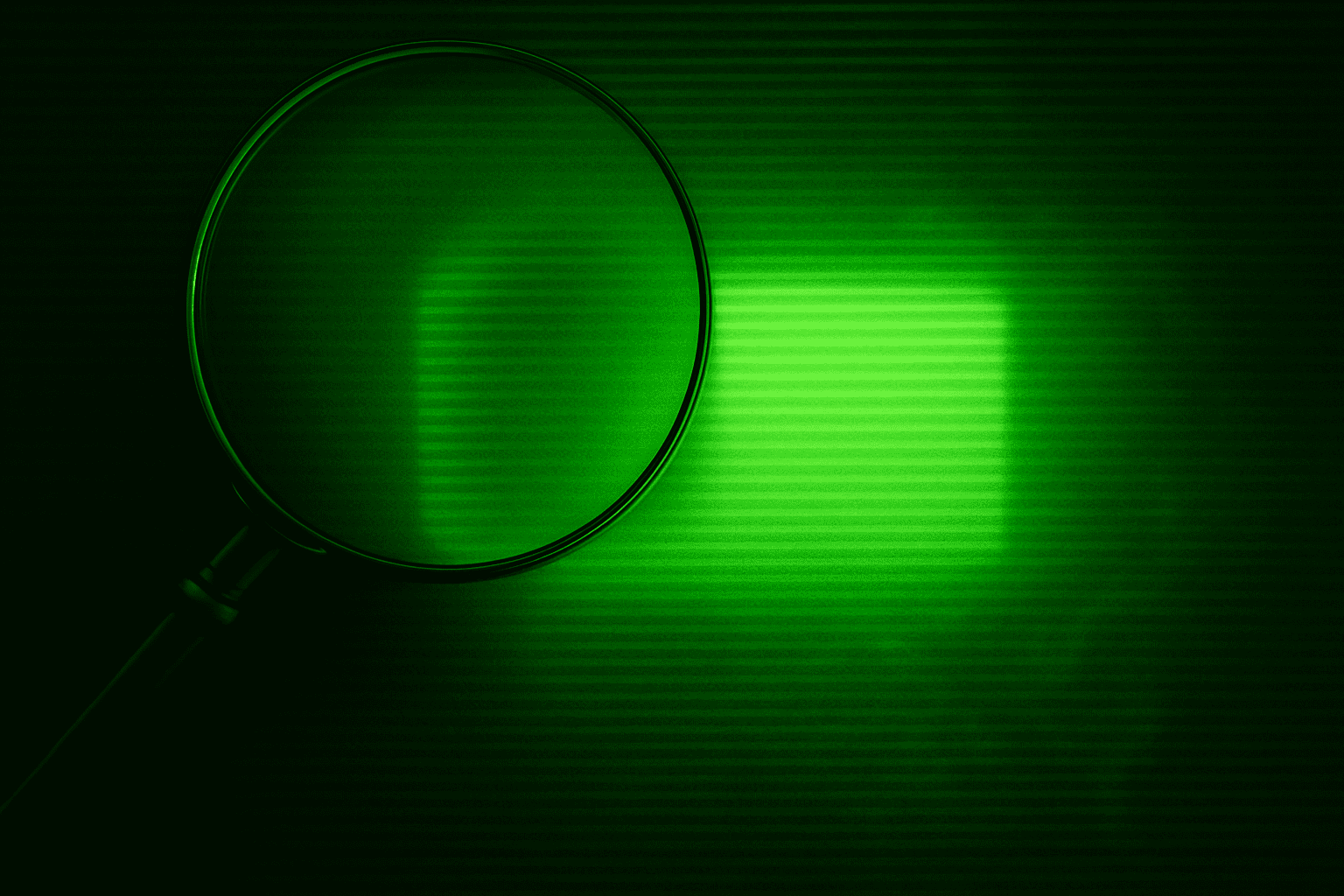
Remember that iconic neon-green associated with CSI? Achieving that requires a solid color adjustment layer with a bright green, perfectly blended using the Darken mode. This layer should selectively impact your x-ray background, so keep it restricted to the required areas with a nifty layer mask.
Indulge in some typographic play next. The CSI font, aptly named CSI Cream Source, is available on Fonts.net. Add the CSI insignia with a white foreground color, pumped up to a massive 319 points. Inner and outer glows add that finishing flair, harmonizing the drama with a green glow reminiscent of your favorite science-laden series.
Adding and Layering Unique Details
Time to accentuate your image with a magnifying glass. Begin by isolating it using a Quick Selection Tool. The meticulous attention to detail here represents the painstaking processes of real-life crime scene analysis.
After placing the magnifying glass within the document, you’ll refine its placement. Aim for a distinct visual plane, securing its position as part of a cohesive whole in your finished product.
Enrich with Finishing Touches
To bolster realism, add shadows and highlights on the magnifying glass surface with your Brush Tool, set to Multiply for shadows and Linear Dodge for highlights. These tactile features lend dimensionality and intrigue, drawing viewers into a scene that feels tangible yet mysterious.
Call-outs: Tips for Perfecting Your CSI-Inspired Creation
- Transform Mastery: Utilize Ctrl/Cmd + T frequently to manipulate angles and sizes.
- Color Magician: Adjust blending modes thoughtfully—Darken and Overlay are your allies.
- Detail Devil: Zoom in to fine-tune the minutest elements of your design. Your attentiveness to detail channels the thoroughness every customer appreciates.
Completing your CSI crime scene investigation piece mimics the processes that defined an era of prime-time television. Each toolbar stroke speaks to the methodical crafting that keeps audiences on the edge of their seats. After some practice and playful experimentation, you’ll become a creative sleuth, equipped to crack any Photoshop enigma that crosses your path.
Dive into the world of design with determination and artistic flexibility. The skills honed building this project unlock potentials untold—just wait until Netflix picks up your first digital crime drama!





