
Photoshop’s newest update is doubling down on what creators actually do all day: iterate, revise, and ship. The headline is a more capable Firefly pipeline centered on faster, higher-quality Generative Fill and Generative Expand plus a handful of workflow changes that make AI edits easier to manage in real production files.
Start with Adobe’s official desktop release notes: https://helpx.adobe.com/photoshop/desktop/whats-new/whats-new-in-adobe-photoshop-on-desktop.html.
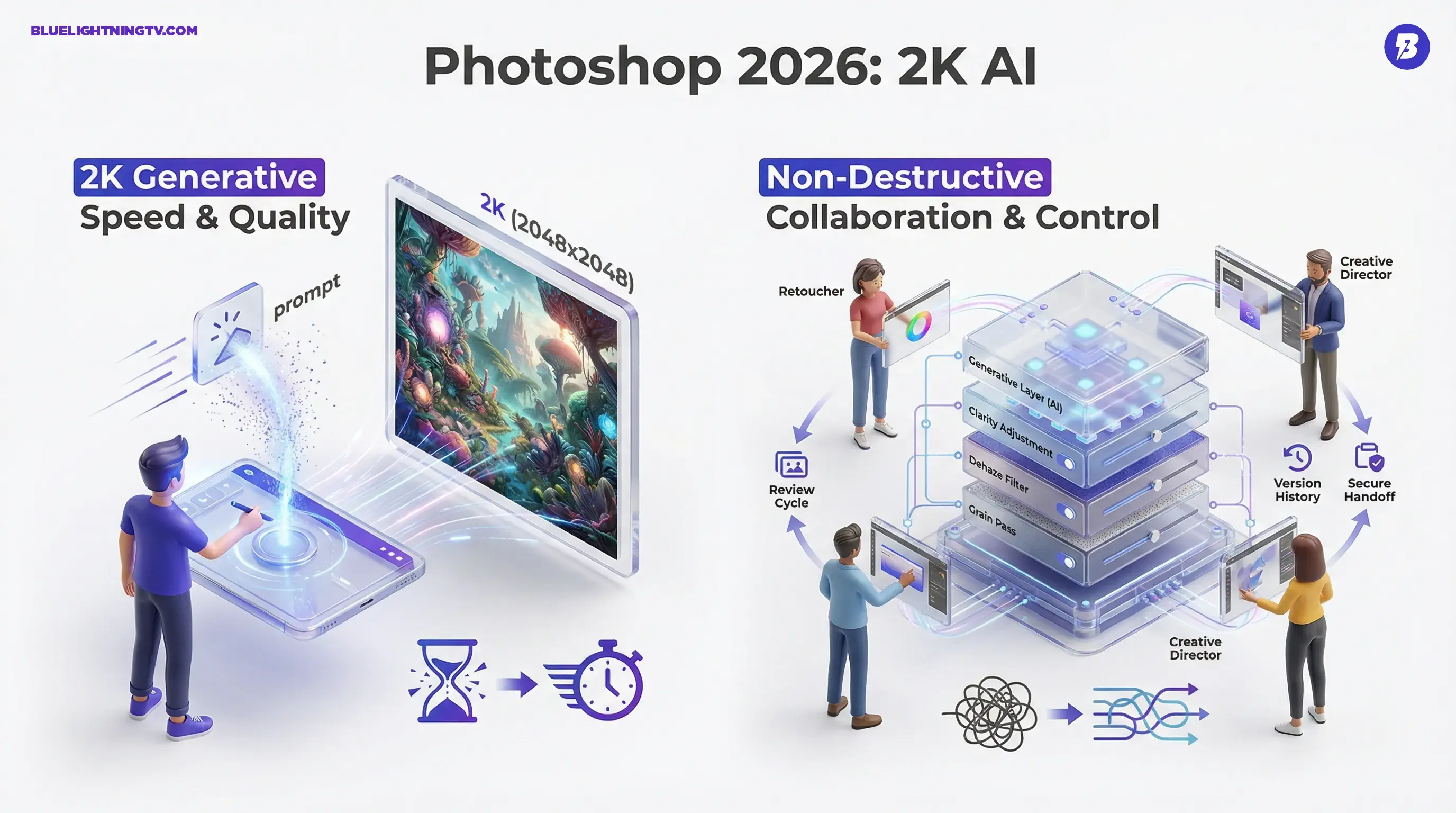
This isn’t a flashy “AI will replace designers” moment. It’s a pragmatic one: less waiting, fewer file copies, and more reliable handoffs between the person experimenting and the person approving.
What shipped in 2026
The fastest way to understand the update: Adobe is tightening the loop between “prompt, variation, polish” inside Photoshop, and raising the ceiling on output quality so those variations can survive beyond mockup stage.
Key changes getting attention:
- Updated Firefly-powered Generative Fill with higher-quality results and 2K (2048 x 2048) output for generations.
- Generative Fill and Expand usability gains that make repeated attempts feel less like you’re waiting in a render queue and more like you’re sketching with pixels.
- More non-destructive options that let you keep experimenting without turning your layer stack into a Jenga tower.
A good outside summary of the workflow pain points Photoshop is trying to fix is here: https://www.creativebloq.com/art/digital-art/photoshop-just-fixed-some-of-its-most-annoying-workflow-problems.
Fill and expand upgrade
Generative Fill and Generative Expand are no longer “cool demo features” you touch once per project. They’re increasingly becoming the first draft tool even for people who fully intend to finish with manual craft.
What changes when the model and pipeline improve:
- You can iterate more times per hour. That’s the difference between exploring three directions and exploring twelve.
- The output holds up longer. Higher-res generations survive closer inspection when a stakeholder zooms in.
- Expands become production-safe more often. Better continuity means fewer emergency patch jobs later.
The real win isn’t that Firefly can invent pixels. It’s that those pixels now survive the next step: retouching, grading, layout, and review.
One more angle worth noting: Adobe has been steadily broadening its generative ecosystem across apps, and Photoshop is the place where many teams “finalize reality.” Improvements here ripple outward because Photoshop is still the last stop for a lot of brand work.
Non-destructive, not chaotic
AI image editing has a classic problem: it’s fast, but it can get messy. Teams generate options, duplicate layers, export comps, re-import, flatten, and somewhere in the chaos lose the ability to explain what changed.
Photoshop 2026 is clearly pushing against that by expanding adjustment and look management so AI edits don’t automatically equal “burned into the file.”
From Adobe documentation, newer non-destructive adjustment layers including Clarity, Dehaze, and Grain fit neatly into this philosophy: your AI pass becomes just another editable step, not a point of no return. See the release notes details here: https://helpx.adobe.com/photoshop/desktop/whats-new/whats-new-in-adobe-photoshop-on-desktop.html.
Here’s why that matters in practice:
- Review cycles get cleaner. When “Option B” is toggleable instead of a separate exported JPG, comparisons are faster and clearer.
- Versioning gets cheaper. Non-destructive stacks reduce the “save-as_final_final2_reallyfinal.psd” lifecycle.
- Specialists can collaborate. The person doing AI concepting can hand off a file a retoucher or designer can actually work with.
Quick comparison table
| Workflow moment | Before | With 2026 upgrades |
|---|---|---|
| Early concepting | Generate, export, repeat | Generate and iterate faster in-file |
| Format resizing | Manual extension plus patching | Expand with higher-quality continuity |
| Stakeholder review | Many flattened variants | More toggles, fewer duplicates |
Moodboards move upstream
A subtle trend behind these updates: moodboarding is becoming an editing task, not a separate “make a deck” task.
When generative variation is cheap, the bottleneck becomes organization: grouping directions, showing contrast, and making decisions quickly. Photoshop’s continued emphasis on keeping variations inside the workspace aligns with how creator teams actually work now: fast ideation, then immediate refinement.
This is also where Photoshop quietly stays dominant: it’s not just an AI generator, it’s a place where you can compose, compare, mask, grade, and prep exports with the same file as the source of truth.
The “multi-model” signal
Adobe has also been testing and expanding optional model choices in Generative Fill in the Photoshop beta, including third-party model options alongside Adobe Firefly. Adobe’s post about expanding model options in Photoshop beta is here: https://blog.adobe.com/en/publish/2025/09/25/photoshop-beta-expands-generative-fillmore-ai-models-more-possibilities.
Even if you never touch alternate models, the implication is big: Photoshop is treating “generation” as a commodity layer and focusing its differentiation on workflow, control, and integration.
That’s a smart play for working creators. Most of us don’t need a hundred models. We need:
- predictable results,
- fast iteration,
- and files that don’t collapse during feedback.
What creators should watch
Speed changes behavior
When Fill and Expand are faster and cleaner, teams are more likely to explore riskier creative directions early, bring more options to review, and reduce time spent on “safe comps” that exist mainly to avoid rework.
Resolution raises expectations
2K (2048 x 2048) generation is a meaningful improvement, but it also tempts teams to treat AI output as final art more often. That’s fine when it’s appropriate. It’s a problem when it skips the usual polish steps like cleanup, continuity checks, brand color accuracy, and typography handling.
Non-destructive is the new baseline
The more AI enters Photoshop, the more important it becomes that edits remain auditable. If your client asks, “What changed between v3 and v4?” “The AI did it” is not a workflow.
The future of generative inside pro apps is less about wow-factor, more about traceability being able to move fast and explain what happened.
Bottom line
Photoshop 2026 is pushing Firefly from “handy feature” to “default workflow,” mainly by improving speed, output quality including 2K generation, and non-destructive control.
For more context on how Adobe is positioning Firefly as a multi-model hub beyond Photoshop, see our COEY coverage: https://bluelightningtv.com/2026/02/02/adobe-firefly-unlimited-new-multi-model-creative-hub/.
For creators and teams, the practical upside is straightforward: more iterations per hour, more usable variations, and fewer moments where you have to leave Photoshop to organize the chaos. It’s not hype. It’s exactly what a mature generative workflow looks like: faster drafts, cleaner revisions, and fewer broken files.