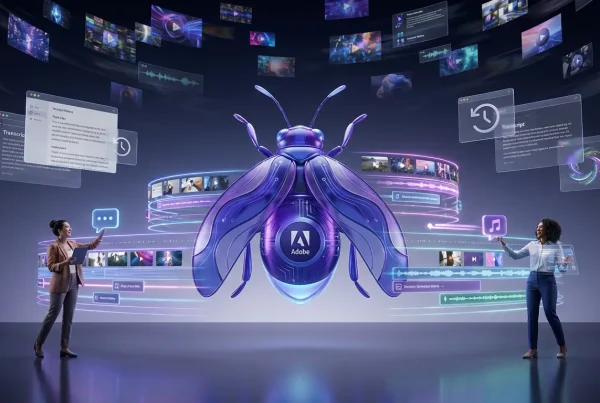
Adobe is rolling out a new Firefly Video capability called “Prompt to Edit” (public beta), and it’s aimed at one painfully familiar moment in post: when the cut is good, the performance is good, the timing is locked, and someone asks for “one tiny change” that’s never tiny.
Instead of regenerating an entire shot or doing the classic mask-track-pray routine, Prompt to Edit lets creators type edits directly onto existing footage. Think: remove a distracting element, alter a specific object, tweak a background detail, or shift the vibe of a scene without rewriting the whole clip’s motion and pacing.

It’s less “text-to-video” and more “text-to-fix-the-thing-your-client-won’t-stop-noticing.”
What shipped in beta
Prompt to Edit sits inside Firefly’s growing video stack and targets clip-level revisions. The basic promise: upload footage, describe the change, preview variations, and iterate without losing the original take’s continuity.
Adobe is positioning this as precision editing, not a fresh generation workflow. That distinction matters because the best thing about most real-world video edits is that you already have the shot. You just need it cleaned up, adjusted, or made campaign-safe.
Edits creators are demoing
Early demos and Adobe’s own framing cluster around a few high-value actions:
- Remove elements: crowds, background passersby, stray objects, signage, clutter, anything that ruins a clean frame.
- Replace elements: swap a prop, change what’s on a table, adjust product colorways, alter set dressing.
- Background changes: shift the environment, tone, or “where are we?” context without reshooting.
- Lighting and scene tweaks: directional vibe changes like time-of-day mood shifts and subtle ambience corrections.
None of that is brand new in the abstract. VFX has done it forever. What’s new is how fast the loop gets when the interface is just language plus previews, and the tool is designed for content volume rather than film-only pipelines.
How it behaves
Prompt to Edit works like an AI-powered overlay on imported video: you describe the change, Firefly processes, then you review output options. The workflow is intentionally iterative: make a change, refine the prompt, try again, without forcing you to rebuild the whole scene from scratch.
This is the key shift from earlier generative video expectations. A lot of creators tried text-to-video, liked it for concepting, and then bounced when they realized the “one small fix” problem still required traditional tools. Prompt to Edit is Adobe trying to reclaim that moment.
Why iteration speed matters
In production, revisions aren’t a rare exception. They’re the job. And the bottleneck isn’t always rendering time. It’s decision time: create a version, send it, wait, change one thing, repeat until morale improves.
Prompt-based editing compresses that loop. The best-case outcome isn’t “perfect AI.” It’s fewer trips back to set and less manual roto for fixes that don’t deserve it.
Firefly’s multi-model pivot
One of the more interesting signals around this release is that Firefly’s video direction is increasingly multi-model. Adobe has been expanding partner model options inside Firefly, and it’s not subtle about the strategy: Firefly becomes the workflow surface, not necessarily the only model under the hood.
Adobe already offers Runway as a partner model inside Firefly, including Runway Gen-4.5 as a selectable option for video generation. That matters for creators because it suggests Adobe is building an ecosystem where “best tool for the job” lives inside one interface, rather than forcing you to keep accounts and exports scattered across five tabs.
If you want the practical view of how this Runway integration fits into real creator workflows, see our earlier coverage: Runway Gen-4.5 lands in Adobe Firefly.
What this means for teams
For creators working in volume, social teams, agencies, in-house brand studios, multi-model access can become a practical advantage:
- Model choice becomes a creative knob (different strengths for realism, motion, style, prompt adherence).
- Workflow stays consistent even when the underlying model changes.
- Review and approval gets cleaner when assets live in fewer places.
Of course, it also introduces a new kind of literacy: knowing which model is best at which tasks. That’s a reasonable trade if it saves hours per week in post.
Why creators will care
Prompt to Edit targets a specific pain point: the re-roll loop. That’s the cycle where a locked cut gets derailed by something small, an unwanted object, a distracting background detail, a product mismatch, causing either a reshoot or a time-sink fix.
For creators shipping daily or weekly content, reshoots aren’t just expensive. They’re schedule killers. For agency teams, they can also be political: a single late request becomes a whole new production day. For solo creators, it’s often worse: you’re the director, talent, editor, and cleanup crew.
Where this fits in real workflows
Prompt to Edit is most valuable when:
- The timing of the clip is already right.
- The performance is already right.
- The issue is localized (an element, object, or background detail) not structural.
If you need a completely different camera move, a new action, or a different blocking, that’s still a regeneration or reshoot conversation. But for “fix the frame” work, this is exactly the lane creators have been asking generative video to enter.
Unlimited generations window
Alongside the broader Firefly video improvements, Adobe is also running a limited-time “unlimited generations” offer in the Firefly app until January 15, 2026 for eligible plans, as described in Adobe’s announcement.
That matters because the early stage of any generative workflow is experimentation. You don’t adopt a new tool because it works once. You adopt it because it works often enough that your process changes.
| What’s included | Why it matters | Who benefits |
|---|---|---|
| Unlimited generations (limited window) | More testing without rationing credits | Teams building new pipelines |
| Prompt to Edit (beta) | Targeted changes without full regeneration | Editors doing high-volume revisions |
| Firefly video tool expansion | More capability in one place | Creators tired of tool-hopping |
Pragmatic limits to expect
This is a meaningful workflow shift, but it’s not magic, and it’s definitely not “goodbye editing forever.” A few reality checks are worth keeping in frame:
Not every edit is stable
Video edits are harder than image edits because time is unforgiving. Even small changes can introduce shimmer, warping, or identity drift across frames, especially with complex motion, occlusions, or fast camera movement.
Precision still needs taste
Prompt-to-edit workflows can move fast, but you still need an editor’s eye for continuity: edges, shadows, reflections, and whether the fix draws more attention than the original problem.
Beta means “beta”
Expect uneven results depending on footage type. Clean, well-lit shots with obvious subject separation will generally be friendlier than handheld chaos with motion blur and crowded depth layers.
What to watch next
Prompt to Edit is a strong signal that generative video is moving from “make something cool” to “make something shippable.” The most important AI video improvements right now aren’t just about prettier generations. They’re about editorial control, repeatability, and speed under deadline.
If Adobe continues pushing Firefly toward multi-model workflows and clip-level editing inside a familiar Creative Cloud ecosystem, the competitive line shifts. The question becomes less “which model is best?” and more “which workflow lets your team iterate fastest without breaking continuity?”
That’s the kind of boring-sounding question that quietly wins campaigns.