
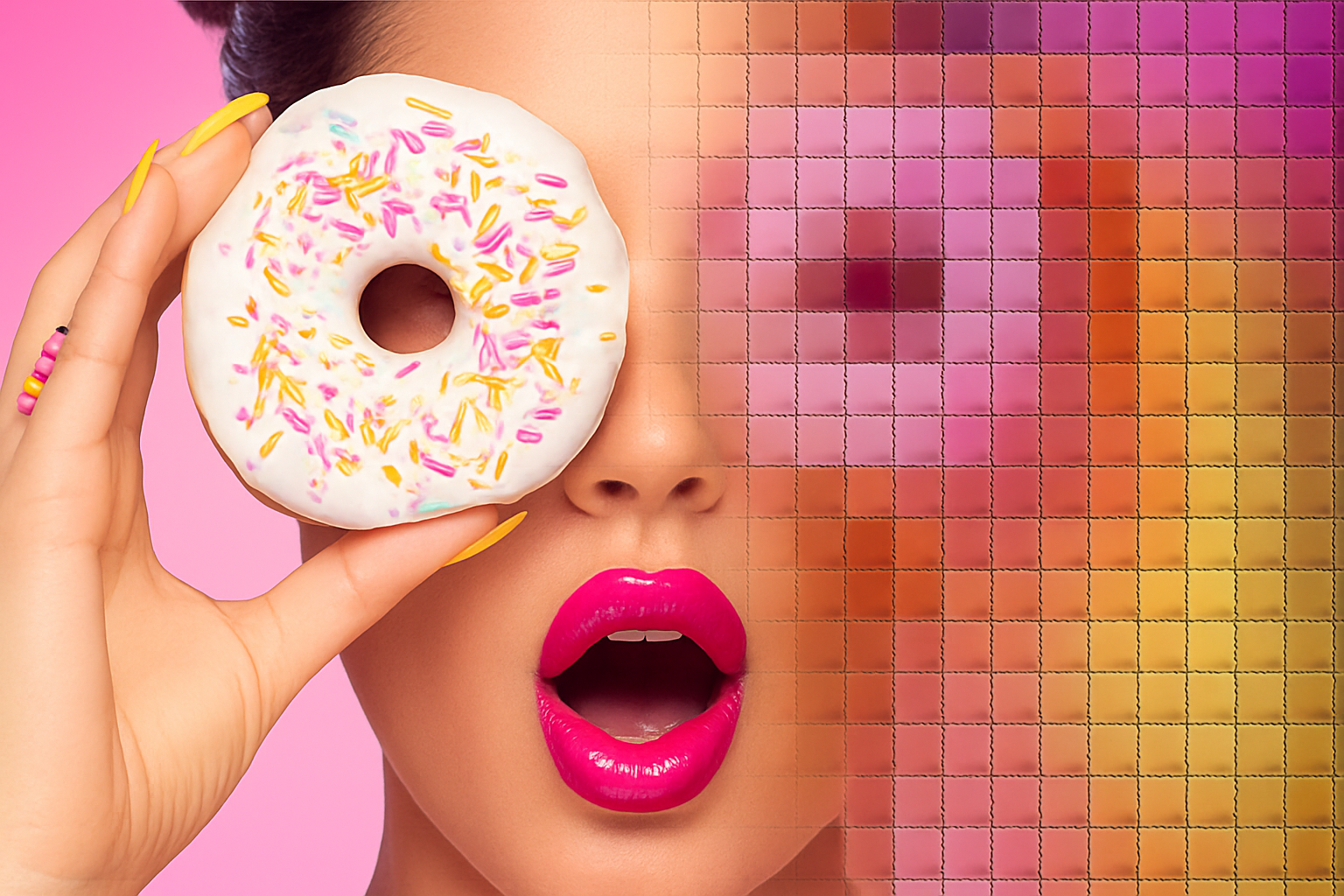
Transforming Photos into Quilted Artworks with Photoshop
In the age of digital creativity, the line between traditional art forms and contemporary techniques is beautifully blurred. One such intersection manifests itself in the form of quilted portraits—images that combine the nostalgia of quilting with the modern capabilities of Photoshop. Want to turn a regular photo into a quilt-styled masterpiece? We’ve got you covered with a simple yet transformative process.
Why Quilted Portraits?
Before diving into the nuts and bolts of creating a quilted portrait using Adobe Photoshop, let’s ponder for a moment why this is even a thing. Quilted portraits add a touch of texture and warmth, blending nostalgic vibes with a modern aesthetic. It’s like hugging your favorite retro photo—without the need of hauling out a sewing machine. With Photoshop, you can achieve that cozy, artisanal look without a needle in sight.
Getting Started: Tools and Setup
To begin your quilting journey, you’ll need a photo you want to transform. This could be a portrait of a loved one, a selfie, or maybe even a picture of your pet—it’s all up to your creative intuition. Once your photo is ready, there are some key Photoshop features you’ll employ to make the process non-destructive and easily customizable.
1. Smart Objects: First, you want to convert your image into a Smart Object. This is crucial because it lets you edit your image non-destructively. Simply head to your Layers panel, click the icon at the upper right, and select Convert to Smart Object. Voilà! Your image is now protected from permanent alterations.
2. Crop for Quilt Size: Use the Crop Tool to define the size of your quilt image. Typically, setting your dimensions to 870×870 pixels at a resolution of 300 pixels per inch will give you a manageable yet clear resolution. Adjust to your heart’s desire!
Let’s Get Quilting
Now, let’s quilt that photo! The process involves layering effects to simulate the look and feel of a quilt.
Creating a Mosaic Base:
– Navigate to Filter > Pixelate > Mosaic. Set the cell size to about 30 pixels—this matches the size of the quilt pieces.
Crafting a Tufted Look:
– Create a new document with dimensions of 30×30 pixels.
– Fill it with 50% gray for a neutral base color.
– Apply a Bevel and Emboss effect to mimic the raised textures found in physical quilts. Set the size to 15 pixels and adjust the light angle for depth.
Defining Patterns:
– Save this effect as a pattern by navigating to Edit > Define Pattern. Your tufted squares are ready to take their place on the quilt.
Adding the Final Touches
Now that you have your mosaic and tufted squares, it’s time to refine the look with additional layers and adjustments.
Stitching the Thread:
– Open the Stitch Thread image provided and define it as a pattern, similar to the tufting process. Apply it over your quilted image as a new pattern layer.
Bringing Out Details:
– Adjust the visibility and strength of your stitches with a Solid Color adjustment layer set to 50% gray. Clip it to your pattern layer for targeted enhancements.
Enhancing Color & Depth:
– Tweak your quilt’s shadows and highlights through Image > Adjustments > Shadows/Highlights.
– Use a Vibrance adjustment layer to boost color vibrancy.
– Finally, add an Inner Glow effect, set to black, to create a pillow-like effect on your quilt’s edges.
Swap Photos with Ease
But wait, there’s more! Don’t you love options? You can replace the main photo in your quilted masterpiece without redoing every single effect. Simply double-click your smart object layers until you reach the original photo. Replace it with a new image using File > Place Embedded—and watch your quilt transform like magic.
Have Fun with Quilting!
There you have it—a thorough walkthrough of creating a quilted portrait in Photoshop. It’s a craft that mixes the tactile feel of quilting with the endless possibilities of digital photography. So bring your photos to life, experiment with textures, and perhaps even create a series of cozy photo quilts for your walls!
While quilts warm our bodies, quilted portraits created with Photoshop warm our hearts with their artistic blend of tradition and technology. Get inspired and start crafting your quilted creations today!





