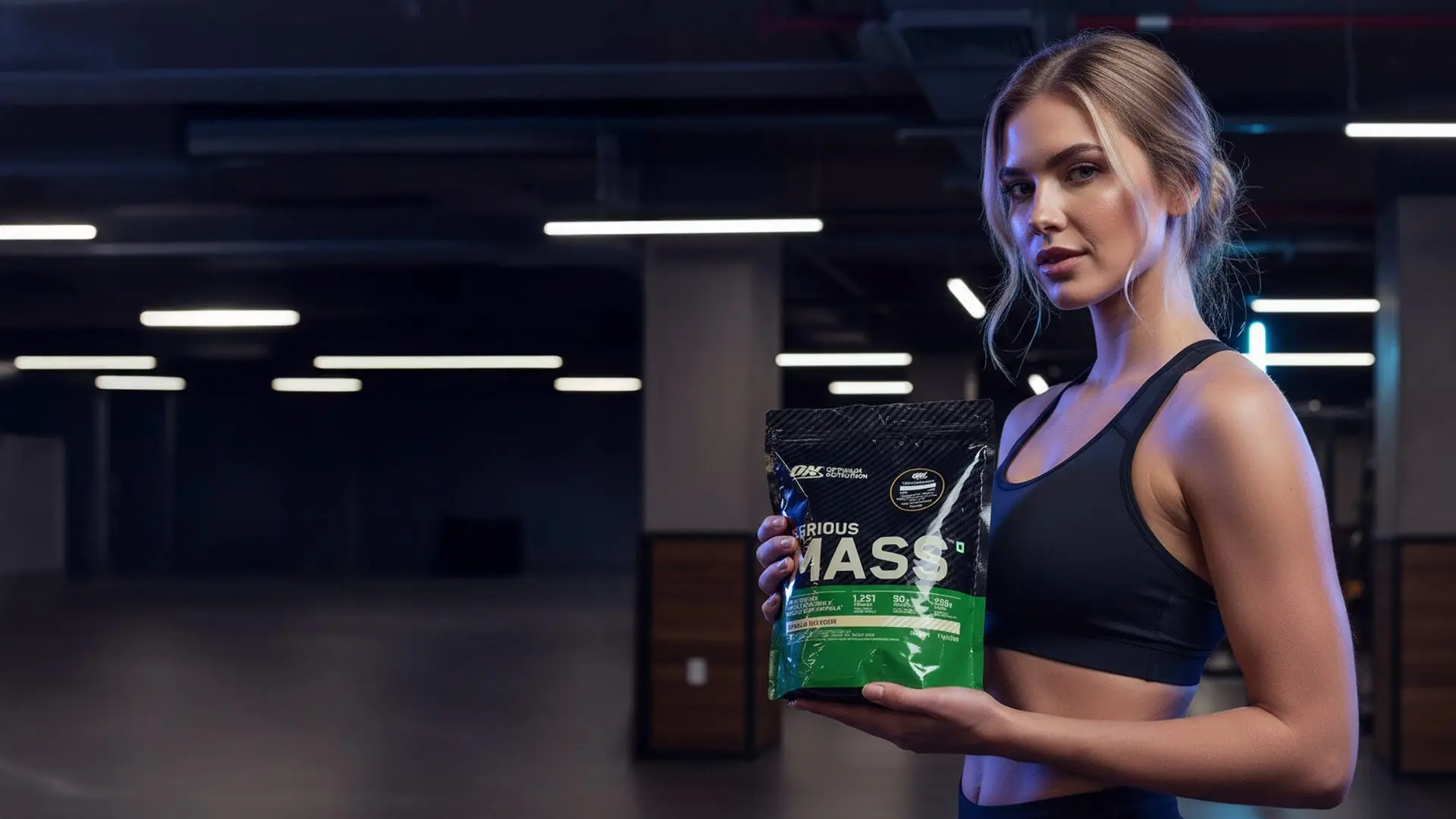
Welcome to the future….
Where your influencer is always on brand, always camera-ready, and never needs a day off. In this tutorial companion, we’ll expand on the video walkthrough to show you how to design, style, and deploy a virtual AI influencer that can model products, generate photo sets, and even star in short video ads.
Why “AI Influencer” and Why Now?
AI influencers solve three persistent marketing challenges:
- Consistency: Your character looks the same across days, outfits, and campaigns.
- Speed: Generate on-brand imagery in minutes, not days.
- Scale: Produce endless variations for A/B testing without additional shoots.
Google’s “Nano Banana” model has recently accelerated this trend with remarkably consistent, natural-looking edits and strong identity preservation, which is key for making one character look like the same person across scenes. For broader context on Nano Banana’s rise and what it means for creators and brands, see coverage from Axios: Nano Banana and AI image editing.
The Workflow at a Glance
- Design a base character (MidJourney or OpenArt)
- Lock in facial identity and style (reference images)
- Generate lifestyle scenes with product placements
- Create short video ads from your stills (VO3/Veo 3-powered tools)
- Publish with clear disclosures and brand-safe guardrails
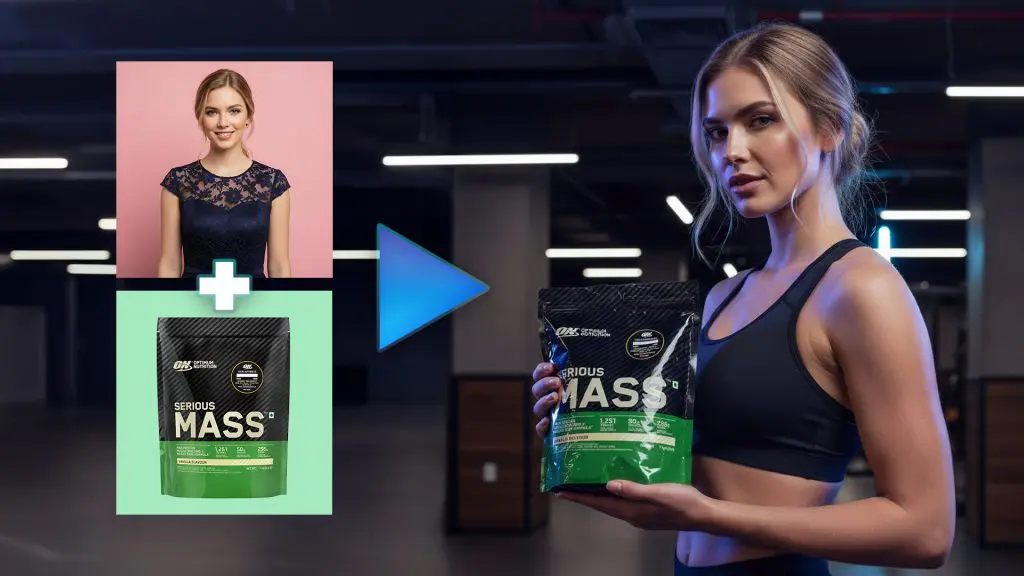
Step 1 – Design Your Base Character
If you’re a prompt-first creator, you can build your character directly inside OpenArt. Prefer to explore looks first? Many creators begin with MidJourney’s visual ideation and then bring a favorite look into OpenArt for consistency and iteration.
Prompt scaffolding (use and modify):
- Age and vibe: “mid-20s, modern, upbeat”
- Face and features: “light blue eyes, soft makeup, neat blonde bob”
- Expression: “warm, confident smile”
- Wardrobe: “fitted white ribbed turtleneck”
- Background: “soft pastel pink studio backdrop, subtle gradient”
Pro tip:
Keep descriptors stable across prompts. If light blue eyes, soft makeup, and ribbed turtleneck define your influencer, carry those phrases forward from set to set.
If you want to explore options before committing, try ideating in MidJourney’s interface: MidJourney.

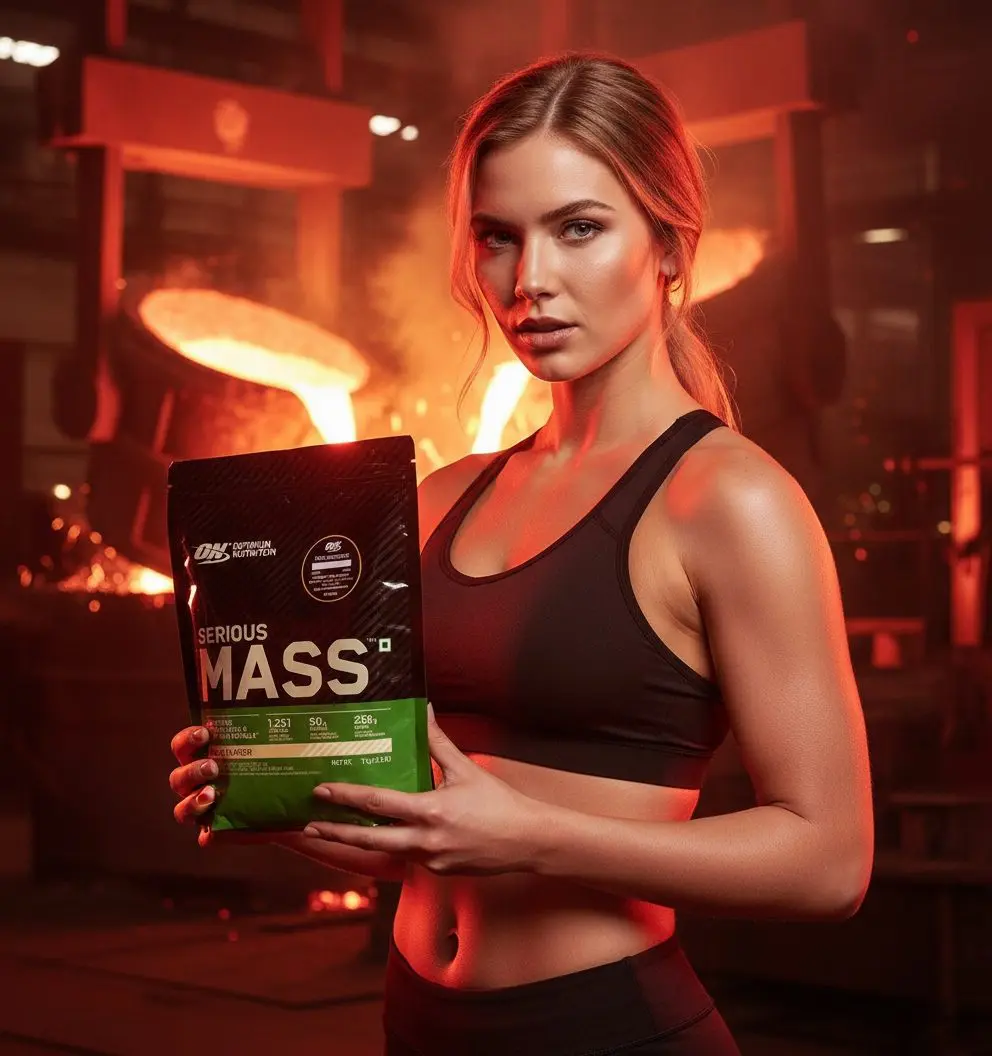
Prompt: The woman is holding the protein powder. She is wearing a sports bra with her belly showing. We see her from a dramatic 3/4 view. She is looking directly at the camera with a fierce look. She is in a steel factor with molten steel being poured in the background. Studio lighting with red and orange LEDs reflecting on her face and the product. Red LEDs reflecting in the background. High flash contrast with red tint. Shot on a Canon 5D. Lens 50 mm – 85 mm prime. Aperture ƒ/1.8 – ƒ/2.2. Wide aspect ratio.
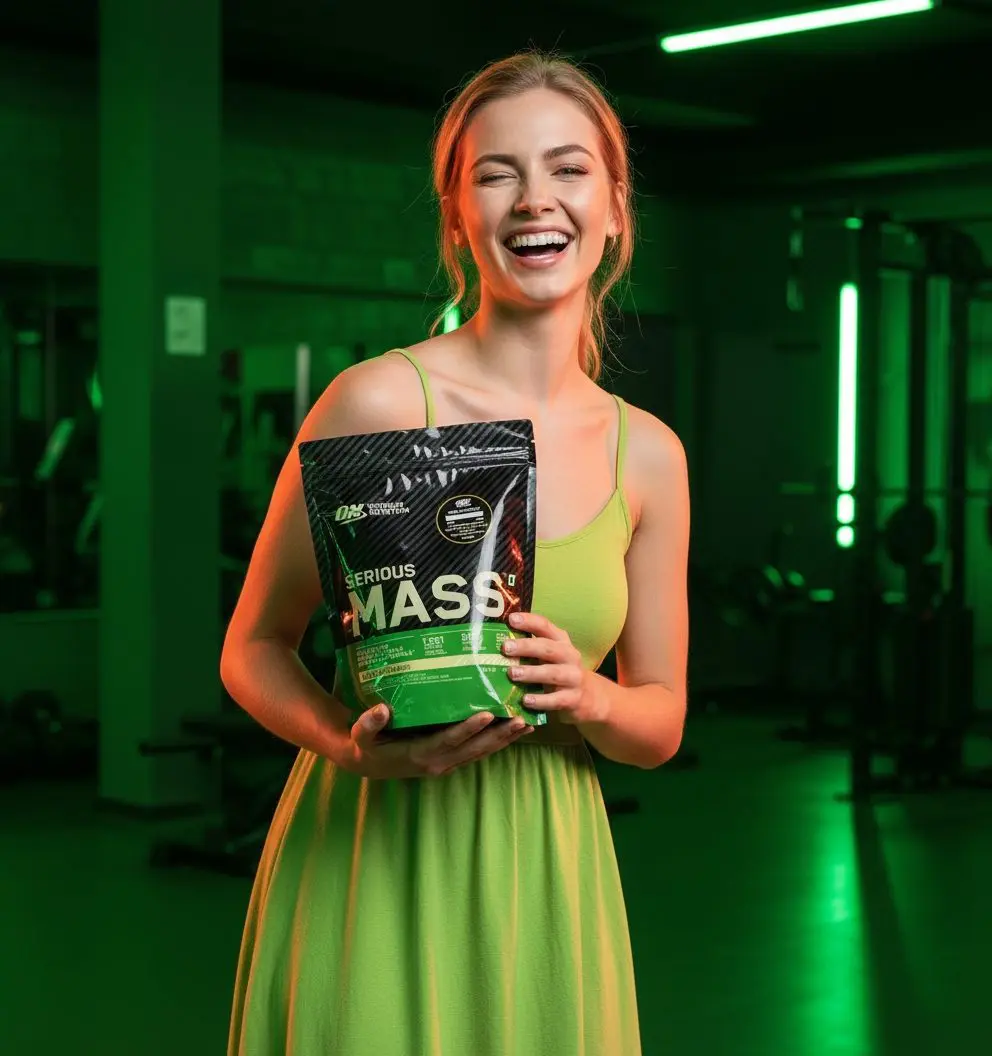
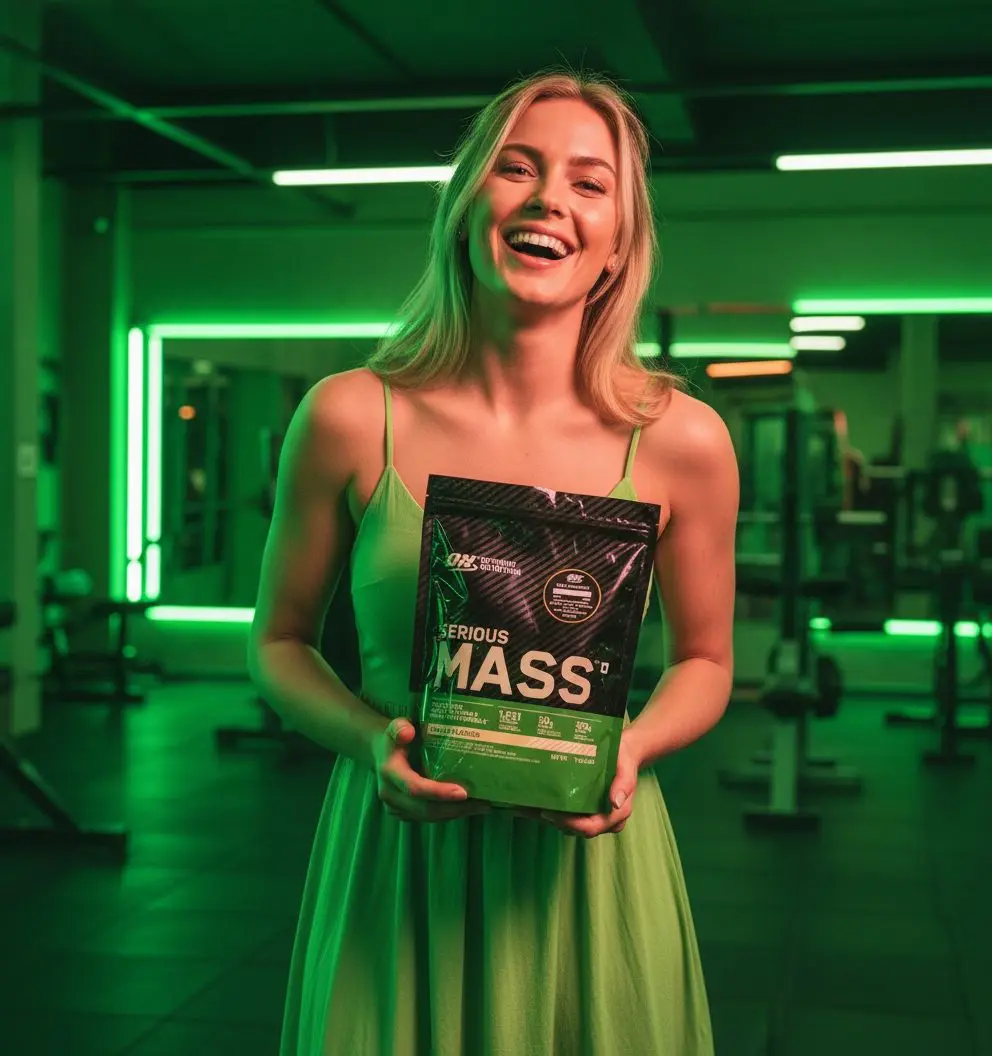
Prompt: The woman is holding the protein powder. She is wearing a green sun dress. We see her from a 1/4 view. She is looking directly at the camera smiling and laughing. She is in a lime green athletic gym where everything is lime green. Studio lighting with green and orange LEDs reflecting on her face and the product. Green LEDs reflecting in the background. High flash contrast with red tint. Shot on a Canon 5D. Lens 50 mm – 85 mm prime. Aperture ƒ/1.8 – ƒ/2.2. Wide aspect ratio.
Step 2 – Lock Consistency with References
Once you have a base look you love, use OpenArt’s reference workflow (often called Omni Reference in Nano Banana setups) to keep the face, features, and overall identity consistent across new scenes and outfits. Upload 2–4 solid, front-facing images of your character and then:
- Add your prompt (summer dress, sitting at a boutique café, pastel decor).
- Keep your core identity descriptors stable.
- Generate a small batch and pick the best for continuity.
Strong identity preservation is where Nano Banana shines. It is built to keep you looking like you.
Choosing Models and Tools: What to Use When
Below is a quick guide to core tools you’ll touch in this workflow.
Comparison Table: Tools for Your AI Influencer Stack
| Tool/Model | Strengths | Best For | Notes |
|---|---|---|---|
| Nano Banana | Identity consistency, natural local edits | Building a recurring character, restyling scenes | Noted in recent coverage for strong realism and keep you, you editing |
| OpenArt | Unified generation, editing, video workflows | End-to-end creation, easy iteration | Central place to run image + video tools together |
| MidJourney | Visual exploration, concept ideation | Finding a look and style direction | Great for moodboards and style scouting |
| Veo 3 (via VO3-style tools) | Text/image-to-video with synced audio | Turning stills into short video ads | Google DeepMind’s Veo is the underlying model many platforms use |
If you’re exploring the video step, get to know Google DeepMind’s Veo models here: Veo on Google DeepMind.
Prompting That Produces Results
Strong prompts blend identity, scene, camera, and lighting. Try this structure:
- Identity anchor: same face as reference, light blue eyes, soft makeup, neat blonde bob
- Wardrobe: white ribbed turtleneck, minimalist jewelry
- Scene: soft pastel studio, seamless backdrop
- Camera and lens: 85mm portrait, shallow depth of field, f/2.0
- Light and mood: soft diffused key, gentle rim light, editorial
Blockquote recipe
Warm, editorial portrait of the same woman from reference, light blue eyes and soft makeup, white ribbed turtleneck, pastel pink studio backdrop with subtle gradient, 85mm lens, shallow depth of field, soft diffused light, gentle rim light, professional studio quality.
Style Packs and Iterations
Speed up experimentation by keeping a style pack of reusable fragments:
- summer café, golden-hour window light, ceramic latte cup
- clean gym, matte rubber floor, soft top-down key light
- minimalist living room, linen sofa, neutral palette, morning light
Mix and match with the same identity anchor, and you’ll get a cohesive portfolio that feels like a real person living a full, on-brand life.
Product Placement That Looks Natural
The goal is subtle authenticity. Use reference images of your product (front labels facing camera) and include a short prompt clause about how it’s used:
- holding a 200ml lotion bottle at chest height, label facing camera, relaxed grip, natural hand pose
- resting a matte black supplement tub on a café table, hand lightly touching lid, casual glance to camera
Best practices:
- Keep the hand pose realistic; mention relaxed grip or supporting with fingertips.
- Add consistent lighting on product to match scene illumination.
- If a product is reflective, prompt soft reflections and avoid hard specular highlights.
From Stills to Motion: Turn Images into Short Video Ads
With a strong set of stills, you can produce quick motion spots for social. Many creator tools branded VO3 are powered under the hood by Google’s Veo 3 (available in OpenArt), which can generate high-quality short clips from text or images.
What works well:
- 5–10 seconds featuring a single moment: a head turn, a product lift, a smiling glance.
- Simple camera moves: slow push-in, slight parallax, gentle tilt.
What to avoid:
- Complex hand choreography or fast action in early drafts; start simple.
- Overly busy backgrounds that distract from your product callout.
Example Micro-Storyboard
- Shot 1 (2s): Medium portrait; influencer lifts product into frame.
- Shot 2 (3s): Close-up; label-forward product with shallow DOF; influencer smiles.
- Shot 3 (3s): Medium; influencer lowers product; end on warm, confident look.
Brand Safety, Disclosures, and Ethics
Using AI-created personalities in marketing comes with responsibility. Two non-negotiables:
- Be transparent that the influencer is virtual.
- Disclose any material connections and sponsorships clearly and conspicuously.
For guidance, review the FTC’s Endorsement Guides, which apply equally to virtual and human endorsers: FTC Endorsement Guides.
Best practices to stay compliant:
- Use unambiguous language like Virtual Character in captions.
- If you’re the brand, disclose the material connection (#Ad, #Sponsored, or clear plain-language disclosures).
- Avoid implying personal use or real-world experiences that a virtual character couldn’t actually have.
If a real person couldn’t have experienced it, your virtual influencer shouldn’t claim they did. Focus on features, benefits, and demonstrations, avoid faux testimonials.
Troubleshooting Consistency
Even with strong reference images, you may see drift. Tighten things up with:
- More uniform angles: ¾ and straight-on references work best.
- Lighting match: Keep lighting descriptors consistent (e.g., soft diffused key).
- Fewer wildcards: Change one variable at a time (location or wardrobe, not both).
- Seed control: When available, lock a seed for subtle variations around a look you like.
If hair or eye color shifts, add hard anchors:
- same blonde bob as reference, exact light blue eyes, no color variation
- identical facial geometry to reference
Putting It All Together (Quick Start)
- Create a base look in OpenArt or ideate in MidJourney.
- In OpenArt, select the Nano Banana workflow and upload 2–4 clean references.
- Prompt 6–12 lifestyle shots using your style pack fragments.
- Add product references with label-forward positioning and natural hand prompts.
- Export winners; create 5–10 second motion clips via VO3/Veo 3-style tools.
- Caption clearly and disclose sponsorships where applicable.
A Note on Nano Banana’s Moment
Nano Banana’s strengths — identity preservation, scene-aware edits, and natural local changes — are why it has become a go-to for creator workflows centered on a recurring character. For a broader view of how it is landing with users and press, Axios has a helpful overview referenced above.
FAQ
- Will every product render perfectly the first time?
Not always. Try 2–3 angles of the product, ensure the label is high-res, and prompt for label legible. - Can I swap hairstyles or outfits without losing identity?
Yes. Do it incrementally. Keep face anchors, then change one wardrobe element per prompt. - Are videos fully lip-synced out of the box?
For short ads, keep narration separate (VO) and cut to hero moments. Lip-sync is improving but still benefits from careful prompt iterations.
Final Thoughts
With a thoughtful pipeline, you can launch a dependable AI influencer in days, not months, one who models your brand voice in every frame. Keep prompts consistent, iterate in small steps, follow disclosure rules, and you’ll have a flexible, scalable content engine that looks ready for any campaign.
If you’re ready to build yours, start here: OpenArt.