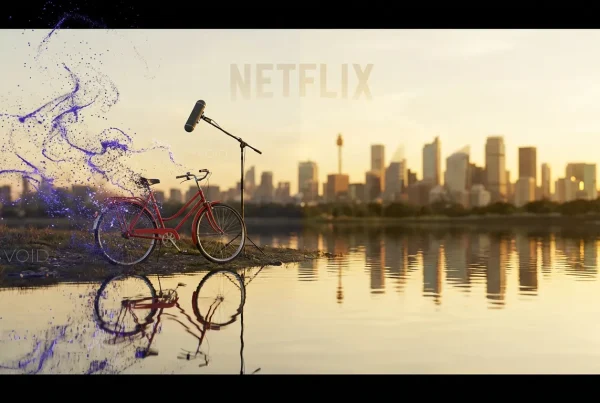
Genmo’s Mochi 1 is a notable moment for open video AI: a 10 billion parameter, open-source model that delivers realistic motion and strong prompt fidelity in short clips. It is available as an open research preview with usable code, weights, and a hosted playground, making high quality text-to-video more accessible to creators and developers alike.
What follows is a practical, creator-focused look at what Mochi 1 does, how it is built, where it shines, and how to get started fast.
What is Mochi 1?
Mochi 1 is a text-to-video generation model that produces clips up to 5.4 seconds at 30 fps, optimized today for 480p output. The model emphasizes visual reasoning over text parsing, improving how it simulates physics, motion, and camera movement, attributes that typically separate feels real clips from uncanny ones.
- Output: 5.4s at 30 fps, 480p
- Model size: ~10B parameters
- License: Open-source (Apache 2.0)
- Interfaces: Web playground, Python API/CLI, and Gradio UI
- Target users: Video editors, animators, 3D artists, graphic designers, photographers, musicians, developers, and researchers
Short, realistic motion that respects your prompt, without endless re-rolls. That is the promise of Mochi 1.
Why Mochi 1 matters
For the last year, the best-in-class video models have largely been closed. Mochi 1 narrows that gap by pairing credible motion quality and prompt adherence with a permissive license and a working ecosystem: browser testing, open weights, and source code. That combination lowers the barrier for both creative exploration and serious R&D.
- For creators: Fast ideation, motion studies, animatics, social posts, and concept tests, without a full production pipeline.
- For teams: A testable baseline for product prototypes, controllable content workflows, or private deployments.
- For researchers: A well documented, modern architecture to extend, fine tune, or benchmark.
Quick specs and capabilities
Table: Mochi 1 at a glance
- Model size: 10B parameters
- Architecture: Asymmetric Diffusion Transformer (AsymmDiT) with video VAE
- Clip length: Up to ~5.4 seconds
- Frame rate: 30 fps
- Resolution (preview): 480p
- Style bias: Photorealistic preference; animated styles may need tuning
- Control: Prompt based control over motion style, pacing, and camera moves
- License: Apache 2.0
- Interfaces: Hosted playground; local via CLI/Gradio/API
- Best for: Motion realism, physical plausibility, prompt fidelity
What is new under the hood
AsymmDiT: prioritizing the visual stream
Mochi 1’s Asymmetric Diffusion Transformer allocates more capacity to vision than text. Rather than spending precious parameters on language intricacies, it processes text efficiently and concentrates modeling power on the part that drives realism: the video latent space. This design choice is a key reason Mochi 1’s motion feels coherent for a model at this parameter scale.
A video VAE tuned for efficiency
Mochi 1 uses a video VAE to compress frames into a compact latent representation, enabling efficient training and inference while preserving temporal coherence. In practice, this lets the diffusion model think in a lower dimensional space that still captures motion and structure, critical for producing smooth dynamics at 30 fps.
Practical outcomes for creators
- Better motion continuity for short clips
- Fewer prompt retries to get the basics right (subject, setting, camera)
- More controllable pacing and movement with carefully worded prompts
Who it is for (and how it changes workflow)
- Video editors and filmmakers: Generate quick animatics or B roll concepts that match the tone and motion of a scene. Use Mochi 1 as a previsualization tool before committing to live action or 3D.
- Animators and 3D artists: Explore motion ideas, camera paths, and lighting vibes without opening a full DCC project. Great for rapid iteration and look development.
- Photographers and designers: Produce motion variants from text concepts to complement still campaigns or mood boards.
- Musicians and social creators: Build short, on brand visuals for teasers and loops in minutes.
Strong
- Time saved: Prompt → motion tests in a single pass
- Creative range: Photorealistic motion, camera, and physics cues in seconds
- Lower risk: Test more ideas before production
Getting started
- Try in your browser: Use the Genmo Playground to generate clips from text. It is the fastest way to gauge quality and prompt behavior. Genmo Mochi 1 Playground
- Download the weights: Pull the preview weights for local testing or integration. Hugging Face: genmo/mochi-1-preview
- Explore the code: Clone the repo, run the Gradio UI or CLI, and dig into examples for programmatic generation and fine tuning. GitHub: genmoai/mochi
Suggested hardware setups
You can use Mochi 1 via the hosted playground (no setup) or locally with GPUs. Local inference is possible on a single high VRAM GPU and scales to multi GPU for speed.
Table: Hardware options and notes
- Hosted (Playground): No setup; ideal for quick tests and prompt tuning
- Single GPU local: ~60 GB VRAM recommended for straightforward runs
- Optimized single GPU: Possible with advanced optimizations and tradeoffs
- Multi GPU local: Scales for faster generation; for example, 4× H100 for higher throughput
- Fine tuning: LoRA trainer available; workable on a single H100 or A100 80 GB
Limitations and roadmap
- Resolution cap: The preview targets 480p. It is ideal for motion and concept tests; upscaling or post work may be needed for production assets.
- Motion edge cases: Extreme motion can produce minor warping or artifacts. Camera blocking and prompt phrasing help mitigate.
- Style bias: Photorealism is the sweet spot. Stylized or animated looks may require prompt engineering or fine tuning.
Coverage of the launch also indicates a higher resolution variant is on the horizon, which would elevate fidelity for more demanding use cases. See external reporting for context:
Advanced usage: fine tuning and integration
LoRA fine tuning
If you need a house visual style or domain specific motion (for example, product spins, macro footage, sports angles), the repository includes a LoRA trainer to adapt Mochi 1 with modest GPU budgets. This is a clean way to push stylization or subject control without retraining the full model.
Programmatic workflows
The GitHub repo includes examples for:
- Batch generation for prompt lists
- Seed control for reproducibility
- Integration hooks for pipelines (for example, post processing, upscaling, editing)
Prompting tips for better results
- Anchor the scene: Specify subject, setting, time of day, and camera. “Cinematic dolly in on a red vintage motorcycle at golden hour, shallow depth of field, 35mm look.”
- Define motion and pacing: “Slow pan left,” “handheld jitter,” “smooth crane up,” “subtle breeze in trees,” “slow motion water splash.”
- State composition and lens: “Wide establishing shot,” “close up portrait,” “macro product hero,” “anamorphic flare, 35mm, f/2.8.”
- Avoid contradictions: Keep style and motion cues consistent; overly mixed metaphors can introduce artifacts.
- Iterate lightly: Small prompt edits often yield big improvements, avoid rewriting everything at once.
Safety and responsible use
As with any generative video system, outputs can reflect biases in training data. NSFW content filters and moderation guidelines should be part of any deployment. For commercial use, add your own guardrails (prompt vetting, detection, usage policies) and keep humans in the loop for sensitive workflows.
Bottom line
Mochi 1 brings credible motion, strong prompt adherence, and real accessibility to open video AI. If you are a creator, the hosted playground is a low friction way to add motion exploration to your process. If you are a developer or researcher, the open weights, repo, and LoRA tools give you a solid base for experiments and products.
Open weights, usable code, and a playground, Mochi 1 lowers the barrier to realistic video generation for everyone.